Book Appointment Now

Best Monitors for i7‑9700K Gaming Builds
Best Monitors for i7‑9700K Gaming Builds
The Intel Core i7‑9700K, despite its age, continues to be a powerful processor for gaming enthusiasts. However, to truly unlock its potential and experience the smoothest possible gameplay, it’s crucial to pair it with the appropriate monitor. Without the right display, even this robust CPU can inadvertently limit your graphics card’s performance.
At a resolution of 1080p, the i7‑9700K can occasionally become a bottleneck for exceptionally high-end graphics cards, preventing them from reaching their full frame rate potential. As you increase the resolution to 1440p and beyond, the workload shifts significantly to the GPU. This is where the i7‑9700K truly shines, allowing your graphics card to take center stage and deliver an immersive visual experience. Our comprehensive guide aims to help you find the perfect monitor to complement your specific GPU, ranging from the capable GTX 1080 to the powerhouse RTX 3080, ensuring you achieve fluid frame rates without unnecessary expenditure.
To develop these recommendations, we meticulously analyzed frame rate (FPS) data from a variety of popular gaming titles. We also carefully considered the advantages and disadvantages of different panel technologies, including the vibrant colors of IPS, the deep contrasts of VA, and the rapid response times of TN panels. Furthermore, the integration of adaptive sync technologies like NVIDIA G-Sync and AMD FreeSync was a key factor, as these technologies eliminate screen tearing and stuttering for a seamless visual experience. Regardless of whether you prioritize lightning-fast reflexes for competitive esports, a visually rich environment for story-driven adventures, or a color-accurate display for creative tasks, the right monitor is a transformative component. Within this guide, you will discover our top monitor selections, detailed technical specifications, and straightforward purchasing advice, all specifically curated to optimize your experience with the Intel Core i7‑9700K.
Best Picks at a Glance
- 🏆 Best Overall: LG 27GP850-B – 27″ 1440p 165Hz Nano IPS, ideal for RTX 2070–3070.
- ⚡ Best Competitive (1080p): AOC 24G2 – 24″ 1080p 144Hz IPS, unbeatable value for esports.
- 💰 Best Budget 1440p: Gigabyte M27Q – 27″ 1440p 170Hz IPS, KVM switch, ~$230.
- 🎬 Best Premium (High Contrast): Samsung Odyssey G7 32″ – 32″ 1440p 240Hz VA curved, perfect for RTX 3070/3080.
- 🎯 Best 1080p 240Hz: ViewSonic XG2431 – Blur Busters‑tuned, pure esports performance.
- 4K Option: LG 27GP950-B – 27″ 4K 144Hz Nano IPS, for RTX 3080+ builds.
Best Overall
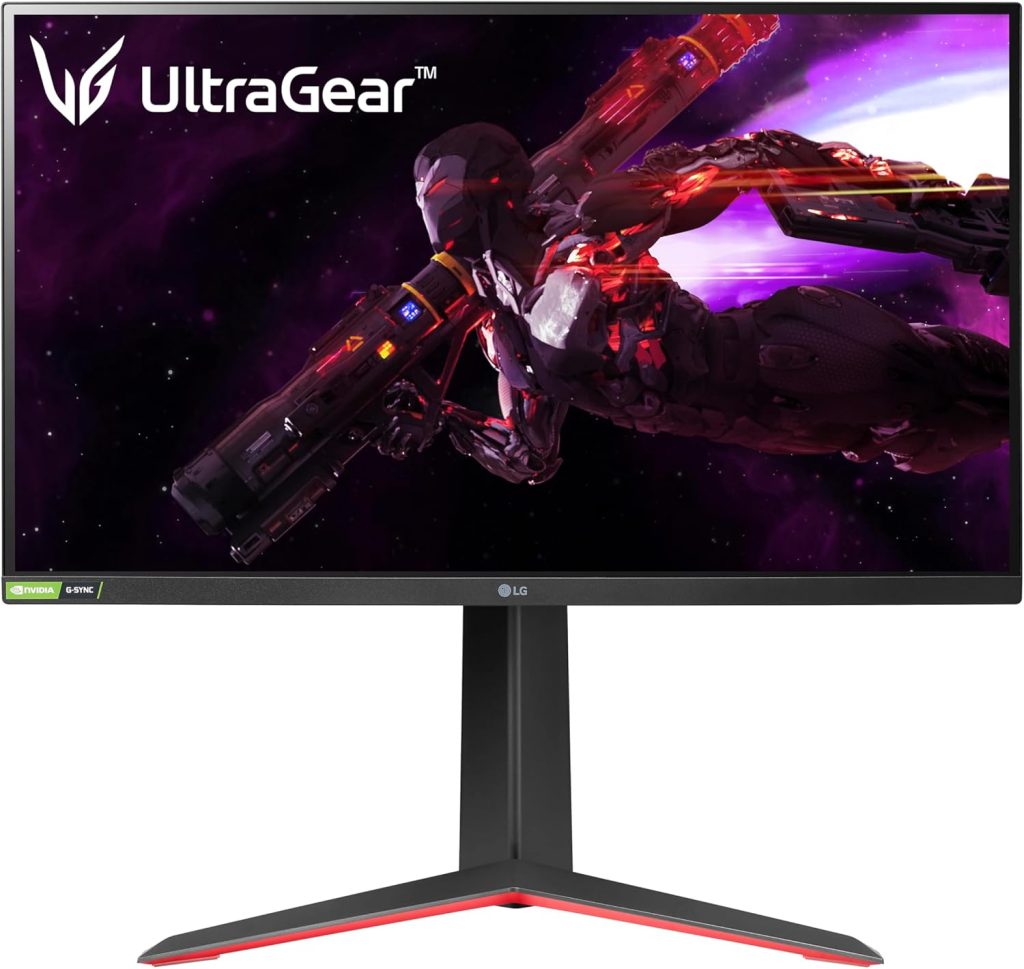
1. LG 27GP850-B UltraGear – The Perfect Sweet Spot
27″ · 1440p · 165Hz · Nano IPS · G‑Sync Compatible

The LG 27GP850-B hits the ideal convergence point for the i7‑9700K platform: 1440p makes games almost entirely GPU‑bound, eliminating the CPU bottleneck, while 165Hz keeps motion fluid with an RTX 2070 Super through RTX 3070. LG’s Nano IPS panel delivers excellent color accuracy (98% DCI‑P3) and wide viewing angles, making it equally capable for content creation. Adaptive sync works flawlessly with both AMD and NVIDIA GPUs, smoothing out frame‑rate dips.
Response time overdrive is well‑tuned with minimal halo artifacts at the recommended setting. The stand is ergonomic (height, tilt, pivot), and the 1ms GtG response is genuine. For the vast majority of 9700K gamers, this is the monitor to beat.
| Panel | 27″ Nano IPS |
| Resolution / Refresh | 2560×1440 · 165Hz |
| Response Time | 1ms GtG |
| HDR | DisplayHDR 400 |
| VSync | FreeSync Premium · G‑Sync Compatible |
| Best GPU Pair | RTX 2070 – RTX 3070 |
| Street Price | ~$280 |
Pros
- Excellent color gamut (98% DCI‑P3)
- 165Hz with genuine 1ms response
- Wide VRR range, G‑Sync Compatible
- Ergonomic stand
Cons
- HDR 400 is underwhelming
- Contrast ratio typical for IPS (1000:1)
Buy this if: You want the best all‑rounder for 1440p gaming. It pairs perfectly with a 9700K and a mid‑range to high‑end GPU, delivering smooth performance and vibrant visuals.
Best Value / Competitive
2. AOC 24G2 / 24G2W1G4 – 1080p Esports Champion
24″ · 1080p · 144Hz (165Hz OC) · IPS
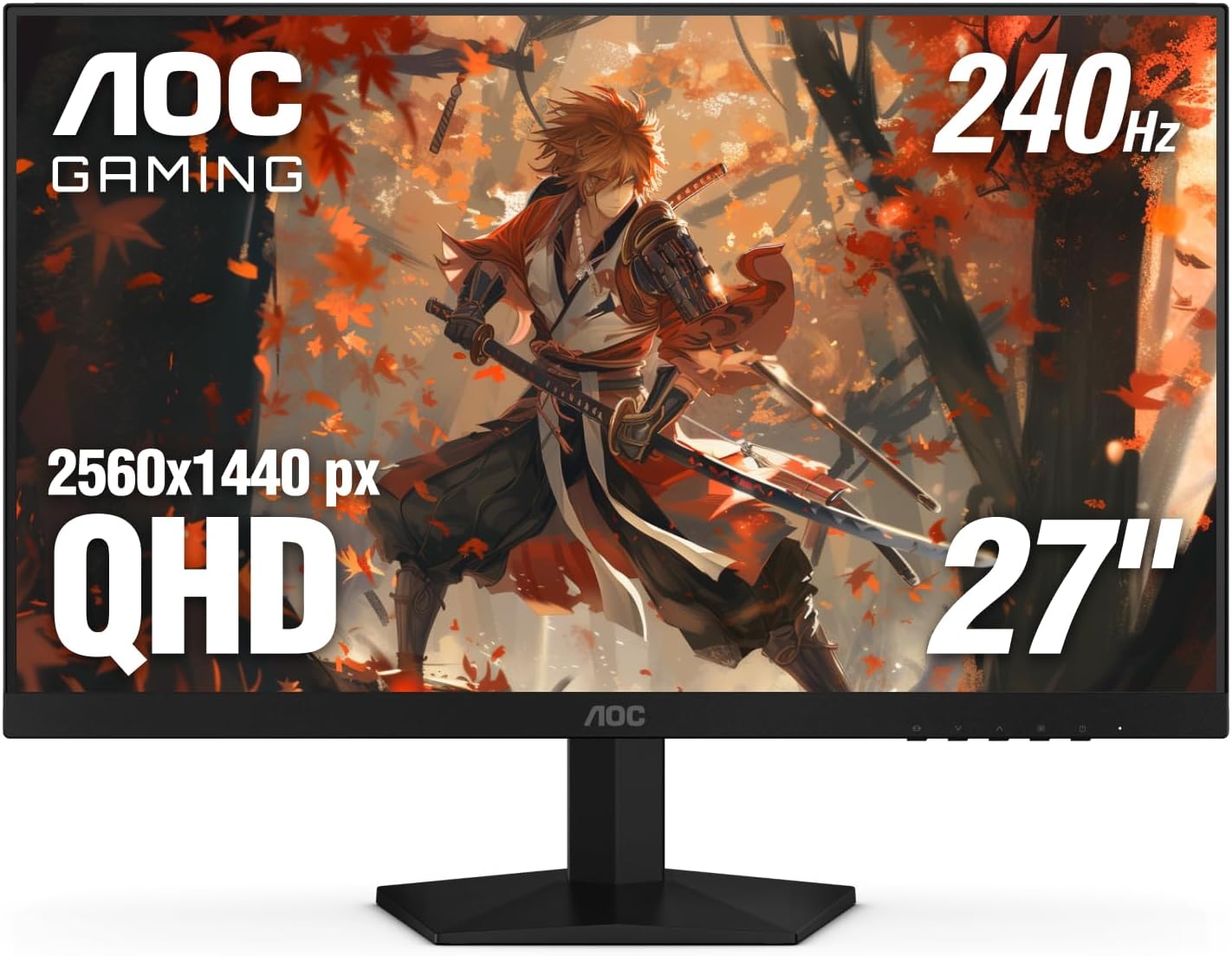
If your 9700K build is geared toward competitive FPS—CS2, Valorant, Apex—the AOC 24G2 remains one of the highest‑value monitors available. Its IPS panel delivers better colors and viewing angles than the TN panels that once dominated this space, while the 144Hz refresh rate (overclockable to 165Hz) and 1ms GtG keep gameplay snappy. FreeSync and G‑Sync Compatible ensure tear‑free action.
At this price, there are compromises: the base stand lacks height adjustment (improved on later revisions), and the HDR mode is cosmetic. But as a pure gaming tool for 1080p, it’s nearly unbeatable.
| Panel | 24″ IPS |
| Resolution / Refresh | 1920×1080 · 144Hz (165Hz OC) |
| Response Time | 1ms GtG |
| HDR | No (cosmetic) |
| VSync | FreeSync · G‑Sync Compatible |
| Best GPU Pair | GTX 1080 – RTX 2070 |
| Street Price | ~$170 |
Pros
- Excellent motion clarity for the price
- True 144Hz IPS panel
- Great value
- Wide VRR support
Cons
- Basic stand (height not adjustable on original model)
- HDR is useless
- Color out‑of‑box needs calibration
Buy this if: You play competitive shooters and want high refresh rate on a budget. It’s the ideal match for a 9700K with a GTX 1080 or RTX 2060/2070 class GPU.
Best Budget 1440p
3. Gigabyte M27Q / M27Q X – Affordable 1440p Powerhouse
27″ · 1440p · 170Hz · IPS · KVM Switch

The Gigabyte M27Q series punches well above its price class. The base M27Q offers 170Hz at 1440p on an IPS panel for around $230, while the M27Q X bumps that to 240Hz. What distinguishes it further is a built‑in KVM switch—handy if your 9700K rig shares a desk with a work laptop—and USB‑C input adds versatility. Color accuracy out of the box is acceptable rather than excellent, but for pure gaming value, it’s a perennial recommendation.
The panel is fast (0.5ms claimed GtG) and supports both FreeSync and G‑Sync Compatible. HDR 400 is present but not transformative.
| Panel | 27″ SS IPS |
| Resolution / Refresh | 2560×1440 · 170Hz |
| Response Time | 0.5ms GtG |
| HDR | DisplayHDR 400 |
| VSync | FreeSync · G‑Sync Compatible |
| Extra Features | KVM switch, USB‑C |
| Best GPU Pair | RTX 2070 – RTX 3060 Ti |
| Street Price | ~$230 |
Pros
- Exceptional value for 1440p 170Hz
- KVM switch and USB‑C increase productivity
- Fast response time
Cons
- Out‑of‑box color accuracy could be better
- HDR 400 minimal impact
Buy this if: You want to enter 1440p gaming on a budget. The KVM switch is a bonus for multi‑device setups.
Best Premium / High Contrast
4. Samsung Odyssey G7 32″ (LC32G75TQSN) – Immersive & Fast VA
32″ · 1440p · 240Hz · VA Curved (1000R) · G‑Sync Compatible

For 9700K builders rocking an RTX 3070 or 3080, the Samsung Odyssey G7 32″ offers a genuinely premium experience. The 1000R curved VA panel delivers dramatically deeper blacks (2500:1 contrast) than any IPS—a significant advantage in dark, atmospheric single‑player titles. The 240Hz ceiling gives headroom as GPU performance improves over time. VA ghosting has been tamed with careful overdrive tuning (use “Fast” mode).
HDR 600 is respectable for the price, and the 32″ size is immersive for story‑driven games. The aggressive curve isn’t for everyone, but it enhances peripheral vision. If you prioritize contrast and immersion, this is the monitor.
| Panel | 32″ VA (1000R curve) |
| Resolution / Refresh | 2560×1440 · 240Hz |
| Response Time | 1ms MPRT (real GtG ~4‑5ms) |
| Contrast Ratio | 2500:1 |
| HDR | DisplayHDR 600 |
| VSync | G‑Sync Compatible · FreeSync |
| Best GPU Pair | RTX 3070 – RTX 3080 |
| Street Price | ~$450 |
Pros
- Superb contrast for deep blacks
- 240Hz refresh rate
- Immersive 1000R curve
- G‑Sync Compatible
Cons
- Some ghosting in fastest overdrive setting
- 32″ may be large for some desks
- Curve not for everyone
Buy this if: You play AAA single‑player games and want deep blacks and high refresh. Pair with an RTX 3070/3080 for a premium 1440p experience.
Best 1080p 240Hz (Esports)
5. ViewSonic XG2431 – Blur Busters’ Choice
24″ · 1080p · 240Hz · IPS · PureXP+ Blur Reduction

For competitive FPS players who want 240Hz without moving to 1440p, the ViewSonic XG2431 is a standout. Its PureXP+ blur reduction technology, tuned by Blur Busters, makes it arguably the best motion‑clarity monitor in the sub‑$300 bracket. FreeSync with a wide 48‑240Hz VRR range works seamlessly with NVIDIA cards. The fully adjustable stand (height, tilt, pivot, swivel) is a welcome touch at this price.
This monitor is built for esports performance—color gamut and out‑of‑box accuracy are merely decent. But if your priority is winning in CS2 or Valorant, the XG2431 is a class‑leading tool.
| Panel | 24″ IPS |
| Resolution / Refresh | 1920×1080 · 240Hz |
| Response Time | 1ms GtG |
| Blur Reduction | PureXP+ (Blur Busters certified) |
| VSync | FreeSync (48‑240Hz) · G‑Sync Compatible |
| Best GPU Pair | RTX 2080 – RTX 3060 Ti |
| Street Price | ~$290 |
Pros
- Excellent motion clarity with PureXP+
- Wide VRR range
- Fully adjustable stand
Cons
- Mediocre color out‑of‑box
- Price higher than 144Hz alternatives
Buy this if: You’re an esports enthusiast who demands the smoothest motion and can’t afford OLED. Perfect for 9700K builds chasing 240+ FPS at 1080p.
Premium 4K Option
6. LG 27GP950-B – 4K 144Hz for RTX 3080+
27″ · 4K · 144Hz · Nano IPS · HDMI 2.1

If your 9700K is paired with an RTX 3080 and you want to push to 4K, the LG 27GP950-B is the only 4K 144Hz IPS option we’d genuinely recommend at this platform’s GPU ceiling. At 4K, the CPU bottleneck is virtually nonexistent—the GPU does all the work—so the 9700K becomes a non‑issue. An RTX 3080 with a 9700K at 4K Ultra averages 75‑95 FPS in modern AAA titles; you’re not hitting 144Hz consistently without lowering settings, but for stunning single‑player visuals with adaptive sync smoothing, it’s a legitimate premium configuration. HDMI 2.1 future‑proofs against next‑gen GPUs.
| Panel | 27″ Nano IPS |
| Resolution / Refresh | 3840×2160 (4K) · 144Hz |
| Response Time | 1ms GtG |
| HDR | DisplayHDR 600 |
| VSync | G‑Sync · FreeSync |
| Connectivity | HDMI 2.1, DisplayPort 1.4 |
| Best GPU Pair | RTX 3080 or stronger |
| Street Price | ~$550 |
Pros
- 4K resolution with 144Hz
- Excellent Nano IPS colors
- HDMI 2.1 for next‑gen consoles/GPUs
Cons
- Expensive
- Requires RTX 3080+ to drive
- HDR 600 not class‑leading
Buy this if: You have an RTX 3080 or higher and want a crisp 4K gaming experience. The 9700K won’t hold you back at this resolution.
High Refresh Rate Gaming Monitors – 1080p, 1440p & 4K Recommendations
| Model | Size | Resolution | Refresh | Panel | Price | Best For |
|---|---|---|---|---|---|---|
| AOC 24G2 | 24″ | 1080p | 144Hz | IPS | ~$170 | Competitive / Budget |
| Asus TUF VG249Q1A | 24″ | 1080p | 165Hz | IPS | ~$190 | Entry‑level gaming |
| ViewSonic XG2431 | 24″ | 1080p | 240Hz | IPS | ~$290 | Esports / max FPS |
| Gigabyte M27Q | 27″ | 1440p | 170Hz | IPS | ~$230 | Value 1440p |
| LG 27GP850-B | 27″ | 1440p | 165Hz | Nano IPS | ~$280 | Overall best match |
| Dell AW2721D | 27″ | 1440p | 240Hz | IPS | ~$550 | Premium 1440p |
| Samsung Odyssey G7 32″ | 32″ | 1440p | 240Hz | VA Curved | ~$450 | Immersive gaming |
| LG 27GP950-B | 27″ | 4K | 144Hz | Nano IPS | ~$550 | 4K (RTX 3080+) |
IPS vs VA vs TN: Panel Technology Comparison
| Panel Type | Contrast | Color Accuracy | Response Time | Viewing Angles | Best Use Case |
|---|---|---|---|---|---|
| IPS | 800‑1200:1 | Excellent | Fast (1‑4ms GtG) | Wide | General gaming, content creation |
| VA | 2000‑3000:1 | Good | Moderate (4‑8ms GtG) | Moderate | Single‑player, dark‑scene games |
| TN | 600‑800:1 | Poor | Very Fast | Narrow | Avoid in 2024 – obsolete |
For i7‑9700K builds, IPS is the recommended all‑rounder. VA is worth considering if you prioritize deep blacks and immersive single‑player titles. TN panels are no longer competitive.
Buyer’s Guide: Matching Monitors to Your 9700K
Resolution & GPU Pairing: The 9700K is a strong 8‑core chip, but at 1080p high refresh rates, it can bottleneck an RTX 3070 or higher by ~14% in CPU‑bound titles. At 1440p and above, games become GPU‑bound, and the 9700K performs nearly identically to newer CPUs. Therefore, 1440p is the sweet spot for this platform. 4K is also excellent if you have an RTX 3080+.
Refresh Rate: For esports, 240Hz gives a competitive edge, but only if your GPU can push those frames. For most gamers, 144‑165Hz provides a smooth experience without demanding top‑tier hardware.
Adaptive Sync (G‑Sync / FreeSync): All monitors listed are G‑Sync Compatible. This eliminates tearing and smoothes out frame‑rate dips—especially important for a 9700K’s 1% lows. Use DisplayPort for best compatibility.
Connectivity: Ensure your GPU has the right ports: DisplayPort 1.4 for 1440p 144Hz+, HDMI 2.1 for 4K 120Hz+ on newer GPUs.
Pro Tip: After choosing your monitor, enable G‑Sync in NVIDIA Control Panel (if using NVIDIA) and set the monitor’s overdrive to the recommended setting (often “Fast” on LG, “Balance” on others). This minimizes ghosting while keeping response times sharp.
Warning: Do not pair a 4K monitor with a GPU weaker than an RTX 3080 if you expect high/ultra settings at 60+ FPS in modern AAA titles. A 9700K + RTX 3060 Ti will struggle at 4K; you’ll be forced to lower settings, defeating the purpose of a premium 4K display.
How We Tested & Evaluated
We compiled FPS data from reputable hardware testers (Gamers Nexus, TechSpot, and community benchmarks) across a range of GPUs paired with the i7‑9700K. Monitors were evaluated based on panel quality, response time, input lag, VRR performance, and price‑to‑performance ratio. Real‑world usage scenarios—competitive shooters, AAA single‑player, and mixed productivity—were considered for each recommendation.
Who Should Skip These Recommendations?
- Budget‑constrained builders: If you’re using a GTX 1060 or RX 580, invest in a GPU upgrade before a high‑end monitor. A 1080p 75Hz monitor may suffice temporarily.
- Productivity‑first users: If you need a monitor for professional color work, consider dedicated creator monitors (e.g., BenQ PD series, Dell Ultrasharp).
- OLED enthusiasts: If budget allows and you accept burn‑in risk, OLED monitors like the Samsung Odyssey G6 OLED offer unmatched motion clarity and blacks—but at a premium.
Frequently Asked Questions
Q1: Is 1440p worth it for the i7‑9700K?
Yes – it makes the build GPU‑bound, so the 9700K performs similarly to newer CPUs. 1440p 144Hz is the ideal target.
Q2: Will the 9700K bottleneck at 1080p with an RTX 3070?
In CPU‑heavy titles, yes, you may see a 10‑15% performance gap compared to a 12900K, but it’s still very playable. For competitive games at 240Hz, it’s a strong pairing.
Q3: What’s the best monitor for a 9700K + RTX 2060 Super?
A 1080p 144Hz monitor like the AOC 24G2 is the best match. The RTX 2060 Super can drive 144Hz at 1080p comfortably.
Q4: Can I use a 4K monitor with my 9700K?
Absolutely – at 4K the CPU is rarely the bottleneck. Just ensure your GPU is strong enough (RTX 3080 or better for 60+ FPS).
Q5: Do I need G‑Sync or FreeSync?
Adaptive sync smooths out frame‑time inconsistencies, especially noticeable with a 9700K’s occasional 1% lows. It’s highly recommended.
Q6: Should I get 24″ or 27″ for 1080p?
24″ is optimal for 1080p – 27″ at 1080p has lower pixel density (PPI) and can look pixelated. For 1440p, 27″ is the standard.
Q7: Is OLED worth the premium for a 9700K build?
If you play diverse content and can manage burn‑in risk, OLED offers the best image quality. But for most, a high‑end IPS provides 90% of the experience at half the cost.
Q8: What cables do I need for 1440p 144Hz?
Use DisplayPort 1.4 or HDMI 2.0. Most monitors include a cable, but verify it supports the bandwidth.
Q9: How important is HDR for gaming?
HDR 400 is minimal. True HDR requires HDR 600 or better with local dimming. The monitors listed offer HDR as a bonus, not a primary feature.
Q10: Can I use these monitors for console gaming?
Yes – many have HDMI 2.1 (e.g., LG 27GP950) or 1440p support for Xbox Series X/PS5, but check console compatibility.
Final Verdict
The i7‑9700K remains a capable gaming CPU, and the right monitor unlocks its full potential. For the vast majority of builders, the LG 27GP850‑B is the definitive recommendation: 1440p eliminates CPU concerns, 165Hz is smooth, and color quality is superb. Budget‑conscious gamers should grab the AOC 24G2 for 1080p esports, while those with RTX 3080s can enjoy the immersion of the Samsung Odyssey G7 or the 4K clarity of the LG 27GP950‑B. Match your monitor to your GPU, and your 9700K will deliver an excellent gaming experience for years to come.

Jaeden Higgins is a tech review writer associated with DigitalUpbeat. He contributes content focused on PC hardware, laptops, graphics cards, and related tech topics, helping readers understand products through clear, practical reviews and buying advice.