Book Appointment Now

1440p vs. 4K Gaming Monitors
1440p vs. 4K Gaming Monitors in 2026: Which Resolution Is Right for You?
⚡ Quick Summary
The 1440p vs. 4K debate has shifted significantly in 2026. DLSS 4 and FSR 4 have made 4K gaming more accessible than ever, RTX 5000 and RDNA 4 GPUs have closed the native 4K performance gap, and 1440p monitors now reach an astonishing 540Hz on OLED panels — making the choice more nuanced than ever. The honest answer: 1440p remains the smarter choice for most gamers, especially competitive and mid-range hardware users, while 4K is increasingly justified for single-player cinematic gaming on 32-inch or larger displays with a high-end GPU. Neither resolution is universally “better” — but one is almost certainly better for you, and this guide gives you the framework to know which.
Why the 1440p vs. 4K Question Is More Complex in 2026 Than Ever Before
For most of the last decade, the answer to “1440p or 4K?” was simple: 1440p for performance, 4K for visuals. In 2026, that binary has dissolved. The arrival of DLSS 4 with Multi Frame Generation and AMD FSR 4 means that “4K gaming” increasingly refers to an upscaled output rather than native rendering — and the quality gap between a well-upscaled 4K image and native 4K has closed to the point where most reviewers now consider upscaled 4K a legitimate gaming experience. Meanwhile, the best 1440p OLED monitors hit 360Hz and 540Hz refresh rates that no 4K panel can match, and panel technology improvements mean that a top 1440p display in 2026 delivers image quality that would have been considered remarkable at 4K just three years ago.
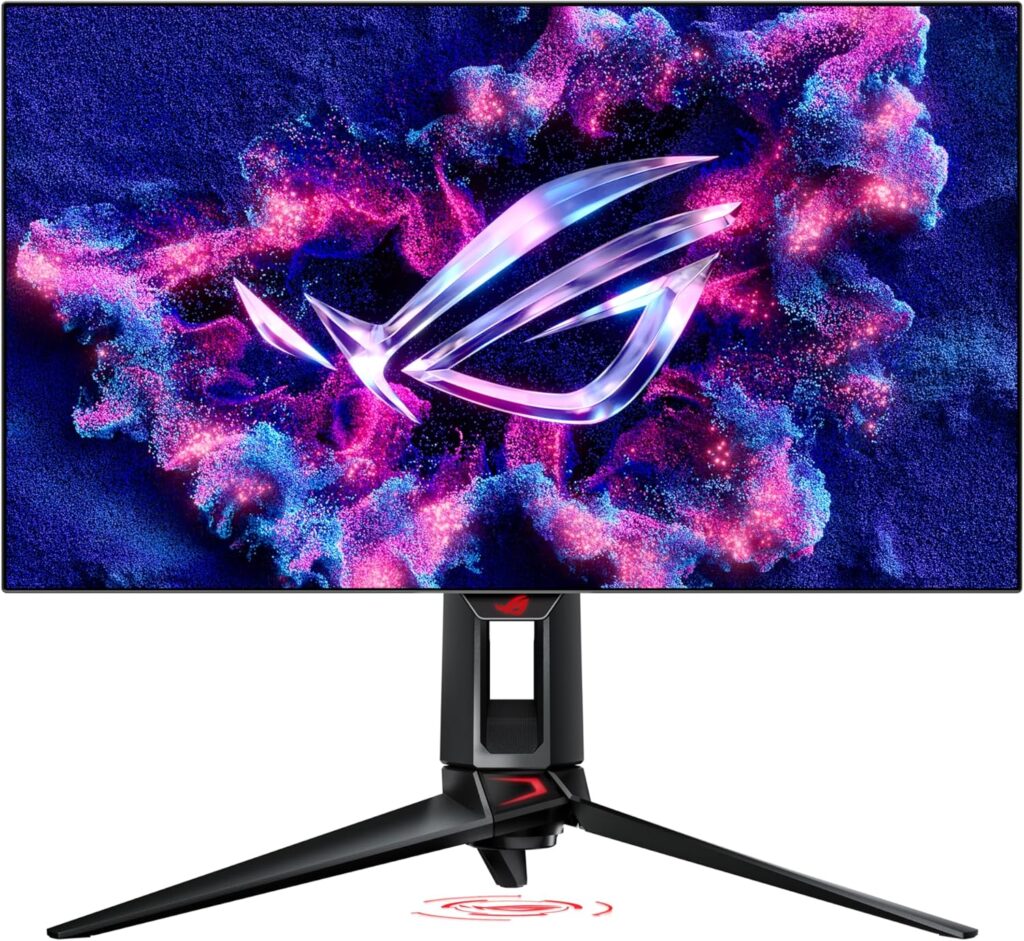
At the same time, RTX 5080 and RTX 5090 GPUs have made native 4K at high frame rates achievable for the first time without significant compromise, and 4K 240Hz monitors — once rare and exotic — are now available from multiple manufacturers. The ROG Swift PG32UCDP delivers both 4K 240Hz and a second mode at 480Hz/1080p for esports, combining both use cases in a single panel. The market has matured considerably, and the decision in 2026 requires more nuance than ever.
This guide cuts through the marketing and gives you the concrete, honest framework to choose correctly based on your GPU, your game genres, your monitor size, and your budget — with current 2026 product context throughout.
Core Specifications: 1440p vs. 4K at a Glance
| Specification | 1440p (QHD) | 4K (UHD) |
|---|---|---|
| Resolution | 2560 × 1440 | 3840 × 2160 |
| Total Pixels | 3,686,400 | 8,294,400 (2.25× more) |
| Pixel Density (27-inch) | 109 PPI | 163–166 PPI |
| Pixel Density (32-inch) | 92–93 PPI | 138 PPI |
| GPU Demand vs. 1080p | 1.78× more demanding | 4× more demanding |
| GPU Demand vs. 1440p | — (baseline) | 2.25× more demanding |
| Max Refresh Rate (2026) | 540Hz (LG 27GX790B-B OLED) | 240Hz (ASUS ROG PG27UCDM, PG32UCDP) |
| Recommended GPU (native, 144Hz) | RTX 5070 / RX 9070 XT | RTX 5080 / RTX 5090 |
| Recommended GPU (upscaled, 144Hz) | RTX 5060 Ti (adequate) | RTX 5070 / RX 9070 XT |
| Monitor Price Range (2026) | $250–$900 (IPS/OLED) | $600–$1,500+ (IPS/OLED) |
| HDMI 2.1 Required? | No (HDMI 2.0 handles 1440p/144Hz) | Yes (4K/120Hz+ requires HDMI 2.1) |
| Best Screen Size | 27 inches (109 PPI is ideal) | 27–32 inches (163 PPI on 27″) |
| Power Consumption | Lower | Higher — more GPU heat and power draw |
| Competitive Gaming | ⭐⭐⭐⭐⭐ Best choice | ⭐⭐⭐ Viable with compromises |
| Single-Player AAA / Cinematic | ⭐⭐⭐⭐ Excellent | ⭐⭐⭐⭐⭐ Best for this use case |
💡 Key Insight: 4K Demands 2.25× the GPU Power of 1440p
This is the single most important number in the entire 1440p vs. 4K debate. In practical terms, if a GPU delivers 140fps at 1440p in a demanding game, the same GPU at 4K would produce approximately 60–65fps in the same scene. The RTX 5070 that runs your favorite game smoothly at 1440p/165Hz may struggle to hold 60fps at native 4K without upscaling assistance. This performance multiplier applies across the entire GPU lineup and is the primary reason most gamers — including professionals and enthusiasts — remain on 1440p in 2026.
The Visual Difference: Is 4K Noticeably Sharper Than 1440p?
Yes — and no. The objective answer is that 4K’s pixel density advantage is measurable and real. On a 27-inch monitor, 4K delivers 163 PPI vs. 1440p’s 109 PPI — a 50% increase in pixel density. The difference is visible in fine details: text sharpness, distant texture detail in open-world games, edge clarity on thin objects, and aliasing reduction. In story-driven and open-world games like Red Dead Redemption 2, Cyberpunk 2077, and Horizon Forbidden West, the visual difference at 4K is genuinely striking and adds to immersion.
However, the practical visibility of this difference depends critically on screen size and viewing distance. At typical PC desk distances of 24–28 inches, the jump from 1440p to 4K on a 27-inch monitor is noticeable but not dramatic — especially at gaming speeds when your eyes are tracking motion rather than examining static detail. On a 32-inch screen at the same viewing distance, 4K’s advantage becomes more apparent because the 32-inch 1440p’s 92 PPI starts to show individual pixels at close range. On a 40-inch or larger display, or when connected to a TV from couch distance, the 4K advantage is most visible.
| Monitor Size | 1440p PPI | 4K PPI | Is the Difference Noticeable? | Recommendation |
|---|---|---|---|---|
| 24-inch | 122 PPI | 183 PPI | Yes, clearly at close range | 1440p — 24″ 4K is impractical for most GPUs |
| 27-inch | 109 PPI | 163 PPI | Noticeable but not dramatic in motion | 1440p sweet spot; 4K justified with RTX 5080+ |
| 32-inch | 92 PPI | 138 PPI | More apparent; 1440p starts to look soft | ⭐ 4K preferred at 32″ — 1440p looks slightly soft |
| 40-inch+ | 73 PPI | 110 PPI | Significant; 1440p noticeably lower quality | 🥇 4K strongly recommended at 40″+ |
💡 The 32-Inch Decision Point
The monitor size at which 4K stops being optional and starts being recommended is 32 inches. At 32 inches and 1440p, pixel density drops to approximately 92 PPI — a level where individual pixels become noticeable at standard desk viewing distances, and text on the Windows desktop appears slightly soft. If you want a 32-inch monitor, consider jumping to 4K rather than stretching 1440p across the larger panel. The GamerHardware.org team summarizes this cleanly: the 27-inch sweet spot for 1440p is well-established, but at 32 inches, 4K becomes the right answer for both sharpness and future-proofing. This is the clearest, most practical size-based guidance available.
Performance Impact: Real FPS Numbers at 1440p vs. 4K in 2026
The most cited 2026 performance data from NoobFeed’s GPU analysis of RTX 5070 performance demonstrates the gap concretely: in demanding modern titles, the same RTX 5070 delivers approximately 194fps at 1440p compared to 86fps at 4K — more than double the frame rate at the lower resolution. Not every game scales this dramatically, but this figure illustrates the real cost of native 4K rendering on hardware that is otherwise capable and high-end.
| GPU (2026) | Approx. FPS at 1440p (AAA, High) | Approx. FPS at Native 4K (AAA, High) | 4K with DLSS 4 / FSR 4 | Best Resolution for This GPU |
|---|---|---|---|---|
| RTX 5060 Ti | ~120–140fps | ~50–65fps | ~100fps (Quality) | ⭐⭐⭐⭐⭐ 1440p |
| RTX 5070 | ~160–200fps | ~80–95fps | ~130–150fps (Balanced) | ⭐⭐⭐⭐⭐ 1440p ideal; 4K with upscaling viable |
| RTX 5070 Ti | ~200–240fps | ~100–120fps | ~160fps (Quality) | ⭐⭐⭐⭐ Either; 4K at 120Hz very good |
| RTX 5080 | ~250–300fps | ~130–155fps | ~200fps (Quality) | ⭐⭐⭐⭐⭐ 4K fully justified |
| RTX 5090 | ~300–380fps+ | ~180–220fps | ~300fps+ (with MFG) | ⭐⭐⭐⭐⭐ 4K 240Hz justified |
| RX 9070 XT | ~165–200fps | ~85–105fps | ~140fps (FSR 4 Quality) | ⭐⭐⭐⭐⭐ 1440p ideal; 4K with FSR 4 viable |
⚠️ Warning — “Native 4K” vs. “Upscaled 4K”: Know Which You’re Getting
In 2026, the vast majority of what is marketed and experienced as “4K gaming” is upscaled output, not native rendering. When a game runs at 1440p internally and uses DLSS 4 or FSR 4 to output to a 4K display, you are not rendering 8.3 million pixels — you are rendering 3.7 million and using AI to fill in the rest. The quality of this upscaling has improved dramatically with DLSS 4’s Transformer model and FSR 4, and most reviewers and players now consider the result a legitimate 4K gaming experience. However, native 4K at equivalent settings is still slightly sharper, especially in static screenshots. If native 4K at 100+ fps is your goal, only the RTX 5080 and RTX 5090 deliver that consistently in demanding 2026 titles.
Refresh Rate Advantage: Where 1440p Has No Competition
The refresh rate landscape in 2026 is where 1440p’s advantage is most decisive and most practically meaningful. The best 1440p monitors available right now push technology that 4K cannot even approach:
- The LG 27GX790B-B delivers 1440p at 540Hz — the fastest refresh rate available on any gaming monitor from any manufacturer
- The Dell Alienware AW2725DF pairs 1440p with 360Hz on a QD-OLED panel with near-perfect color accuracy
- The ASUS ROG Swift PG27AQDP offers 1440p OLED at 360Hz with a 0.03ms response time — the best response time available on any gaming panel in 2026
- In contrast, the fastest 4K gaming monitors top out at 240Hz, with most mainstream 4K options at 144Hz
For competitive gaming, this refresh rate gap is not a theoretical advantage — it is a measurable, real-world performance difference. The jump from 144Hz to 240Hz produces genuinely visible improvements in motion clarity and input lag perception. The gap from 240Hz to 360Hz is smaller but still detectable by trained players in fast-paced titles. The ScreenSizeChecker analysis of 200+ professional gamer setups confirms the consensus: competitive professionals prioritize frame rate above resolution — which is why the pro community has standardized around high-refresh 1440p rather than 4K.
| Monitor | Resolution | Panel | Max Refresh | Response Time | Price |
|---|---|---|---|---|---|
| LG 27GX790B-B | 1440p (QHD) | OLED | 🥇 540Hz | 0.03ms | ~$900 |
| Dell Alienware AW2725DF | 1440p (QHD) | QD-OLED | 360Hz | 0.03ms | ~$750–$850 |
| ASUS ROG PG27AQDP | 1440p (QHD) | OLED | 480Hz | 0.03ms | ~$800–$1,000 |
| ASUS ROG PG27UCDM | 4K (UHD) | QD-OLED | 🥇 240Hz (4K max) | 0.03ms | ~$1,000–$1,200 |
| ASUS ROG PG32UCDP | 4K / 1080p dual mode | OLED | 240Hz (4K) / 480Hz (1080p) | 0.03ms | ~$1,200–$1,500 |
Resolution by Game Type: What Works Best Where
🎮 Choose 1440p If You Play…
- Competitive FPS: Valorant, CS2, Apex Legends, Overwatch 2 — frame rate wins every time; 240Hz+ at 1440p vs. 144Hz at 4K is no contest
- Battle Royale: PUBG, Fortnite, Warzone — high refresh rates matter more than pixel density for tracking fast-moving targets
- MOBAs and RTS: League of Legends, Dota 2, StarCraft II — fast, smooth gameplay matters; resolution advantage at 4K is minimal in top-down views
- Fighting Games: Street Fighter 6, Tekken 8 — 240Hz response latency is the performance metric that counts
- Sports / Racing: F1 24, EA FC 25 — motion clarity at high refresh rates outperforms visual sharpness advantage of 4K
- Any genre if your GPU is mid-range: RTX 5060 Ti to RTX 5070 — save the GPU headroom for frame rate rather than pixel count
🎮 Choose 4K If You Play…
- Open-World AAA: Cyberpunk 2077, RDR2, Baldur’s Gate 3, Elden Ring — the extra detail in wide, complex environments is genuinely beautiful at 4K
- Story-Driven single-player: God of War, Spider-Man, The Last of Us — cinematic, narrative-focused games where you appreciate visual quality over speed
- Simulation and strategy on large screens: Cities: Skylines, Microsoft Flight Simulator — small text and map detail benefit immensely from 4K sharpness
- Content creation alongside gaming: Photo and video editing, graphic design — 4K’s pixel density is genuinely useful for professional productivity
- Console gaming (PS5 / Xbox Series X): Both consoles are optimized for 4K output — 4K makes more sense as the target resolution for console builds
DLSS 4 and FSR 4 in 2026: How Upscaling Changes the Calculus
Upscaling technology has fundamentally changed what “4K gaming” means in 2026, and understanding this is essential for making the right monitor choice. DLSS 4 — NVIDIA’s fourth-generation Deep Learning Super Sampling — now uses a Transformer-based neural network model that produces upscaled output of significantly higher quality than previous generations. ASUS’s Edge Up analysis describes DLSS 4 as having reached the point where the visual difference from native 4K is “often imperceptible during gameplay.” AMD’s FSR 4 follows a similar approach, targeting broader hardware compatibility with improved temporal quality over FSR 3.
What this means practically: a high-end mid-range GPU like the RTX 5070 can now deliver a convincing 4K gaming experience via DLSS 4 on a 4K monitor. You are not getting native 4K rendering — the game is internally rendering at 1440p or a custom resolution — but the output on your 4K panel looks substantially better than 1440p on a 1440p panel, with improved anti-aliasing, sharper texture edges, and better environmental clarity. The HippoTool February 2026 analysis confirms: “native 1440p vs upscaled 4K on a good 4K OLED can look surprisingly close, especially at typical viewing distances.”
| Upscaling Mode | Internal Render Resolution | Output | Quality vs. Native 4K | Performance Gain vs. Native 4K |
|---|---|---|---|---|
| DLSS 4 Quality | ~1440p equivalent | 4K | Very close to native — near-imperceptible in motion | ~60–70% more fps |
| DLSS 4 Balanced | ~1080p–1440p | 4K | Good; occasional softness in static images | ~80–100% more fps |
| DLSS 4 + Multi Frame Gen | ~1440p equivalent | 4K | Excellent — frame gen adds generated frames for smoothness | Up to 3–4× fps vs native 4K |
| AMD FSR 4 Quality | ~1440p equivalent | 4K | Very good — meaningfully better than FSR 3 | ~60–75% more fps |
💡 Pro Tip — On a 4K Monitor, Native 1440p Often Looks Worse Than Upscaled
This is a counterintuitive but important point that many 4K monitor buyers discover too late: running a game at native 1440p on a 4K monitor often looks worse than using DLSS 4 Quality mode. When a 4K panel displays a 1440p signal, it must perform a non-integer pixel scaling operation — 4K’s 3840px width divided by 1440p’s 2560px doesn’t produce whole numbers, resulting in blurry, unsharp scaling artifacts. By contrast, DLSS 4 upscales specifically to 4K with AI-trained precision, producing a sharper result. If you own a 4K monitor, always use DLSS 4 or FSR 4 rather than running native 1440p on it for the clearest image.
Total Cost of Ownership: 1440p vs. 4K Gaming Setup in 2026
| Component | 1440p Setup (Performance) | 4K Setup (Enthusiast) |
|---|---|---|
| GPU | RTX 5070 (~$549–$599) | RTX 5080 (~$999–$1,199) |
| Monitor | 27″ 1440p 240Hz IPS (~$300–$450) | 27″ 4K 144Hz IPS (~$600–$800) |
| Monitor (OLED) | 27″ 1440p 360Hz QD-OLED (~$750–$900) | 27″ 4K 240Hz QD-OLED (~$1,000–$1,300) |
| PSU (approximate) | 750W (~$100–$130) | 850–1000W (~$130–$180) |
| Estimated GPU + Monitor Total | $849–$1,499 | $1,599–$2,499+ |
| Additional annual power cost* | Baseline | ~$40–$80 more/year (more GPU power draw) |
*Based on 4 hours/day gaming at $0.15/kWh
Best Monitors for Each Resolution in 2026
🥇 Best 1440p Gaming Monitor — ASUS ROG Swift PG27AQDP
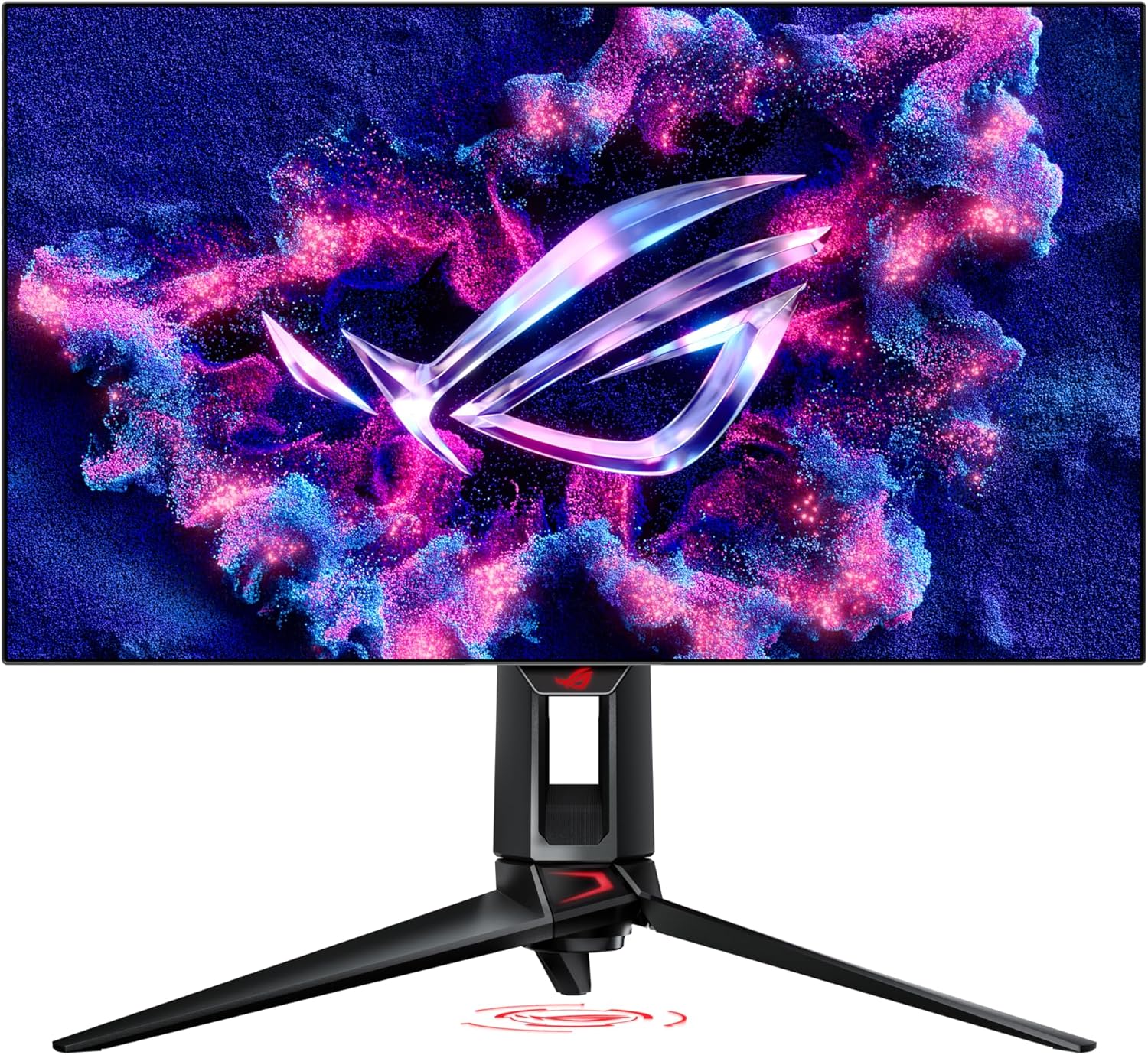
The ASUS ROG Swift PG27AQDP is the current best 1440p gaming monitor overall — a 27-inch OLED running at 360Hz (with some modes reaching higher) with 0.03ms response time and excellent color accuracy. GamerHardware.org named it the top 1440p pick for 2026. For competitive gamers who want the ultimate 1440p experience, this represents the peak of the format.
🥈 Best Budget 1440p Monitor — Dell Alienware AW2725DF (360Hz QD-OLED)
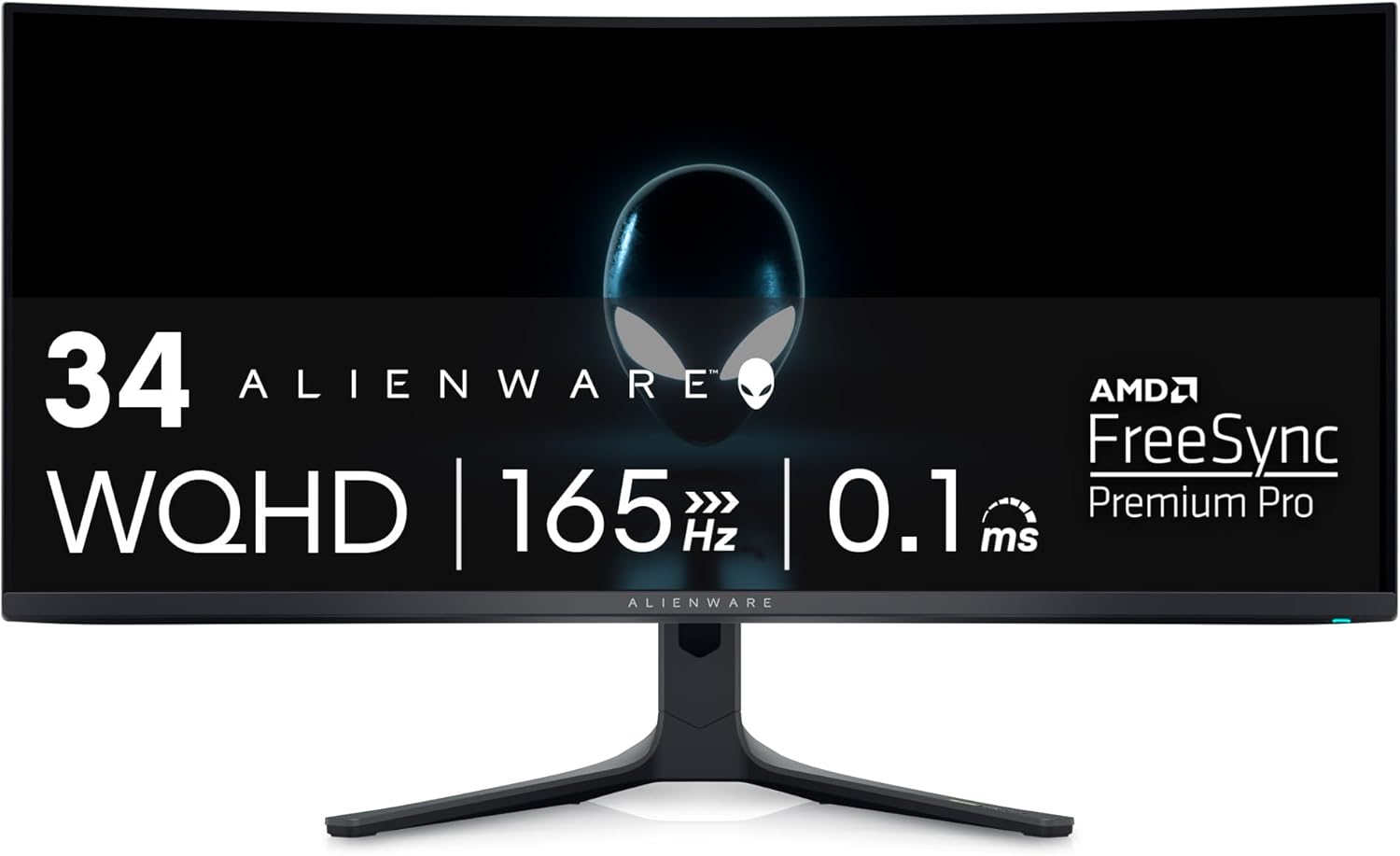
The Dell Alienware AW2725DF pairs 360Hz with QD-OLED’s exceptional color volume and perfect blacks at a more accessible price point than the ROG. It’s the most-recommended 1440p OLED option for gamers upgrading from IPS at a realistic budget, and The Modern Observer names it one of the absolute peak 1440p monitors in 2026.
🥇 Best 4K Gaming Monitor — ASUS ROG Swift PG27UCDM (4K 240Hz QD-OLED)
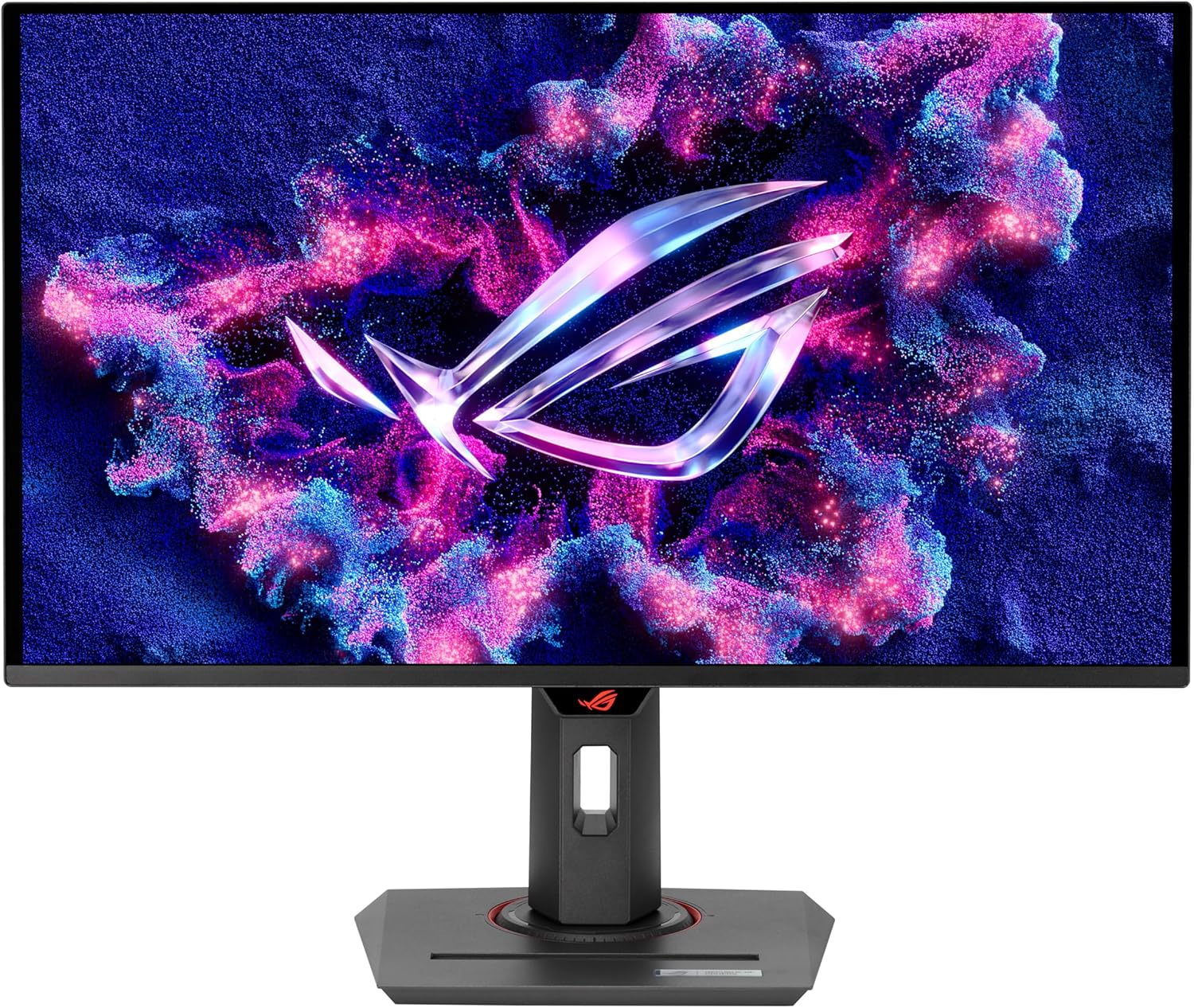
The ASUS ROG Swift PG27UCDM delivers 4K at 240Hz — the maximum refresh rate available on any 4K gaming monitor in 2026 — with QD-OLED’s signature deep blacks and vibrant color. HippoTool’s February 2026 analysis cites the PG27UCDM among the best 4K OLED monitors that “transform cinematic games.” Requires an RTX 5080 or RTX 5090 to use near its full potential.
🥈 Best Budget 4K Monitor — LG 32GS95UE (4K 240Hz OLED, Dual Mode)
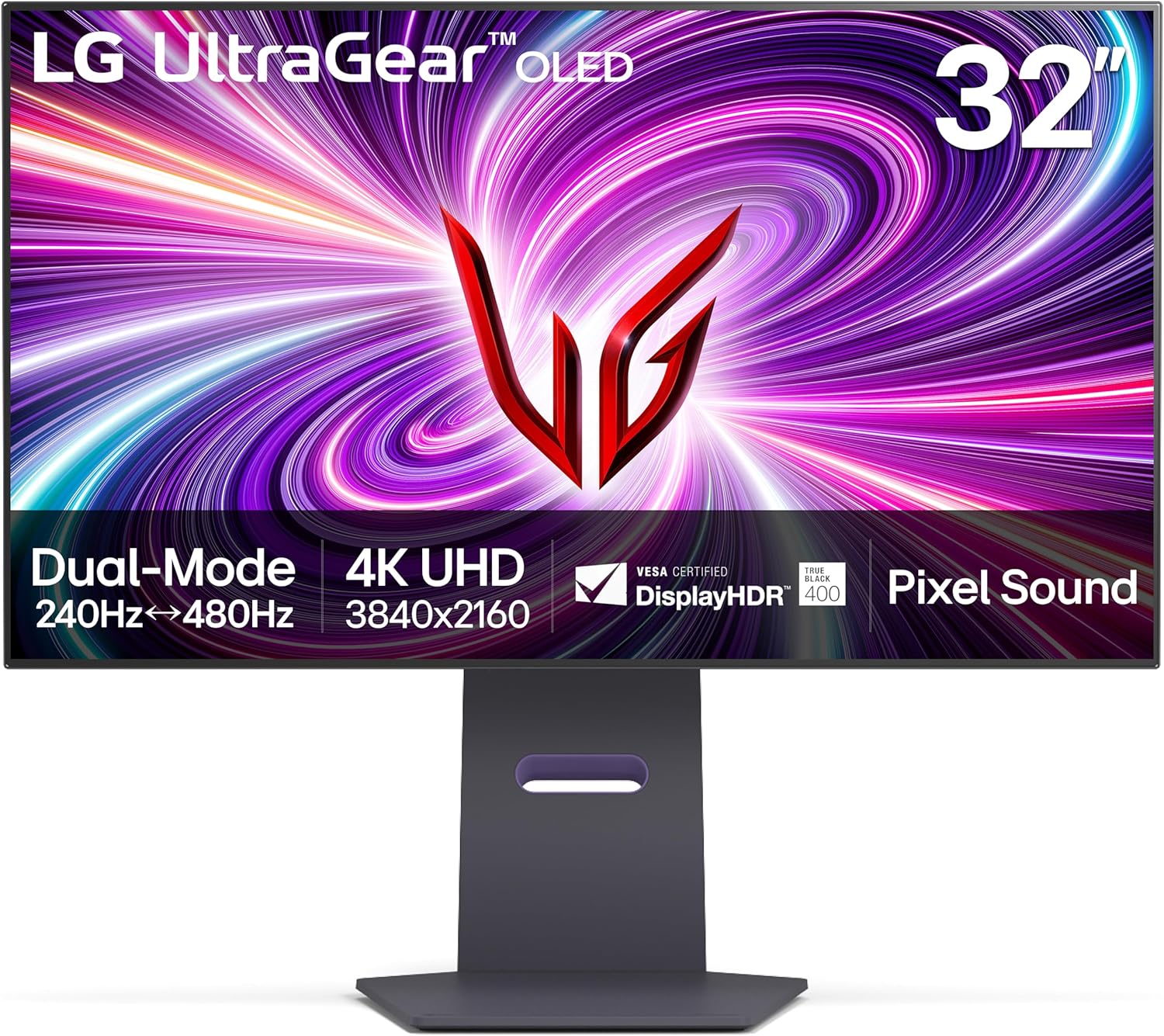
The LG 32GS95UE is a 32-inch 4K 240Hz WOLED panel with a Dual Mode feature that switches between 4K/240Hz and 1080p/480Hz — giving both visual fidelity for AAA gaming and esports-grade refresh rates in a single panel. At 32 inches, 4K is particularly appropriate for the reasons outlined above. Excellent value at this specification level for the price.
🛍️ Best GPU for 1440p Gaming — NVIDIA RTX 5070
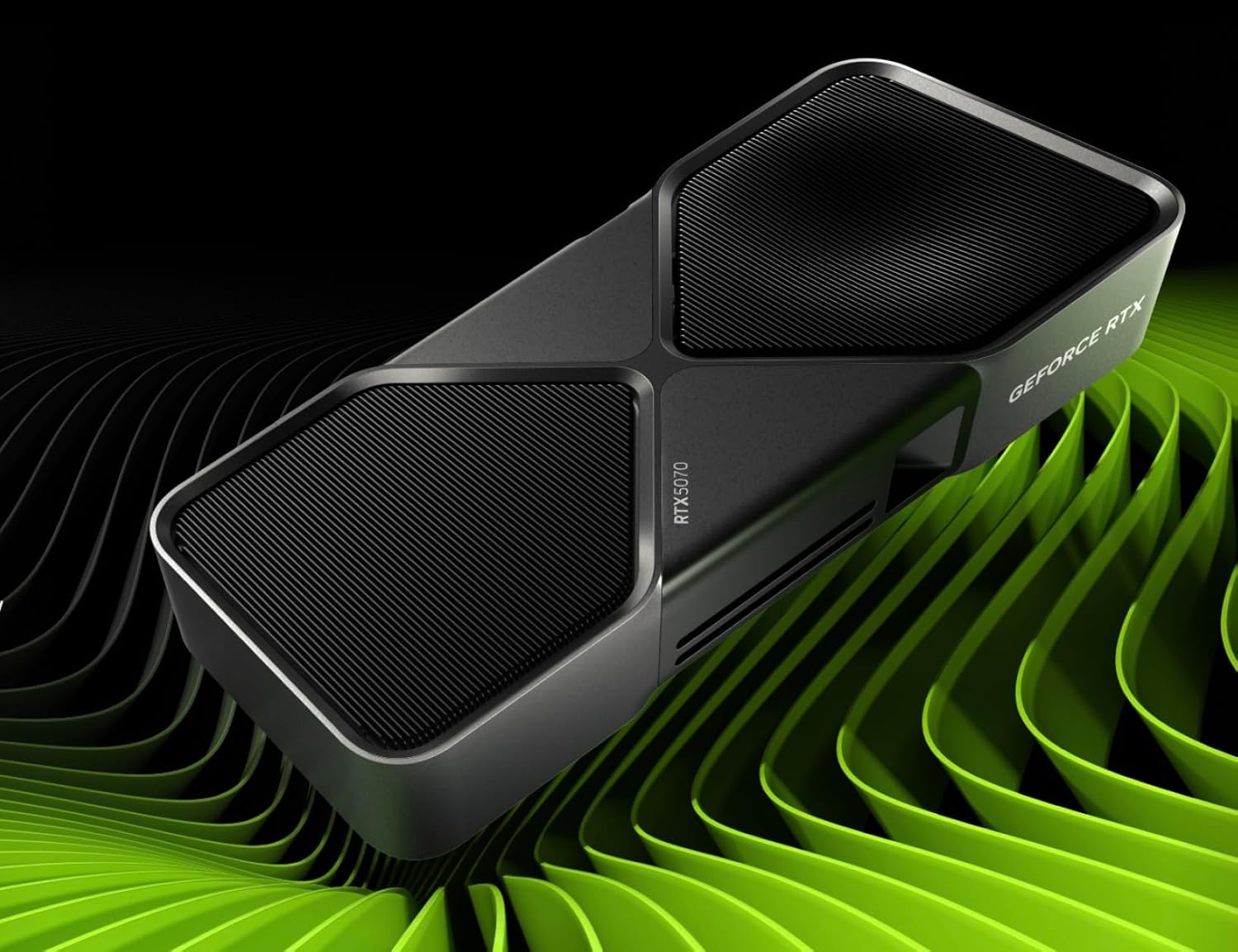
The RTX 5070 is the most recommended GPU for 1440p gaming in 2026 across multiple publications. It delivers 160–200fps at 1440p in demanding titles at high settings, supports DLSS 4 with Multi Frame Generation, and is priced at approximately $549–$599 — a realistic investment for a high-performance 1440p rig without overspending for a resolution you won’t use.
The Decision Guide: Which Resolution Is Right for You?
| Your Situation | Recommended Resolution | Why |
|---|---|---|
| Competitive FPS player (Valorant, CS2, Apex) | 🥇 1440p | 240–360Hz at 1440p is a real competitive advantage; no 4K monitor approaches these refresh rates |
| Single-player cinematic gamer (open-world, RPG) | 🥇 4K (with RTX 5080+) | Visual fidelity in detailed environments is genuinely stunning; frame rate matters less for this use case |
| GPU: RTX 5060 Ti or RX 9060 XT | 🥇 1440p | These GPUs are not suited for 4K — native performance too low; save the budget for frame rate and monitor quality |
| GPU: RTX 5070 or RX 9070 XT | 🥇 1440p (4K with DLSS viable) | 1440p is native territory; 4K works with DLSS 4 Quality mode but native 4K fps is limiting |
| GPU: RTX 5080 or RTX 5090 | 🥇 4K | These GPUs have the horsepower for native 4K at high fps; investing in a 4K 240Hz OLED is fully justified |
| Monitor size: 27 inches | 🥇 1440p | 109 PPI at 1440p is the sweet spot for desk distance; 4K is an improvement but smaller than at larger sizes |
| Monitor size: 32 inches | 🥇 4K | At 32 inches, 1440p drops to 92 PPI and starts looking soft at typical desk distance; 4K strongly preferred |
| Console gaming (PS5 / Xbox Series X) | 🥇 4K | Consoles are optimized for 4K output with HDMI 2.1; 1440p is supported but 4K is the native target resolution |
| Budget under $1,200 total (GPU + monitor) | 🥇 1440p | A 4K setup at $1,200 requires serious compromises on GPU or monitor quality; 1440p gives you more at this budget |
| Mixed use: gaming + professional work | 🥇 4K | 4K’s pixel density is genuinely useful for photo editing, video work, and design; 1440p is a compromise for pro use |
🏆 Overall Verdict: 1440p Wins for Most Gamers in 2026
The Modern Observer’s March 2026 conclusion states it plainly: “1440p is arguably the smarter resolution for most gamers in 2026.” The performance sweet spot, the 540Hz ceiling that no 4K panel approaches, the more accessible GPU requirements, and the monitor pricing all support this conclusion for the majority of gamers playing a mix of titles. 4K has earned its place for single-player cinematic gaming on 32-inch+ panels backed by RTX 5080/5090 hardware — and for console gamers where 4K is the native platform resolution. But for PC gamers building a balanced rig, 1440p at 240Hz+ OLED remains the performance sweet spot of 2026 that even the best 4K hardware cannot fully replicate.
ScreenSizeChecker’s 2026 guidance summarizes the practical advice best: “If you’re torn between the two, start with 1440p. You can always upgrade to 4K later when GPU prices drop and your budget allows, but you can’t downgrade from 4K without losing money.”
Frequently Asked Questions (FAQ)
Q1: Is 4K worth it for gaming in 2026?
Yes — but only if two conditions are met: your GPU can handle it (RTX 5080 or RTX 5090 for native 4K at high frame rates; RTX 5070 with DLSS 4 for upscaled 4K), and you primarily play single-player, story-driven, or open-world games where visual fidelity matters more than maximum frame rate. For competitive gaming or mid-range GPU setups, 1440p delivers better practical gaming performance at lower cost. The Modern Observer’s March 2026 analysis confirms that 4K has become a legitimate choice for the first time, but only with the right hardware context.
Q2: Can you tell the difference between 1440p and 4K while gaming?
At a 27-inch monitor from typical desk distance (24–28 inches), the difference is noticeable but not dramatic during active gameplay — your eyes track motion rather than examining static pixel density. In static scenes, cutscenes, and detail-rich environments, 4K’s advantage is clearly visible. At 32 inches and larger, the difference becomes more apparent. The most meaningful visual advantage of 4K over 1440p is in anti-aliasing quality — edges are cleaner at 4K even without post-processing — and fine text sharpness, which is particularly noticeable on the Windows desktop and in UI elements.
Q3: What GPU do I need for 1440p 144Hz gaming in 2026?
An RTX 5060 Ti or RX 9060 XT handles 1440p at 144Hz in most modern games at high settings, delivering 100–140fps in demanding titles. For a higher-refresh setup targeting 240Hz, the RTX 5070 or RX 9070 XT is the recommended tier — capable of 160–200fps at 1440p in most games. For native 4K at 144Hz, an RTX 5080 is the minimum recommended for consistent performance without significant quality compromises.
Q4: Does DLSS 4 or FSR 4 make 4K gaming accessible on mid-range GPUs?
Significantly more than before. DLSS 4’s Transformer model renders at approximately 1440p internally and upscales to 4K with quality that multiple reviewers in 2026 describe as near-native. An RTX 5070 using DLSS 4 Quality mode on a 4K monitor delivers approximately 130–150fps in demanding titles — a genuinely smooth 4K experience. FSR 4 achieves similar results for AMD hardware. The important caveat: you are not rendering native 4K, and in static screens or very detailed scenes, a trained eye can detect upscaling artifacts. For most gaming scenarios, upscaled 4K via DLSS 4 or FSR 4 is a legitimate and enjoyable way to use a 4K monitor with RTX 5070-class hardware.
Q5: Should I buy a 1440p or 4K monitor for a PS5 or Xbox Series X?
For console gaming, 4K is the better choice. The PS5 and Xbox Series X are designed and optimized around 4K output via HDMI 2.1, and most console game resolution modes target 4K (either native or checkerboard-upscaled). Using a 1440p monitor with a PS5 works — the console will output at 1080p and upscale to 1440p — but you lose the native 4K quality the console was designed to deliver. The console’s 4K performance mode looks significantly better on a 4K monitor than on a 1440p one. For a console-primary setup, invest in a 4K 144Hz monitor with HDMI 2.1 as a priority.
📚 Related Articles You Might Like
- Best Wireless Audio Transmitters for Zero-Latency Gaming in 2026
- Top 5 AI-Powered Auto-Tuning Soundbars for Home Theaters in 2026
- AMD FX-8350 vs. Ryzen 5 2600X — Full CPU Comparison & Upgrade Guide
- Best Gaming Monitors Under $400 in 2026 — 1440p OLED Roundup
- DLSS 4 vs. FSR 4 vs. XeSS 2: Which AI Upscaler Is Best in 2026?
📣 Still Not Sure Which Resolution Is Right for Your Setup?
Share your current GPU, the games you play most, your preferred screen size, and your total budget in the comments — we’ll give you a personalised recommendation for both the resolution and the specific monitor model that fits your rig in 2026. No two setups are identical, and the right answer depends on your specific situation.

Jaeden Higgins is a tech review writer associated with DigitalUpbeat. He contributes content focused on PC hardware, laptops, graphics cards, and related tech topics, helping readers understand products through clear, practical reviews and buying advice.