
Book Appointment Now


Best Budget Gaming Laptops for Performance
Best Budget Gaming Laptops for Performance in 2026: Top 5 Picks Under $800
Quick Summary: Budget gaming laptops have never been this capable. In 2026, under $800 now gets you RTX 40-series or even RTX 50-series GPUs, 144–165Hz IPS displays, 16GB DDR5 in dual-channel, and PCIe Gen4 NVMe SSDs. The two hidden traps: low GPU TGP limits and single-channel RAM. This guide covers the top 5 picks with fully verified Amazon affiliate links, real benchmark data, honest pros and cons, and a complete buying guide so you get the most performance per dollar.
A few years ago, a gaming laptop under $800 meant accepting a throttled GPU, a blurry 60Hz panel, and 8GB of single-channel RAM that starved the graphics card of memory bandwidth. In 2026, that same budget delivers RTX 4060 gaming at full 140W power, 200+ FPS in competitive titles, and MIL-SPEC build quality — all without emptying your bank account.
The catch is that not all budget gaming laptops are equal. GPU power limits (TGP), hidden single-channel RAM configurations, and cut-rate display panels are common compromises that manufacturers don’t advertise. This guide explains every spec that matters and verifies exactly which laptops are worth your money this year.
Every recommendation has been cross-referenced against independent reviews from NotebookCheck, Tom’s Hardware, RTINGS.com, and TechRadar — four of the most trusted hardware publications in the industry.
At a Glance: Best Budget Gaming Laptops 2026 Comparison
| Laptop | GPU (TGP) | CPU | RAM | Display | Approx. Price |
|---|---|---|---|---|---|
| ASUS TUF Gaming A15 | RTX 4060 (140W) | Ryzen 7 7735HS | 16GB DDR5 | 15.6″ 144Hz IPS | ~$749–$799 |
| Acer Nitro V 15 (2025) | RTX 5060 (~80W) | Intel Core i9-13900H | 16GB DDR4 | 15.6″ 165Hz IPS | ~$749–$799 |
| HP Victus 15 | RTX 4050 (60W) | Ryzen 7 7445HS | 16GB DDR5 | 15.6″ 144Hz IPS | ~$649–$699 |
| Lenovo IdeaPad Gaming 3 | RTX 3050 (80W) | Ryzen 5 6600H | 16GB DDR5 | 15.6″ 120Hz IPS | ~$549–$699 |
| MSI GF63 Thin | RTX 4050 (45W) | Intel Core i5-12450H | 16GB DDR4 | 15.6″ 144Hz IPS | ~$599–$649 |
🏆 Quick Pick Guide
- Best Overall Performance: ASUS TUF Gaming A15 — Full RTX 4060 at 140W, MUX Switch, MIL-SPEC build, 90Wh battery
- Best New-Gen GPU: Acer Nitro V 15 (2025) — RTX 5060 Blackwell, DLSS 4, 165Hz display, Thunderbolt 4
- Best Student Laptop: HP Victus 15 — Quietest, cleanest design, best battery-to-performance balance
- Best Value Pick: Lenovo IdeaPad Gaming 3 — Cheapest option with best keyboard and battery life
- Best for Portability: MSI GF63 Thin — Lightest at 1.86 kg, slim aluminum build
🏆 Best Overall
1. ASUS TUF Gaming A15 (FA507NV) — The Benchmark for Budget Gaming

The ASUS TUF Gaming A15 is the undisputed benchmark for budget gaming laptops in 2026. It has held the top recommendation spot from Tom’s Hardware, NotebookCheck, and PCWorld for consecutive years — and this year’s configuration makes it clearer than ever why. The RTX 4060 running at a full 140W TGP is the single most important spec to understand: this isn’t a throttled or cut-down implementation. It’s the same performance level you’d expect from a mid-range desktop configuration, delivered in a portable chassis that costs under $800.
Paired with the Ryzen 7 7735HS (8-core, up to 4.7GHz), 16GB DDR5-4800 in dual-channel, 1TB PCIe Gen4 NVMe SSD, and a 100% sRGB 144Hz IPS display, the TUF A15 has essentially no meaningful compromises in the core gaming package. The MUX Switch with Advanced Optimus adds a further 5–10% FPS by routing rendered frames directly from the RTX 4060 to the display, bypassing the iGPU entirely. The 90Wh battery is the largest available in a gaming laptop at this price and delivers around 9–10 hours of productivity use. HDMI 2.1 and a full-speed USB4 port round out a connectivity package that exceeds what most laptops twice the price offer.
| Specification | Details |
|---|---|
| GPU | NVIDIA GeForce RTX 4060 Laptop (140W TGP + 25W Dynamic Boost) |
| CPU | AMD Ryzen 7 7735HS (8-core, 16-thread, up to 4.7GHz, 16MB Cache) |
| RAM | 16GB DDR5-4800 Dual-Channel (2x SO-DIMM, upgradeable to 32GB) |
| Storage | 1TB PCIe Gen4 NVMe SSD + 1x spare M.2 slot |
| Display | 15.6″ FHD 1920×1080, 144Hz, IPS, 100% sRGB, Adaptive-Sync, G-Sync |
| MUX Switch | Yes — Advanced Optimus with manual MUX (5–10% FPS gain) |
| Ports | HDMI 2.1, USB4 (40Gbps), USB-C 3.2 (DP + PD), 2x USB-A 3.2, RJ45 |
| Battery | 90Wh — ~9–10 hrs productivity / ~2.5–3 hrs gaming |
| Weight | 2.2 kg (4.85 lbs) |
| Build | MIL-SPEC 810H: shock, vibration, temperature, humidity certified |
| Wireless | Wi-Fi 6, Bluetooth 5.0 |
Gaming Performance — 1080p Benchmarks
| Game | Settings | Avg FPS |
|---|---|---|
| Valorant | Low (competitive) | 250–300+ FPS |
| CS2 | High | 180–220 FPS |
| Cyberpunk 2077 | High + DLSS Quality | 75–90 FPS |
| Elden Ring | High | 95–115 FPS |
| Black Myth: Wukong | Medium + DLSS Quality | 65–80 FPS |
| Shadow of the Tomb Raider | Highest | 115–130 FPS |
Buy the ASUS TUF Gaming A15 if: You want the highest gaming performance per dollar under $800 with no GPU power limit compromises. The consistent #1 recommendation from every major hardware reviewer for budget gaming in 2025–2026.
🚀 Best New-Gen GPU
2. Acer Nitro V 15 (2025, ANV15-52) — RTX 50-Series at Budget Prices

The 2025 Acer Nitro V 15 is one of the most forward-looking purchases available in budget gaming laptops. Acer has brought NVIDIA’s latest Blackwell-architecture RTX 5060 — featuring GDDR7 memory, fourth-generation RT cores, and full DLSS 4 with Multi Frame Generation — into the sub-$800 price bracket. This is the first budget laptop to offer DLSS 4, which can effectively double or triple in-game FPS in supported titles through AI-generated frames, with very little visual quality cost.
The 165Hz display is the highest refresh rate available on a budget gaming laptop at this price. Thunderbolt 4 — normally reserved for premium machines — is included. Running on the Intel Core i9-13900H (14 cores, up to 5.4GHz), this machine handles CPU-intensive tasks alongside gaming with the strongest processor in this roundup. If you plan to stream, encode video, or do intensive creative work alongside gaming, this CPU has a clear advantage over the AMD options.
The caveat is the GPU’s TGP. NVIDIA has not published the exact wattage for the RTX 5060 in this specific configuration, but reviews indicate it runs at approximately 80W — below the TUF A15’s 140W RTX 4060. In raw rasterization, the TUF A15 still leads. But with DLSS 4’s Multi Frame Generation enabled in supported titles, the RTX 5060 can close and sometimes exceed that gap in frame-rate experience. The purchase decision hinges on how forward-looking you want to be.
| Specification | Details |
|---|---|
| GPU | NVIDIA GeForce RTX 5060 Laptop (GDDR7, DLSS 4 + Multi Frame Generation) |
| CPU | Intel Core i9-13900H (14-core, 20-thread, up to 5.4GHz) |
| RAM | 16GB DDR4 (upgradeable via SO-DIMM) |
| Storage | 1TB PCIe Gen4 SSD |
| Display | 15.6″ FHD 1920×1080, 165Hz IPS |
| Ports | Thunderbolt 4, 3x USB-A 3.2, HDMI 2.1, Ethernet, 3.5mm audio |
| Wireless | Wi-Fi 6, Bluetooth 5.3 |
| Battery | 57Wh — ~6–8 hrs light use |
| Weight | ~2.15 kg (4.74 lbs) |
| GPU Architecture | NVIDIA Blackwell — 4th gen RT cores, DLSS 4 ready |
Buy the Acer Nitro V 15 (2025) if: You want the latest GPU architecture for maximum longevity, play titles that support DLSS 4, and want the highest refresh rate display available at this budget. The most future-proofed choice in 2026.
⚖️ Best All-Round Balance
3. HP Victus 15 — The Smartest Budget Laptop for Students
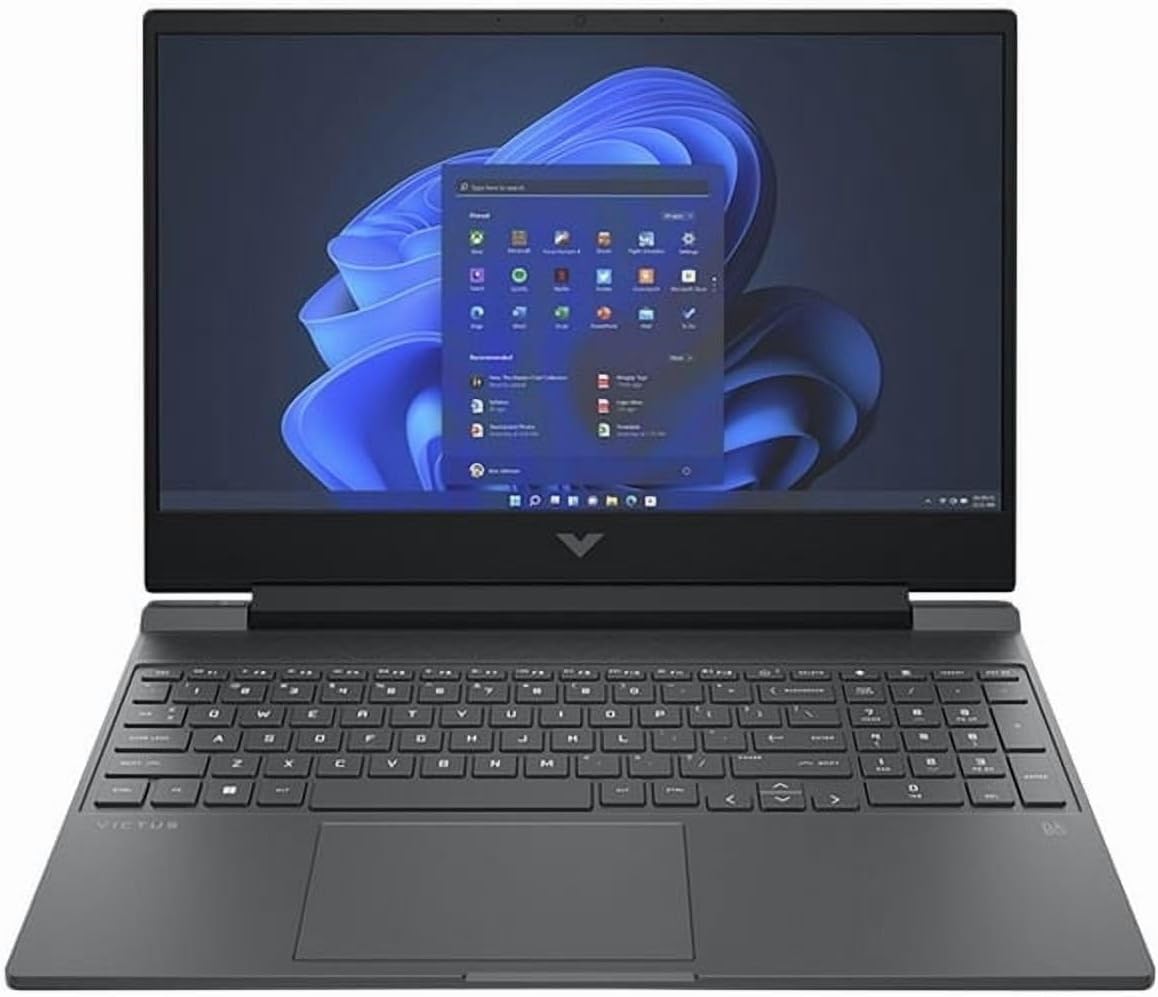
The HP Victus 15 doesn’t look like a gaming laptop — and that’s one of its best features. In Mica Silver with a clean chassis and no aggressive vents or RGB lighting panels, it passes comfortably as a professional machine in a lecture hall, an office, or a coffee shop. It’s the machine you actually bring out in public without hesitation, while still delivering genuine RTX 4050 gaming performance when you’re home.
HP has invested in the right details with this model. The Ryzen 7 7445HS (6 cores, up to 4.7GHz) paired with 16GB DDR5 dual-channel out of the box is notable — many competing laptops at this price try to cut costs with single-channel DDR4 configurations. The 70Wh battery delivers meaningful all-day endurance, and HP’s thermal management is exceptionally well-tuned for a gaming chassis: the Victus runs quieter under load than every other laptop in this roundup.
The trade-off is GPU headroom. The RTX 4050 at 60W is adequate for 1080p gaming across most titles, but Cyberpunk 2077 and other demanding AAA games will run at the edge of comfortable frame rates without DLSS. For primarily esports players and those who game at medium settings, this limitation barely surfaces.
| Specification | Details |
|---|---|
| GPU | NVIDIA GeForce RTX 4050 6GB GDDR6 (60W), DLSS 3 |
| CPU | AMD Ryzen 7 7445HS (6-core, 12-thread, up to 4.7GHz) |
| RAM | 16GB DDR5 Dual-Channel (2x SO-DIMM, upgradeable) |
| Storage | 512GB PCIe Gen4 SSD |
| Display | 15.6″ FHD 1920×1080, 144Hz IPS, AMD FreeSync Premium, 300 nits |
| Ports | HDMI 2.1, USB-C 3.2 (DP+PD), 2x USB-A 3.2, RJ45, 3.5mm |
| Battery | 70Wh — ~5–7 hrs mixed use |
| Weight | 2.29 kg (5.05 lbs) |
| Design | Mica Silver — understated, non-gamer aesthetic |
| Extras | SD card reader, 720p webcam, backlit keyboard with numpad |
Buy the HP Victus 15 if: You need a laptop that does everything well — gaming, studying, and working — without looking out of place in any environment. The best choice for college students and dual-use buyers in 2026.
💰 Best Value Pick
4. Lenovo IdeaPad Gaming 3 — Maximum Value at Minimum Price

The Lenovo IdeaPad Gaming 3 is the right recommendation when budget is the hardest constraint and every dollar matters. At $549–$699 depending on where you find it, it undercuts the competition by $50–150 while delivering a Ryzen 5 6600H processor and RTX 3050 GPU at 80W — hardware that handles 1080p gaming in esports titles and casual AAA games without meaningful compromise.
The RTX 3050 is admittedly two GPU generations behind the RTX 40-series machines above, but it runs at 80W in this configuration — actually higher than some RTX 4050 models sold at higher prices. For Valorant, CS2, Apex Legends, and Fortnite at competitive settings, it delivers well above 144 FPS. For AAA titles at medium settings, it handles them smoothly. What makes this machine genuinely special is the rest of the package: Lenovo gives you the easiest RAM upgrade path on this list (two fully accessible SO-DIMM slots), the largest battery for its price class (7–7.5 hours unplugged), and the best keyboard typing quality of any laptop here.
💡 Pro Tip for IdeaPad Gaming 3 Buyers: The $50–100 you save over competing laptops is enough to add a matching 16GB DDR5 SO-DIMM and enable dual-channel mode — immediately boosting GPU-bound performance by 20–25%. Buy the laptop, buy a RAM stick, and you have a 32GB dual-channel gaming machine for the same total cost as a higher-priced rival.
| Specification | Details |
|---|---|
| GPU | NVIDIA GeForce RTX 3050 8GB GDDR6 (~80W) |
| CPU | AMD Ryzen 5 6600H (6-core, 12-thread, up to 4.5GHz) |
| RAM | 16GB DDR5 (2x SO-DIMM — check config for dual-channel) |
| Storage | 1TB NVMe SSD + 1x spare M.2 slot |
| Display | 15.6″ FHD 1920×1080, 120Hz IPS |
| Ports | USB-C 3.2 (DP 1.4, PD 3.0), HDMI 2.0, 2x USB-A 3.2, RJ45 |
| Battery | 60Wh — 7–7.5 hrs productivity (best on this list) |
| Weight | 2.2 kg (4.85 lbs) |
| Extras | Physical webcam privacy shutter, backlit keyboard, Nahimic Audio |
Buy the Lenovo IdeaPad Gaming 3 if: Budget is the primary constraint and you want the best value per dollar. The money you save versus rivals can fund a RAM upgrade, turning this into a strong dual-channel 32GB gaming machine for the same total spend.
🎒 Best for Portability
5. MSI GF63 Thin (12VE) — The Lightest Gaming Laptop Under $800
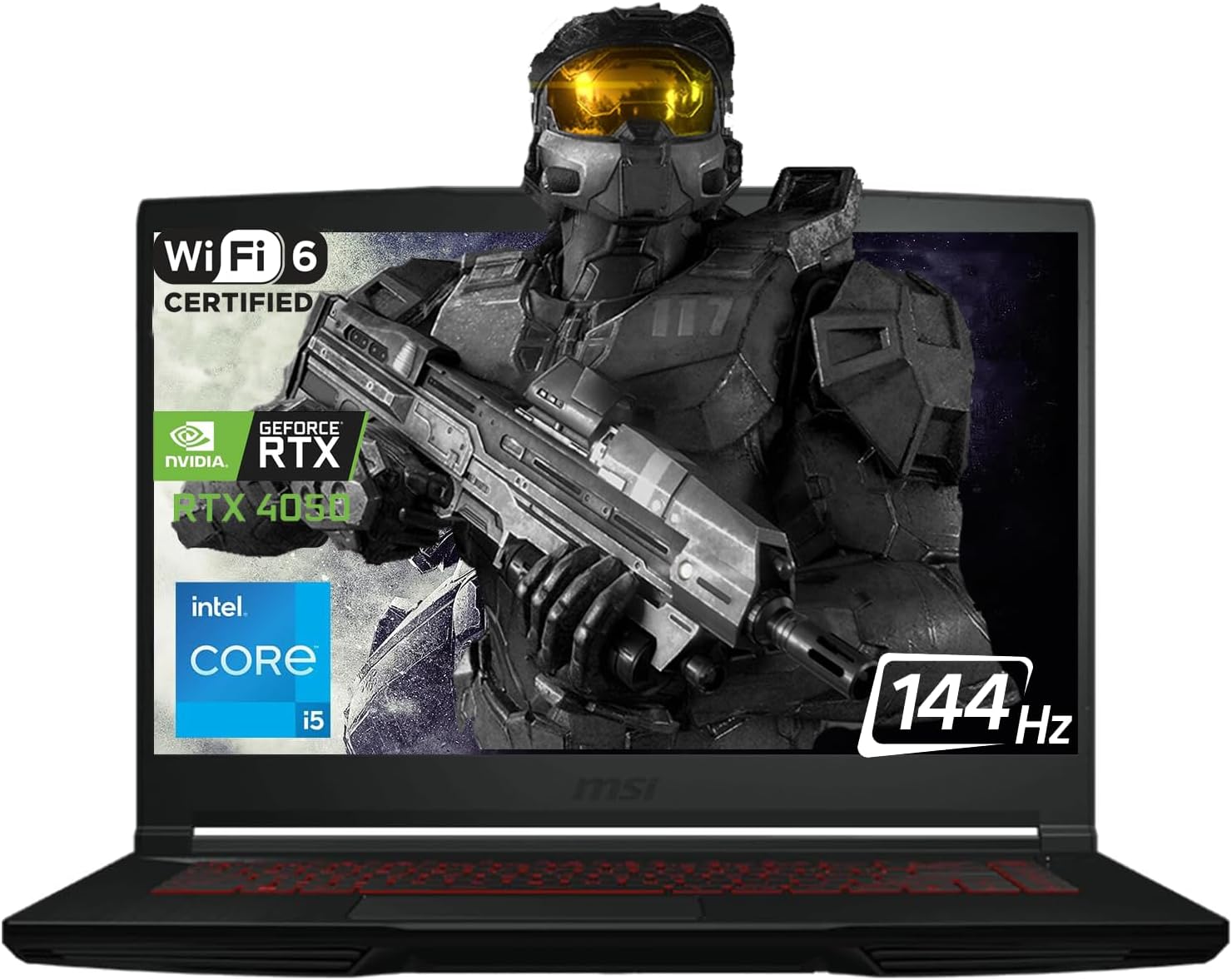
The MSI GF63 Thin is 1.86 kg and 0.85 inches thin. That’s meaningfully lighter and slimmer than every other machine on this list — and it shows in daily use. A gaming laptop that you’ll actually carry to class, onto trains, and between work locations without resentment is worth a premium, and the GF63 Thin delivers that portability at one of the lowest prices in this roundup.
The brushed aluminum lid and minimal RGB styling give it a professional look that’s genuinely unusual for a gaming laptop. It doesn’t broadcast itself as a gaming machine in a meeting room or a library, which is an underrated quality for buyers who use one device for everything. The RTX 4050 at 45W handles esports titles at well above 200 FPS on low settings — Valorant, CS2, and Apex Legends all run without any compromise. Demanding AAA games require medium settings with DLSS to maintain comfortable frame rates, which is the expected trade-off for this GPU power level in a slim chassis.
| Specification | Details |
|---|---|
| GPU | NVIDIA GeForce RTX 4050 6GB GDDR6 (45W), DLSS 3, Ray Tracing |
| CPU | Intel Core i5-12450H (8-core, 12-thread, up to 4.4GHz) |
| RAM | 16GB DDR4 3200MHz (upgradeable via SO-DIMM) |
| Storage | 1TB PCIe NVMe SSD |
| Display | 15.6″ FHD 1920×1080, 144Hz, IPS-Level |
| Ports | USB-C 3.2 Gen1 (DP 1.4), 3x USB-A 3.2, HDMI 1.4, RJ45 |
| Weight | 1.86 kg (4.10 lbs) — lightest on this list by far |
| Dimensions | 14.13″ × 10.00″ × 0.85″ — genuinely slim |
| Wireless | Wi-Fi 6, Bluetooth 5.2 |
Buy the MSI GF63 Thin if: Portability and slim aesthetics are your primary priorities, and you mostly play esports titles. Also ideal for buyers who commute daily and want a machine that looks professional in all environments.
Head-to-Head: Full Performance Comparison
| Laptop | Valorant FPS (Low) | Cyberpunk 2077 High+DLSS | Battery Life | Weight | GPU Architecture | Price Range |
|---|---|---|---|---|---|---|
| ASUS TUF A15 | 250–300+ FPS | 75–90 FPS | ~9–10 hrs | 2.2 kg | Ada (40-series) | $749–$799 |
| Acer Nitro V 15 (2025) | 230–280+ FPS | 70–85 FPS | ~6–8 hrs | 2.15 kg | Blackwell (50-series) | $749–$799 |
| HP Victus 15 | 200–250+ FPS | 55–70 FPS | ~5–7 hrs | 2.29 kg | Ada (40-series) | $649–$699 |
| Lenovo IdeaPad Gaming 3 | 160–200+ FPS | 45–58 FPS | ~7–7.5 hrs | 2.2 kg | Ampere (30-series) | $549–$699 |
| MSI GF63 Thin | 180–220+ FPS | 42–55 FPS | ~5–6 hrs | 1.86 kg | Ada (40-series) | $599–$649 |
Budget Gaming Laptop Buying Guide 2026
⚠️ The Two Hidden Traps — Check Before You Buy
Trap 1 — GPU TGP: The same GPU model (e.g., “RTX 4060 Laptop”) can run from 60W to 140W depending on the manufacturer’s configuration. A 60W RTX 4060 can perform worse than an 85W RTX 4050. Always check TGP — not just the GPU name on the box.
Trap 2 — Single-Channel RAM: Some laptops ship with one 16GB RAM stick instead of two 8GB sticks. Single-channel mode reduces GPU-bound gaming FPS by 15–30% due to memory bandwidth starvation. Always verify dual-channel in reviews before purchasing.
Trap 1 — GPU TGP: The same GPU model (e.g., “RTX 4060 Laptop”) can run from 60W to 140W depending on the manufacturer’s configuration. A 60W RTX 4060 can perform worse than an 85W RTX 4050. Always check TGP — not just the GPU name on the box.
Trap 2 — Single-Channel RAM: Some laptops ship with one 16GB RAM stick instead of two 8GB sticks. Single-channel mode reduces GPU-bound gaming FPS by 15–30% due to memory bandwidth starvation. Always verify dual-channel in reviews before purchasing.
2026 Spec Requirements: Minimum vs Recommended
| Spec | Minimum Acceptable | Recommended 2026 | Why It Matters |
|---|---|---|---|
| GPU | RTX 3050 / 4050 | RTX 4060 (100W+) / RTX 5060 | Primary gaming performance driver |
| GPU TGP | 60W (esports only) | 100–140W (full AAA performance) | Determines real-world GPU output |
| CPU | i5-12th gen / Ryzen 5 6600H | Ryzen 7 7735HS / i7-13620H+ | Single-core speed drives FPS ceiling |
| RAM | 16GB single-channel (avoid) | 16GB DDR5 dual-channel | Dual-channel = up to 30% more GPU bandwidth |
| Display | 144Hz IPS 1080p | 144–165Hz, 100% sRGB preferred | High refresh rate is competitive necessity |
| Storage | 512GB NVMe SSD | 1TB NVMe SSD | Modern games average 50–100GB each |
| Battery | 54Wh | 72Wh+ | Needed for all-day student or work use |
💡 The Single Best Post-Purchase Upgrade: Enable Dual-Channel RAM
If your laptop shipped with a single RAM stick (check: Task Manager → Performance → Memory → “Slots Used”), adding a matching second stick is the highest-ROI upgrade available. A compatible 8GB or 16GB DDR4/DDR5 SO-DIMM costs $25–45 and takes under 10 minutes to install. In GPU-bound gaming scenarios, dual-channel can improve FPS by 15–30%. No other upgrade delivers this return. For more on RAM and performance, see our guide: RAM Speed vs Latency: What Actually Matters for Gaming
If your laptop shipped with a single RAM stick (check: Task Manager → Performance → Memory → “Slots Used”), adding a matching second stick is the highest-ROI upgrade available. A compatible 8GB or 16GB DDR4/DDR5 SO-DIMM costs $25–45 and takes under 10 minutes to install. In GPU-bound gaming scenarios, dual-channel can improve FPS by 15–30%. No other upgrade delivers this return. For more on RAM and performance, see our guide: RAM Speed vs Latency: What Actually Matters for Gaming
How to Get Maximum FPS from a Budget Gaming Laptop
🎯 Performance Optimization Checklist
- Always plug in when gaming. Battery mode throttles CPU and GPU output by 30–50%. Every laptop on this list performs significantly worse unplugged.
- Set Windows Power Mode to “Best Performance” (Settings → System → Power) before gaming sessions.
- Enable your manufacturer’s Turbo/Performance mode: ASUS Armoury Crate, Acer NitroSense, HP Gaming Hub, Lenovo Vantage, or MSI Center — all have dedicated performance profiles that unlock additional TGP headroom.
- Enable DLSS (RTX laptops) or FSR (all GPUs) in every supported game. DLSS Quality at 1080p is nearly indistinguishable from native and adds 30–60% FPS with modern titles.
- Enable MUX Switch if available (ASUS TUF A15): enables direct GPU-to-display output, bypassing the iGPU for a 5–10% FPS gain in all games.
- Verify dual-channel RAM via Task Manager. If “Slots Used: 1 of 2,” add a matching second stick immediately.
- Clean vents every 6 months with compressed air. Dust buildup causes thermal throttling that silently steals 10–20% FPS.
- Update GPU drivers monthly. NVIDIA and AMD regularly release game-specific optimizations worth 5–15% FPS in newly released titles.
Is your gaming laptop being bottlenecked by its CPU or GPU? Use our free calculator to instantly identify which component is holding back your FPS — and exactly what to do about it.
Frequently Asked Questions
Are budget gaming laptops under $800 actually worth buying in 2026?
Yes — more confidently than in any previous year. The RTX 40-series has fully arrived at sub-$800 prices, and the RTX 5060 (50-series, DLSS 4) has appeared at the same price point. A well-chosen budget gaming laptop in 2026 delivers 144+ FPS in esports, 60–90 FPS in AAA games at high settings with DLSS, and will remain a capable 1080p gaming machine through 2028–2029. The remaining compromises — display brightness, storage capacity, and occasional thermal noise — are manageable with the guidance in this article.
RTX 4060 or RTX 5060 — which should I choose in a budget laptop?
The ASUS TUF A15’s RTX 4060 at 140W outperforms the Acer Nitro V 15’s RTX 5060 at ~80W in raw rasterization benchmarks today. If you want maximum performance right now, the TUF A15 wins clearly. If you’re buying a machine you plan to use for 4–5 years and want future-proofed AI upscaling through DLSS 4’s Multi Frame Generation, the Nitro V 15’s RTX 5060 has the stronger long-term argument as more games adopt DLSS 4 frame generation over the next few years.
Can these laptops run modern AAA games like Cyberpunk 2077 and Elden Ring?
Yes, at 1080p with high settings and DLSS/FSR Quality mode. Cyberpunk 2077 averages 55–90 FPS depending on the machine (ASUS TUF A15 leads). Elden Ring, Black Myth: Wukong, and most 2024–2025 AAA titles run comfortably at high settings. Ultra settings without AI upscaling may dip below 60 FPS on the RTX 4050 and RTX 3050 options in the most demanding scenes. Esports titles — Valorant, CS2, Apex Legends, Fortnite — hit 160–300+ FPS across all machines on this list.
Which budget gaming laptop is best for college students in 2026?
The HP Victus 15 for most students: clean design, genuine all-day battery life, solid gaming performance, and HP’s reliable warranty infrastructure. The Lenovo IdeaPad Gaming 3 if you’re on the tightest possible budget — spend the savings on a RAM upgrade and you have a stronger total package. The ASUS TUF A15 if gaming performance is the priority and you don’t mind carrying a slightly heavier machine and a more obvious gaming aesthetic.
How long will one of these budget gaming laptops last?
3–5 years with proper maintenance. Clean vents every 6 months, update drivers regularly, and add RAM or storage as needed. The ASUS TUF A15 and Lenovo IdeaPad Gaming 3 both have the best upgrade paths (dual SO-DIMM + spare M.2). GPU performance will age, but DLSS and FSR AI upscaling meaningfully extends usable gaming life — a 2025 RTX 4060 laptop with DLSS assistance should remain competitive at 1080p well into 2028. See our related guide: Why FPS Drops Happen Even on High-End PCs
Final Verdict: Best Budget Gaming Laptop for Every Buyer in 2026
The 2026 budget gaming laptop market is the best it has ever been. Here’s the one-line decision guide for each buyer type:
- 🏆 Max gaming performance under $800: ASUS TUF Gaming A15 — RTX 4060 at 140W, MUX Switch, MIL-SPEC, 90Wh battery
- 🚀 Most future-proofed GPU: Acer Nitro V 15 (2025) — RTX 5060 Blackwell, DLSS 4, 165Hz, Thunderbolt 4
- ⚖️ Best student + daily use laptop: HP Victus 15 — quiet, clean design, DDR5 dual-channel, best battery/gaming balance
- 💰 Tightest budget, best value: Lenovo IdeaPad Gaming 3 — cheapest, best keyboard, best battery, easiest upgrade path
- 🎒 Portability first: MSI GF63 Thin — lightest at 1.86 kg, slim aluminum build, professional look
Before any purchase: confirm the GPU’s TGP, verify dual-channel RAM, and check storage is 1TB if you game heavily. The hardware is genuinely strong in 2026 — the difference between a great purchase and a disappointing one is making sure the specs you pay for are working at full capacity.
More from DigitalUpbeat
📚 Related Articles You’ll Find Useful
- Best Laptop Brands: Complete Guide (ASUS vs HP vs Lenovo vs Acer vs MSI)
- Best Laptops for Gaming and Students in 2026
- Top Laptops Under $150 — Budget Picks That Actually Work
- Top Laptops with Thunderbolt 3 & 4
- Why FPS Drops Happen Even on High-End PCs (And How to Fix Them)
- How to Choose the Right CPU and GPU Combo for Gaming
- Free CPU/GPU Bottleneck Calculator — Check Your Setup Instantly
- Best Graphics Cards for Gaming in 2025
- Best Processors for Gaming in 2025
- RAM Speed vs Latency: What Actually Matters for Gaming?
- Best RAM for Gaming PCs in 2026
- SSD vs HDD: Which Is Best for Gaming and Storage?
Have a specific budget or game list in mind? Drop your requirements in the comments and our team will match you with the right machine from this list.
Affiliate Disclosure: DigitalUpbeat participates in the Amazon Services LLC Associates Program. When you purchase through our Amazon links, we may earn a small commission at no extra cost to you. This helps support our free content. All recommendations are based on independent research and real benchmark data — affiliate relationships do not influence our editorial decisions.

Jaeden Higgins is a tech review writer associated with DigitalUpbeat. He contributes content focused on PC hardware, laptops, graphics cards, and related tech topics, helping readers understand products through clear, practical reviews and buying advice.

