Book Appointment Now

Best X470 Motherboard for Ryzen 7 2700X – For AMD Ryzen CPUs
Best X470 Motherboard for Ryzen 7 2700X – For AMD Ryzen CPUs
Considering the second-generation Ryzen processors, particularly the high-performance Octa-core Ryzen 7 2700X, require substantial power delivery and robust overclocking capabilities to realize their full potential, a thorough X470 motherboard comparison is crucial. The Ryzen 7 2700X, with its eight cores and sixteen threads, is a prime example of a CPU that can greatly benefit from the enhanced power delivery and features offered by an X470 motherboard. Without a capable motherboard, the full performance potential of such a processor may not be unlocked, resulting in a bottleneck and ultimately, a less satisfying user experience. A comprehensive comparison allows you to understand the landscape of available motherboard choices, assess their strengths and weaknesses, and ultimately identify the perfect board to match your specific requirements and desires. For instance, if you are a gamer, you might prioritize a motherboard with excellent audio capabilities, multiple PCIe slots for graphics cards, and optimized memory support for high frame rates. On the other hand, a content creator may value a board with extensive storage options, robust networking features for file transfers, and excellent stability for long rendering sessions.
Today, we will meticulously examine and highlight some of the best AMD X470 motherboards currently available, considering factors such as power delivery, VRM quality, cooling solutions, feature sets, and overall value. We will explore boards from various manufacturers, including ASUS, MSI, Gigabyte, and ASRock, each offering their unique takes on the X470 platform. We’ll look at the ASUS ROG Crosshair VII Hero, known for its premium features and overclocking prowess, the MSI X470 Gaming M7 AC, lauded for its balance of performance and features, and the Gigabyte X470 Aorus Ultra Gaming, offering a compelling blend of features and affordability. We’ll also consider ASRock’s offerings, often praised for their competitive pricing and innovative designs. So, without further ado, let’s dive into the specifics of these motherboards and identify the best options to suit your needs.
Quick Comparison: Top X470 Motherboards
| Model | Form Factor | VRM Phase | Link |
|---|---|---|---|
| Asus ROG Crosshair VII Hero | ATX | 10+2 | View |
| ASRock X470 Taichi | ATX | 16 Power Phase | View |
| MSI X470 Gaming Pro Carbon | ATX | 8+2 | View |
| Asus ROG Strix X470-I Gaming | Mini-ITX | 6+2 | View |
Asus ROG Crosshair VII Hero

Best X470 motherboard with in-built premium features. ASUS ROG Crosshair VII Hero is a part of the ROG Crosshair sequence, which is an AMD model at parity with the Intel Max sequence lineup. Crosshair Motherboards are built for high overclocking and include numerous extra features. Usually, the hero variant is the second strongest model after Extreme. However, ASUS switched routes this time around, subsequently, there can be no Extreme, this is why the Crosshair VII Hero is the best X470 motherboard out there.
The Motherboard looks subtle in RGB with a ROG RGB logo placed on the Southbridge Heatsink. There’s an I/O cover with an RGB logo of the Crosshairs VII. The motherboard can be suitable with ASUS Aura Sync and presents RGB headers in addressable format and mount for 3D printing.
Pros
- Excellent 10+2 VRM phase for stable overclocking.
- Pre-mounted I/O shield for easy installation.
- Dual M.2 slots with heatsinks.
- BIOS Flashback and Clear CMOS buttons.
Cons
- Expensive price point.
- WiFi module is an optional extra (Wi-Fi model).
ASRock X470 Taichi

Affordable X470 chipset motherboard. The ASROCK X470 Taichi is one widely popular motherboard. The motherboard has a rather mechanical look because the design of the SouthBridge HeatSink will be mistaken for a gear. It offers RGB lighting under the heat sink and on the I/O cover, which looks good.
A necessary feature of this motherboard is the extreme VRM phase, which permits better overclocking. The motherboard supports in-built WiFi, which is handy for users. There are 5 fan heads, 4 of which operate at 2 amps and can be utilized in DC/PWM mode. The rear I/O control panel has a clear CMOS button, one HDMI port, two WiFi antenna outputs, and USB Type-C.
Pros
- Robust 16 power phase design.
- Built-in Wi-Fi and Bluetooth.
- Unique gear-themed aesthetic.
- Great value for money compared to Crosshair VII.
Cons
- BIOS interface can be clunky for beginners.
- Memory overclocking can be tricky.
MSI X470 Gaming Pro Carbon
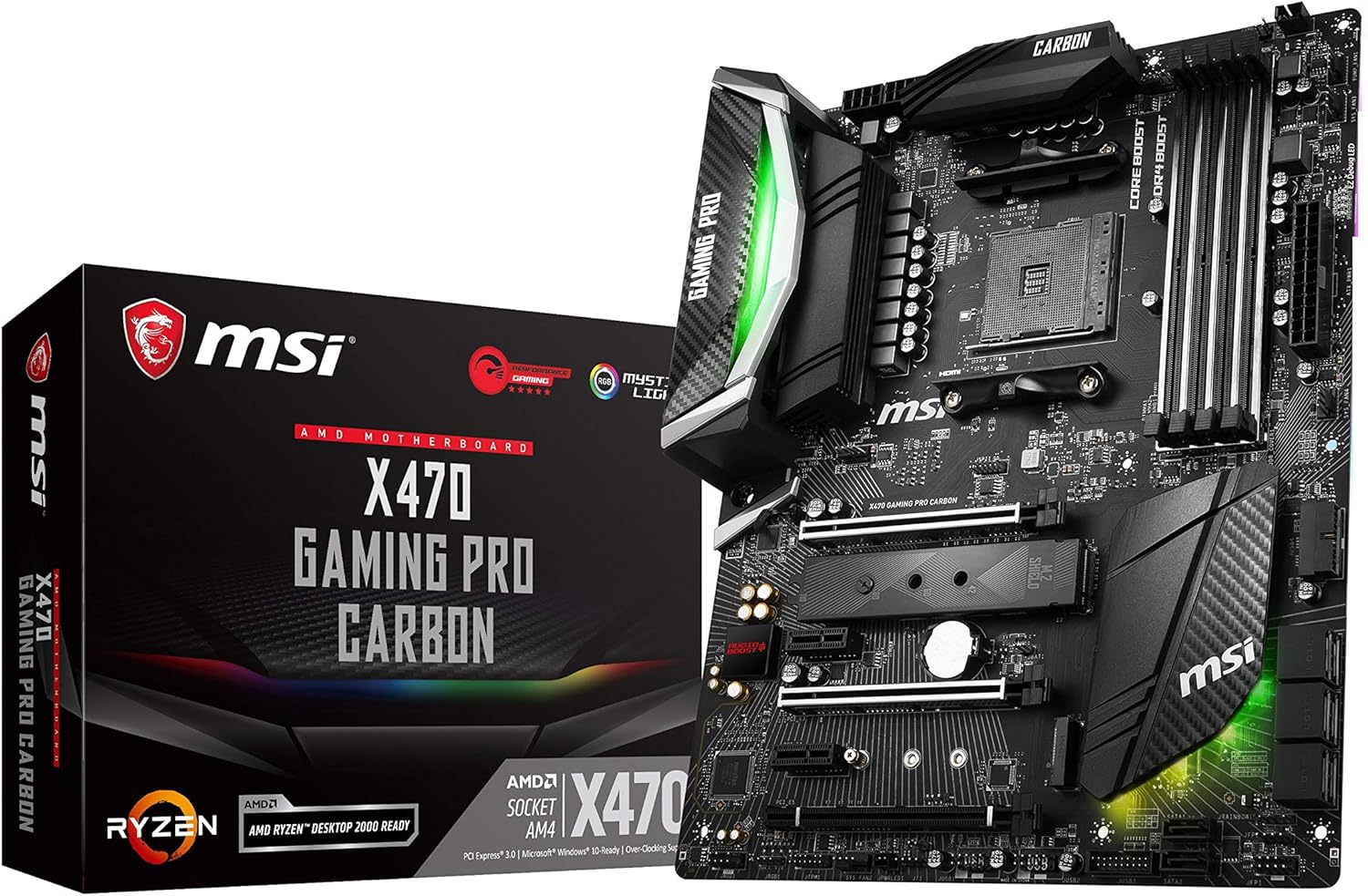
This is likely one of the best X470 motherboards for brand-spanking new PC makers. MSI X470 Gaming Pro Carbon is a sophisticated motherboard that balances performance and value. This doesn’t imply that they are low-cost, just that they are moderately priced.
The motherboard makes use of carbon fiber supplies (presumably that inspired the title as well), RGB lighting, and I/O covers in Southbridge. Black and white stripes look very enticing. MSI makes use of two PCIe 3.0 and Steel-Armor slots for all 4 RAM slots. The motherboard helps RGB lighting and offers greater than sufficient RGB headers.
Pros
- Excellent BIOS (Click BIOS 5) interface.
- Mystic Light RGB customization.
- Dual M.2 slots with M.2 Shield.
- Audio Boost 4 technology.
Cons
- VRM cooling is decent but not top-tier.
- No voltage offset options in BIOS (on some versions).
Gigabyte X470 AORUS Gaming 7
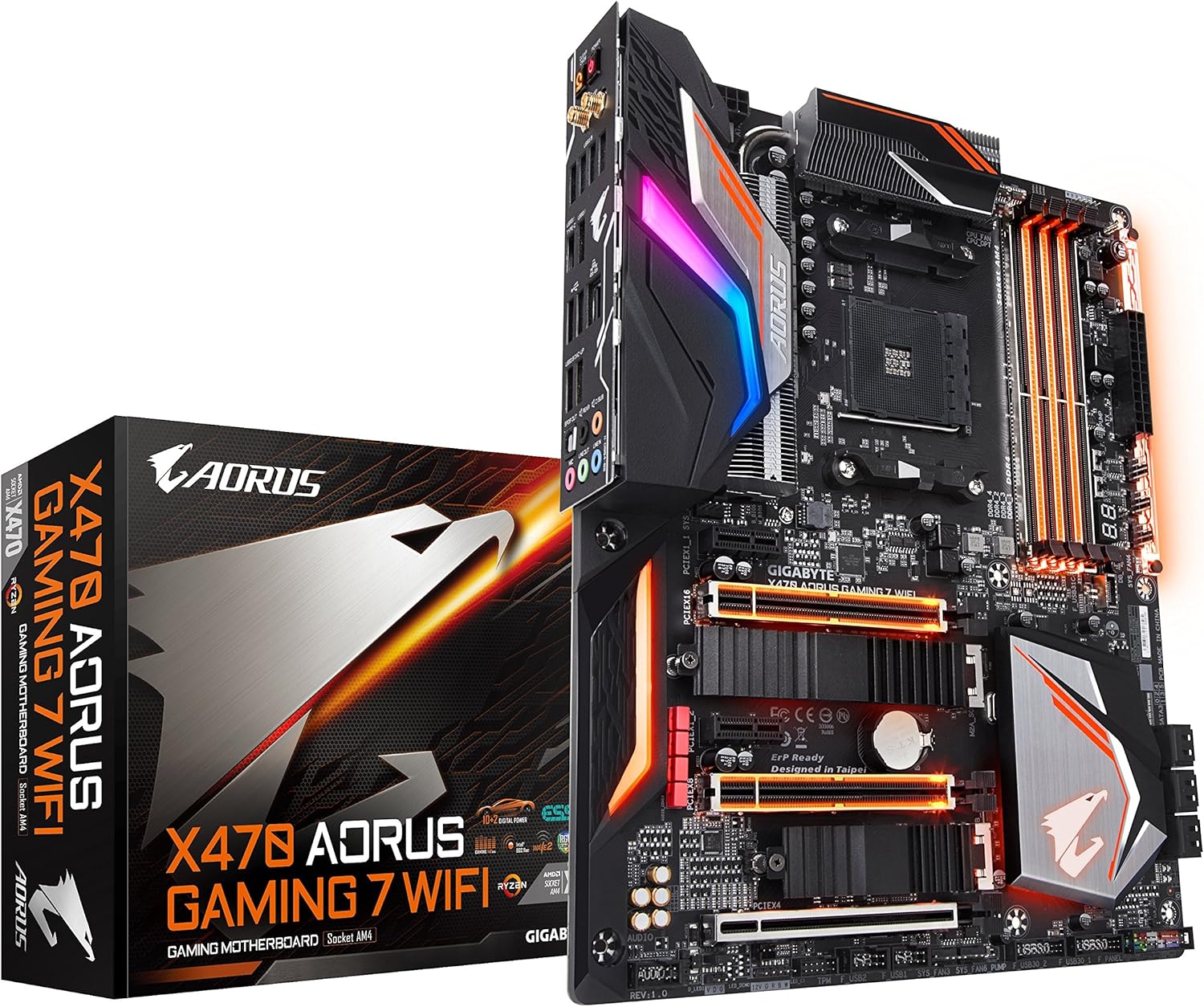
This is among the many best AMD X470 motherboard and it’s such a beauty. GIGABYTE X470 is the flagship product of the AORUS Gaming 7 chipset and delivers wonderful graphics support. Gigabyte has always liked RGB lighting, and this motherboard maintains that custom. The RGB brand is positioned on the SouthBridge heatsink, I/O cover, expansion slot, PCI slot, RAM slot, and on the far right side of the motherboard.
The motherboard employs a 10 + 2 digital power supply and fin-type heat sink on VRM elements. These heat sinks are among the best you may get on the X470 motherboard for cooling efficiency.
Pros
- Superb fin-stack VRM cooling.
- Extensive RGB Fusion lighting.
- Dual BIOS for safety.
- High-quality audio DAC (ESS Sabre).
Cons
- BIOS layout is notoriously cluttered.
- Software can be buggy.
ASUS Prime X470-Pro
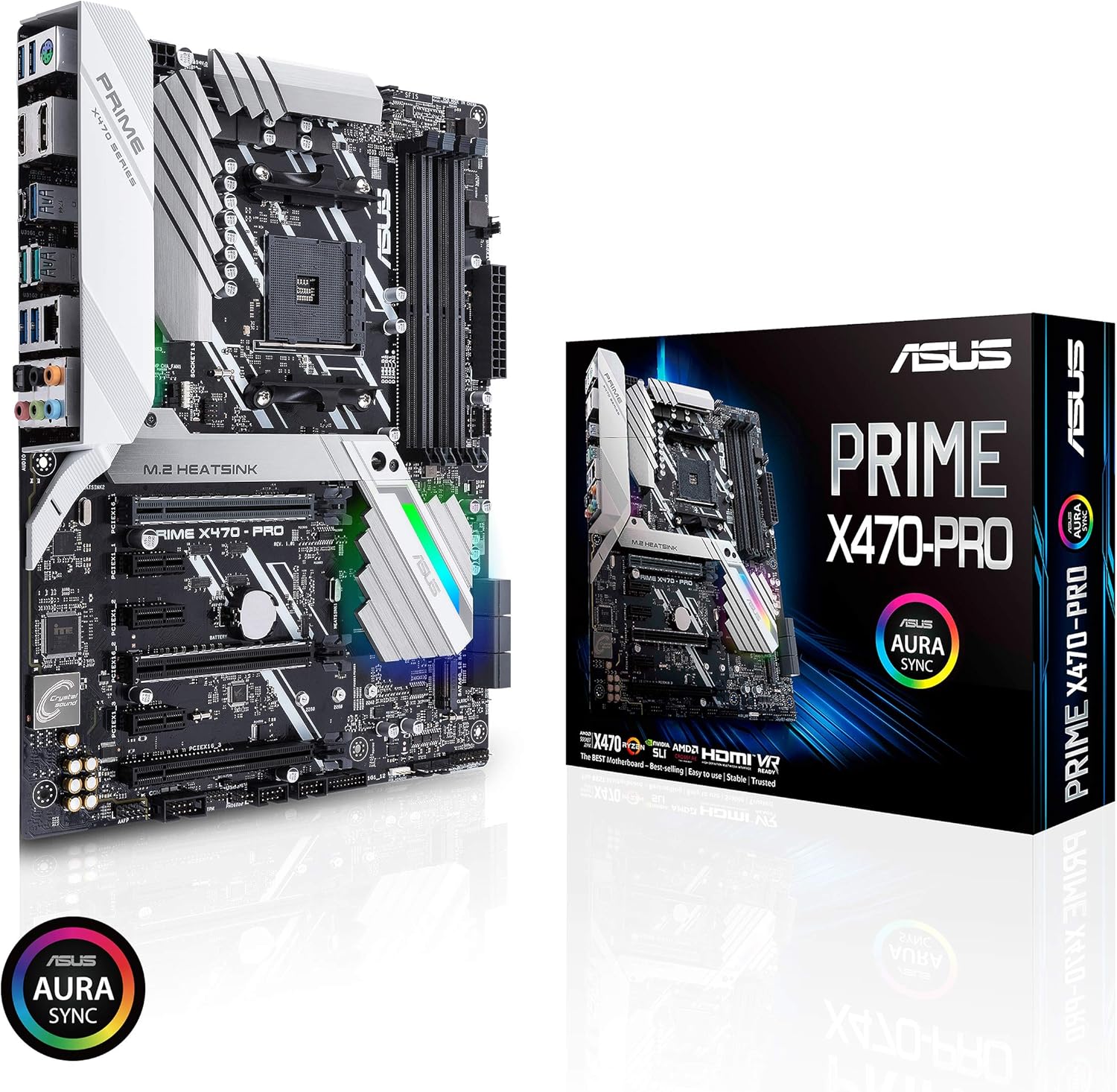
The Asus Prime X470 Pro motherboard is one of the most cost-effective motherboards for the X470 chipset. The color of the motherboard is unique because it makes use of a silver heatsink. It makes use of RGB lighting sparingly. It can only be found under the SouthBridge heatsink and on the I/O cover. One of the two M.2 slots is covered by a heat sink, whereas two PCIe slots are strengthened.
Pros
- Clean, professional white/silver aesthetic.
- Good price-to-performance ratio.
- M.2 Heatsink included.
- Reliable ASUS UEFI BIOS.
Cons
- No integrated I/O shield.
- Limited overclocking features compared to ROG.
Asus ROG Strix X470-I Gaming (Mini-ITX)
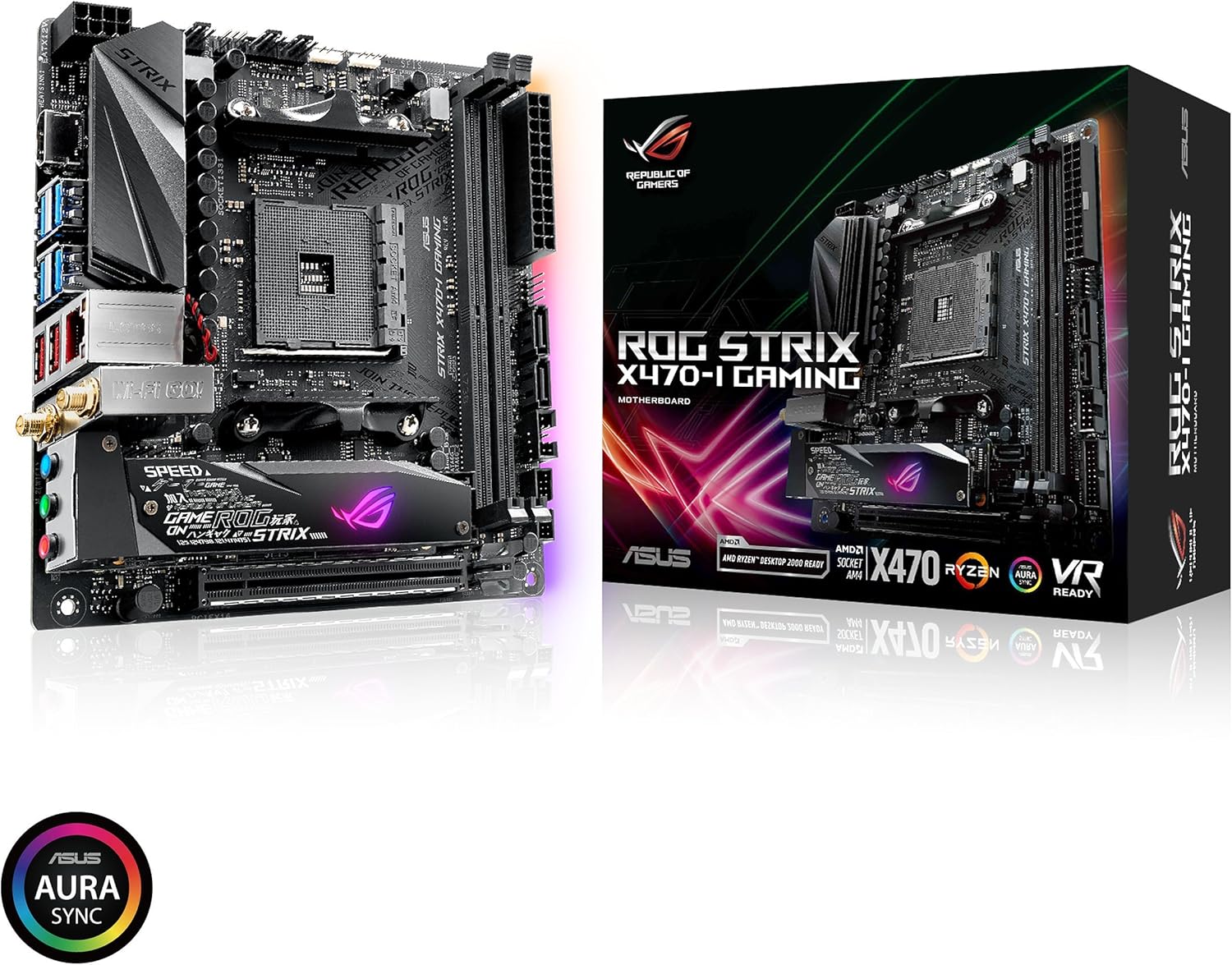
There aren’t too many mini-ITX boards out there on the X470 platform however the Asus ROG Strix X470-I Gaming easily takes the title of one of the best choices there is. The board has good aesthetics and presents good connectivity choices regardless of it being a small form-factor board. The ROG Strix presents two PCI Express 3.0 x4 M.2 slots via an innovative M.2 Audio Combo card.
Pros
- Best-in-class Mini-ITX design.
- Dual M.2 slots (rare for ITX).
- Built-in Wi-Fi and Bluetooth.
- Excellent audio quality.
Cons
- Limited expandability (one PCIe slot).
- Can run hot in small cases without good airflow.
Conclusion
The AMD X470 chipset served as the premium platform for the second-generation AMD Ryzen processors. Motherboards built around the X470 chipset distinguished themselves by offering advanced features catered to enthusiasts and power users. Unlike the more budget-friendly B450 chipsets, X470 motherboards provided enhanced overclocking capabilities, allowing for more aggressive CPU and RAM tuning, potentially unlocking higher performance.
Connectivity options were also a major highlight. X470 motherboards typically boasted more USB ports, including USB 3.1 Gen 2, offering faster data transfer speeds. For gamers and content creators, the X470 chipset supported multi-GPU configurations, enabling the use of two or more graphics cards for enhanced graphical performance. Furthermore, they frequently incorporated dual M.2 NVMe slots, accommodating high-speed storage devices for rapid boot times and application loading. If you are an enthusiast seeking maximum performance, expandability, and future-proofing, the X470 platform was the ideal choice.

A passionate tech enthusiast with a deep focus on PC hardware, gaming rigs, and performance tuning, Bertine Gaynor has spent years exploring the latest innovations in processors, GPUs, and custom builds. On DigitalUpbeat.com, he shares hands-on reviews, performance breakdowns, and expert insights to help readers make smart hardware choices. When not testing components, he’s often optimizing setups for peak efficiency or diving into the latest tech trends shaping the future of computing.