
Book Appointment Now


Best Motherboards For 2026
The Best Motherboards for Gaming in 2026 (AMD AM5 & Intel)
Last updated: October 2026
Disclosure: As an Amazon Associate we earn from qualifying purchases. This doesn’t change the price you pay.
Quick answer for 2026: If you’re building a new PC, look at AMD’s AM5 platform (B850 for most gamers, X870E for high-end builds) or Intel’s LGA 1851 boards (Z890, B860) for Core Ultra processors. The detailed reviews further down cover popular boards from earlier generations (Intel 11th and 12th gen, AMD AM4), which are still useful if you already own a matching CPU or are shopping used or on sale.
There’s a good chance that you already know what kind of processor you want to use for your new computer or your old one. There are so many parts of a computer that depend on the motherboard that it’s very unlikely that you’ll think about upgrading for a long time after you screw the motherboard into your case and run Windows on it. To help you, we’ve put together a list of some of the best motherboards for both AMD and Intel processors.
You can choose from a lot of different motherboards for both AMD and Intel. We also have some general advice about motherboards. That way, even if you don’t buy one of the models we recommend, you’ll at least have a good place to start when you decide what to buy.
Best Motherboards for 2026 by Platform (AM5 and Intel LGA 1851)
Motherboards are tied to a CPU socket, so start with your processor and then choose a chipset. In 2026 the main current platforms are:
- AMD AM5 for Ryzen 7000 and Ryzen 9000 processors (DDR5 memory only).
- Intel LGA 1851 for Core Ultra 200S (Arrow Lake) processors with Z890 and B860 chipsets (DDR5 memory only).
- Older platforms such as AMD AM4 and Intel LGA 1200 and LGA 1700 are still found on the used market and in the detailed reviews below.
Best AMD AM5 Motherboards in 2026
Reviewers and retailers consistently point to a handful of AM5 boards in 2026. Availability and prices change often, so check current listings before you buy.
- Best B850 motherboard (value pick): MSI MAG B850 Tomahawk MAX WiFi. It’s widely recommended as the value choice for gaming builds and is a strong match for high-end Ryzen chips such as the 9800X3D.
- Best X870E value: ASRock X870E Taichi, often priced below comparable Asus, Gigabyte and MSI X870E boards.
- Best conventional X870E: MSI MAG X870E Tomahawk WiFi, for builders who want more PCIe 5.0 storage and connectivity.
- Best flagship X870E: ASUS ROG Crosshair X870E Hero (or Extreme) for enthusiasts who want maximum features.
- Budget AM5: Entry-level B850 and B650 boards (such as MSI’s Gaming Plus models) offer a clean AM5 upgrade path at lower prices.
Best Intel Z890 and B860 Motherboards in 2026
Intel’s current desktop platform uses the LGA 1851 socket with Z890 for enthusiasts and B860 for mainstream builds. Reviewers have tested boards such as the MSI Z890 Tomahawk WiFi II, but in 2026 many buyers prefer AM5 for gaming value. Compare current benchmarks, prices and your needs (productivity vs. gaming) before choosing. If you’re staying on Intel’s 12th to 14th generation processors, look at LGA 1700 boards (Z790, B760) instead.
AM5 Chipset Comparison: X870E vs. X870 vs. B850 vs. B650
| Chipset | Best for | Key points |
|---|---|---|
| X870E | High-end builds | Top-tier platform with PCIe 5.0 for the graphics slot and storage, plus USB4 on most boards |
| X870 | Premium mainstream | Similar modern feature set with fewer lanes than X870E on some boards |
| B850 | Most gamers | Great value; PCIe 5.0 storage and overclocking support, though many boards use PCIe 4.0 for the graphics slot |
| B650 | Budget AM5 | Older but still capable; may need a BIOS update for Ryzen 9000 |
Feature sets vary by manufacturer and model, so check each board’s specification page.
How to Choose the Best Motherboard for Your Build
- Match the CPU socket. A Ryzen 9000 CPU needs an AM5 board; a Core Ultra 200S CPU needs an LGA 1851 board.
- Choose the right chipset for your budget. You rarely need the most expensive chipset for gaming.
- Check memory support. AM5 and LGA 1851 boards use DDR5 only. Older boards may use DDR4.
- Pick the form factor. ATX offers the most slots, micro-ATX is a good middle ground, and mini-ITX suits small cases.
- Look at storage. Count the M.2 slots and check which ones support PCIe 5.0 or 4.0.
- Check power delivery (VRM). Higher-core CPUs and overclocking benefit from a stronger VRM with proper heatsinks.
- Consider connectivity. Wi-Fi 6E/7, 2.5GbE or 5GbE LAN, USB-C ports and front-panel headers.
- Confirm BIOS compatibility. Older boards may need a BIOS update before they boot newer CPUs. Look for BIOS flashback if you’re buying a new CPU for an existing board.
Best Motherboards For 2025 [Ultimate Guide] – Updated for 2026: Detailed Reviews
#1. Gigabyte Z690 Aorus Ultra – Best motherboard for Intel Alder Lake CPUs

#2. MSI MAG B660 Tomahawk Wi-Fi – Best B660 motherboard for Intel Alder Lake

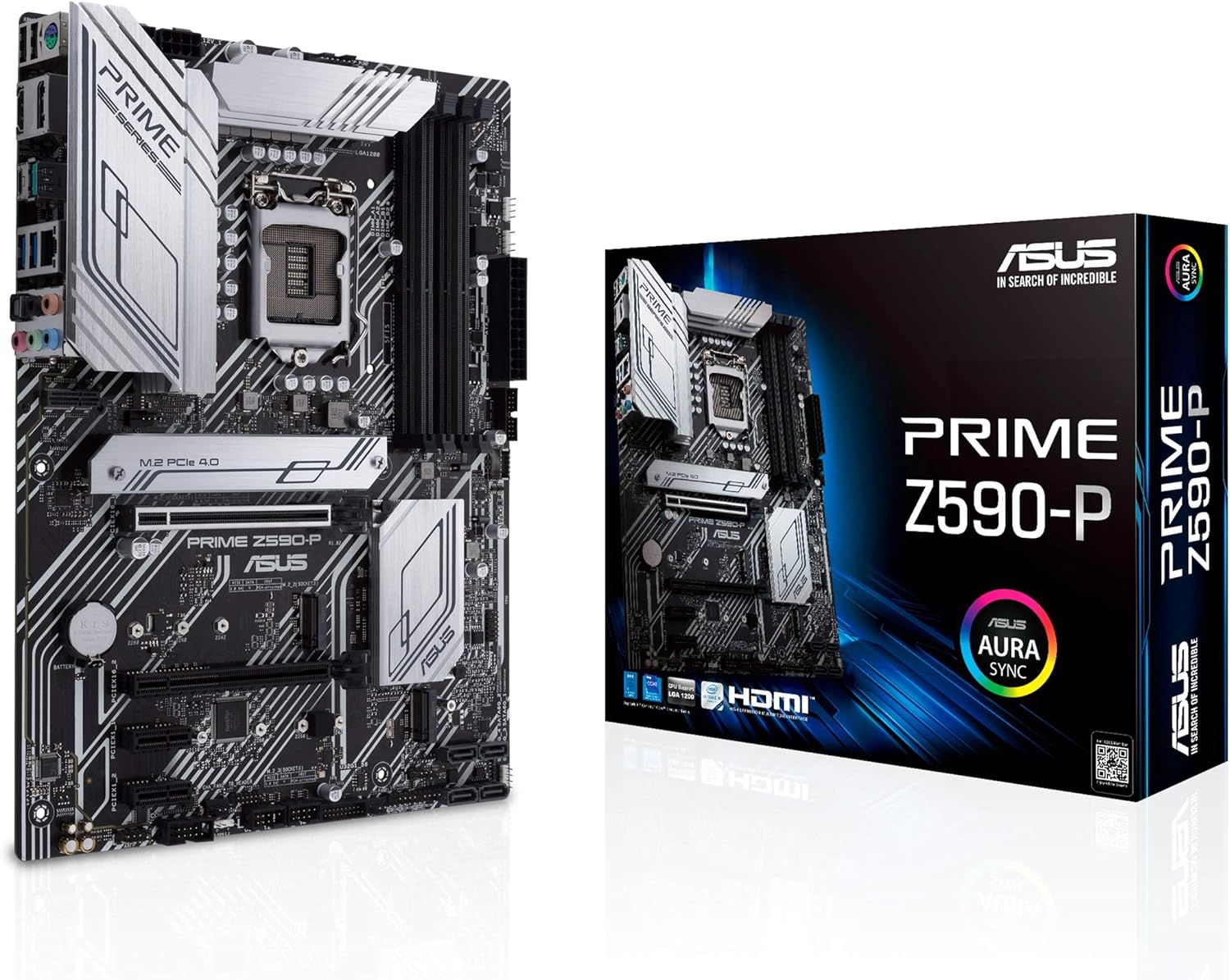
#3. Asus TUF Gaming Z590-Plus Wi-Fi – Value for money Z590 motherboard for Intel Rocket Lake
Check on Amazon
#4. Gigabyte Z690 Aorus Ultra – Best motherboard for Intel Alder Lake CPUs

Featuring cutting-edge technologies and reliable power supply. Gamers and content creators building a powerful PC. An excellent motherboard for Intel’s latest 12th-generation Alder CPUs, the Gigabyte Z690 Aorus Ultra. The new Z590 has an industrial design and a dark grey and silver finish. Also, the primary PCIEX16 slot supports PCIe gen 5 as standard, making it future-proof. There are six SATA ports and four M.2 slots.
Gigabyte employed 105A Renesas SPS MOSFETs, finned heatsinks for the VRM, and two big dedicated heatsinks for the top and bottom M.2 sockets. Each of the rear I/O ports is a USB 3.2 Type-C (20Gbps), four USB 3.2 Gen 2 (10Gbps) or five USB 3.2 Gen 1 (5Gbps) port. Wi-Fi 6 antenna, two analogue plugs with SPDIF audio port, and an Intel 2.5 GbE port are also included. In addition to the Aorus logo, there are plenty of RGB and ARGB headers for those who want to go all out!
#4. Gigabyte Z690 Aorus Ultra – Best motherboard for Intel Alder Lake CPUs
Check on Amazon
#5. MSI MAG B660 Tomahawk Wi-Fi – Best B660 motherboard for Intel Alder Lake
At a reasonable price, the best performing B660 board for the latest Intel Alder Lake processors. PC builders and gamers seeking value without sacrificing critical features. The B660 chipset is a cost-effective option for anyone considering Intel’s latest 12th-generation Alder Lake platform. While the CPU cannot be overclocked, the board does support RAM overclocking, which is a really excellent offer for under $200. With a completely black exterior, this ATX motherboard packs a lot of functionality into a small package.
To begin, it does not support DDR5 memory, which is a minor concession given DDR4’s performance. Additionally, there is no PCIe 5.0 compatibility, although three M.2 sockets supporting PCIe Gen 4.0 speeds are included in addition to the primary PCIe x16 slot. The secondary PCIex16 slot is PCIe Gen 3.0 compatible. Regarding power delivery, the board features a 12+2 phase VRM that is driven by two 8-pin power connectors. Additionally, the board features enough cooling for the VRMs, CPU, and both M.2 slots.
The rear I/O is quite rich, with a Realtek 2.5G LAN and Intel WiFi 6, as well as nine USB ports, including four USB 2.0 ports, four USB 3.2 Gen 2 ports, and a USB 3.2 Gen 2×2 20Gbps Type-C port. Additionally, there are a full complement of audio connectors with S/PDIF that are supported by a Realtek ALC1220 chip, as well as HDMI 2.1 and DP 1.4 ports for usage with the integrated graphics.
#6. MSI MAG B660 Tomahawk Wi-Fi – Best B660 motherboard for Intel Alder Lake

#7. Asus TUF Gaming Z590-Plus Wi-Fi – Value for money Z590 motherboard for Intel Rocket Lake
High-end features at an affordable price. Gamers are lining up to purchase Intel’s Rocket Lake platform. Intel’s previous generation of CPUs, the Rocket Lake series, remain a viable alternative, particularly if you’re looking to save a few bucks. The Asus TUF Gaming Z590-Plus Wi-Fi is an excellent choice for 11th-generation CPUs, as it offers a comprehensive feature set at an affordable price.
Three M.2 sockets are included, with the top M.2 socket supporting PCIe 4.0 and the other two supporting PCIe 3.0. Each M.2 slot includes a heatsink, and these sockets also include a unique locking mechanism that eliminates the need to fiddle with those tiny screws. In terms of power supply, the TUF Gaming Z590-Plus features a 19-phase design (14+2+1+2 for Vcore/GT/SA/IO), which should be plenty to handle the top-of-the-line 11900K with minor overclocking changes. According to Asus, this board can support up to DDR4 5133(OC) memory via the four DIMM slots.
Moving on to the rear I/O, the board comes pre-installed with an I/O shield, which is a wonderful place to start. Above two USB 2.0 ports is a PS/2 legacy port, followed by an HDMI (v2.0) port and a Displayport (v1.4) video output. Additionally, two USB 3.2 Gen1 ports, one USB 3.2 Gen2x2 Type-C port, two USB 3.2 Gen2 ports, an Intel 2.5 GbE port, Wi-Fi 6 antenna ports, and a five-plug plus SPDIF audio stack are included. Additionally, the board includes RGB lights and two RGB and ARGB headers.
Asus TUF Gaming Z590-Plus Wi-Fi – Value for money Z590 motherboard for Intel Rocket Lake
#8. Asus Prime B560-Plus – Best motherboard for 11th-gen Intel CPU on a budget

A low-cost motherboard solution for Intel’s Rocket Lake processors. Appropriate for inexpensive PC configurations, particularly home office setups. For those looking for a motherboard that covers all the essentials, Asus offers the Prime B560-Plus. This is an excellent alternative for anyone who is not interested in overclocking their CPU or memory on an Intel previous-generation platform. It’s a capable board with Digi+ VRMs, specialised heatsinks, and thermal pads to optimise MOSFET heat transmission.
Additionally, it features two M.2 storage slots, with the primary slot supporting PCIe Gen 4.0 drives. Notable is the board’s flexible heatsink, which can be utilised in either of the M.2 slots by simply rotating it. Additionally, there are six SATA connectors for additional storage. Although Asus does not specify the maximum amount of memory that may be installed, it does allow up to 4600MHz overclocking and, of course, XMP profiles. The rear I/O panel features seven USB ports in total: four USB 2.0 Type-A ports, two USB 3.2 Gen 2 Type-A ports, and one USB 3.2 Gen 1 Type-C port. Additionally, there are VGA, Display Port, and HDMI video interfaces, as well as a gigabit Ethernet port, triple jack audio, and a PS/2 port. There is a USB 3.2 Gen 1 header and even a Thunderbolt 4 header for the front I/O.
#9. Asus Prime B560-Plus — Best motherboard for 11th-gen Intel CPU on a budget
Check on Amazon
#10. Asus ROG X570 Crosshair VIII Hero Wi-Fi – Best high-end X570 motherboard for AMD processors
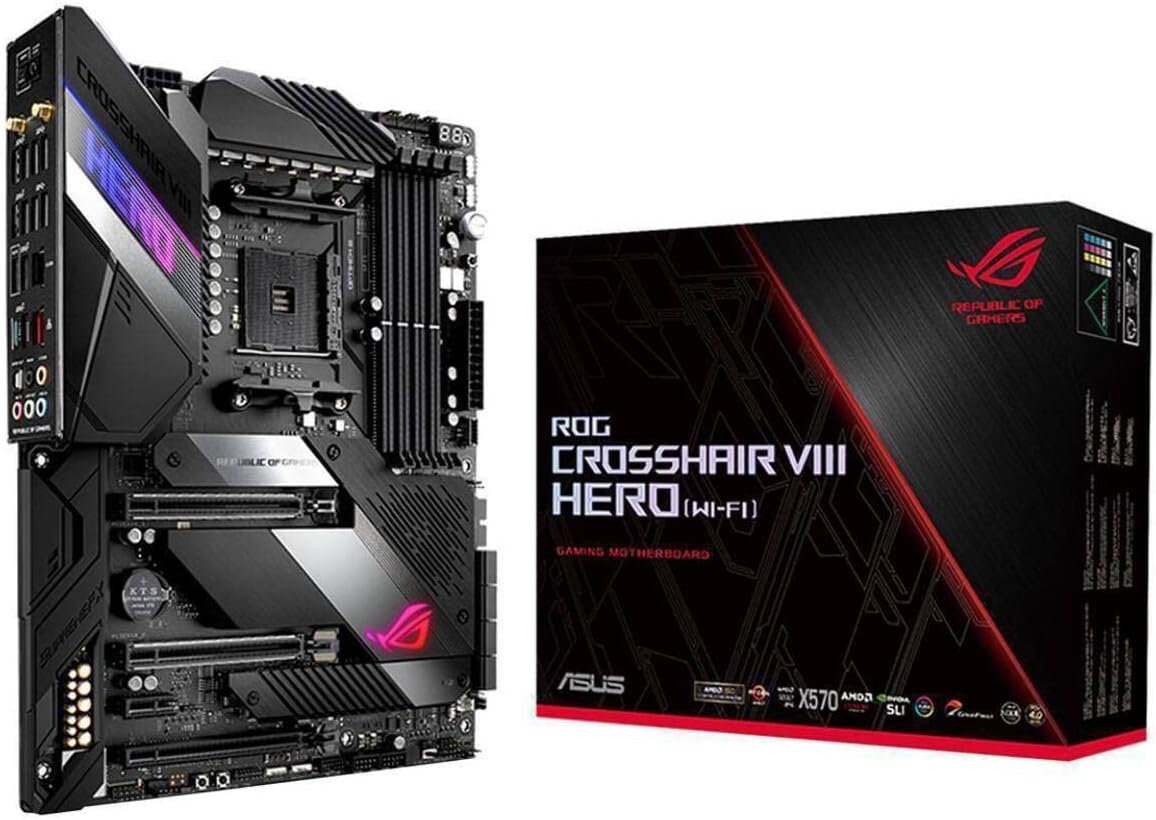
Consult Amazon High-end AMD chipset motherboard with extensive overclocking capabilities. Enthusiasts and gamers interested in building a top-of-the-line AMD machine. If you’re considering purchasing the high-end AMD Ryzen 5900x or maybe the 5950x, this is the motherboard to choose. Although it is costly, it is well worth the investment if you value optimal performance and a reliable platform. The ROG X570 Crosshair VIII Hero Wi-Fi is an upper mid-range X570 motherboard that performs admirably across the board.
Apart from its luxury design including a jet-black finish and RGB lighting, this board features 14+2 IR3555 PowIR stages rated at 60amps apiece, as well as two big heatsinks for the VRMs connected through a metal heat pipe. The chipset heatsink is actively cooled by a fan rated for up to 60,000 hours of operation, although it is disabled when a big GPU is installed. There are four DIMM slots, each of which can accommodate up to 128GB of DDR4 4600MHz memory. The board features eight SATA 3.0 ports and two M.2 slots that enable PCIe Gen 4.0 and come equipped with their own dedicated heatsinks. There are a total of 12 USB ports on the rear, including eight USB 3.2 Gen 2 connections (seven Type-A, one Type-C), a fast 2.5G Realtek LAN, and integrated Intel Wi-Fi 6.

Check on Amazon
#11. Asus ROG X570 Crosshair VIII Hero Wi-Fi – Best high-end X570 motherboard for AMD processors
Check on Amazon
#12. Asus ROG Strix B550-F Gaming Wi-Fi – Best B550 motherboard for AMD offering great value

It’s the greatest B550 motherboard available at a reasonable price. Gamers and multimedia developers seeking the most advanced features at an affordable price. B550 motherboards are reportedly less expensive than AMD’s X570 platform, and the ROG Strix B550-F Gaming is an excellent example. For less than $200, you get a slew of functions and a premium-looking design with RGB lighting. The board features 14-phase power delivery, two M.2 slots, a 2.5 Gbps ethernet port,
Wi-Fi 6 with AX, and Bluetooth, as well as four DIMM slots for DDR4 memory that supports 4400MHz clock speeds. The primary PCIe x16 slot, as well as one of the two M.2 slots, support Gen 4. Additionally, the board features six SATA connectors and eight USB ports on the back I/O panel — two USB 3.2 Gen2 (Type-A and Type-C), four USB 3.2 Gen1, and two USB 2.0. Along with the 2.5GbE LAN port and two Wi-Fi antenna connections, there are HDMI and DisplayPort visual outputs, as well as typical 5-plug analogue audio outputs and SPDIF. Additionally, it supports overclocking and should remain stable when equipped with the appropriate cooling hardware.

Check on Amazon
#13. Asus ROG Strix B550-F Gaming Wi-Fi – Best B550 motherboard for AMD offering great value
Check on Amazon
#14. ASRock B450M Steel Legend – Budget motherboard recommendation for AMD chipsets

Best AMD-compatible under $100 motherboard. Budget-minded PC builders and gamers. A B450M motherboard doesn’t have cutting-edge capabilities, but it’s cheap, making it a decent choice for those who don’t plan on overclocking or need cutting-edge features. The ASRock B450M Steel Legend is an M-ATX board with three aluminium blocks for the VRMs and the B450. It even has RGB lights for aesthetic purposes.
Depending on the CPU, the board supports up to 128GB DDR4-3533+ OC memory. The primary PCI-E 3.0 slot is X16 speed and reinforced with steel for added strength. A secondary PCI-E 2.0 X16 x4 slot is also available. To store data, there are two M.2 slots and four SATA 3 ports. The second M.2 slot only supports M.2 SATA drives and shares bandwidth with the third SATA 3 port. I/O on the back includes two USB 3.1 Gen2 (Type-A and Type-C) connections, four USB 3.1 Gen1 Type-A (Type-A), HDMI, DisplayPort, Ethernet, gold-plated audio ports, and even a PS/2 port for vintage peripherals
Check on Amazon
#15. ASRock B450M Steel Legend – Budget motherboard recommendation for AMD chipsets

Best Motherboard by Use Case (2026 Quick Guide)
- Best for gaming on a budget: a B850 AM5 board (such as MSI MAG B850 Tomahawk MAX WiFi) or a B650 board if you find a good deal.
- Best high-end motherboard: an X870E board such as the ASUS ROG Crosshair X870E Hero or ASRock X870E Taichi.
- Best for Intel Core Ultra processors: a Z890 board for enthusiasts or a B860 board for mainstream builds.
- Best for small builds: a mini-ITX B850 board, with attention to cooling and VRM design.
- Best on a tight budget with an older CPU: a B550 or B450 board for Ryzen 5000 on AM4, or a B660/B560 board if you already own a compatible Intel CPU.
Frequently Asked Questions – Best Motherboards
What motherboards are compatible with Intel chipsets?
Intel announced the new 600-series chipsets alongside the release of its latest 12th-generation Alder Lake desktop processors. If you want to buy any of the new Intel processors, you must choose between Z690, H670, B660, and H610 motherboards. Only the Z690 motherboards support the new DDR5 memory standard, as well as CPU overclocking.
If you’re on a tight budget, we recommend going with a B660 board that doesn’t support CPU overclocking but does support memory overclocking. Similarly, if you don’t want to spend a lot of money, you can always go for last-generation Intel Rocket Lake processors, which are still quite good. Because the previous generation is based on the LGA-1200 socket, the 11th-generation series of Intel processors are backwards compatible with 500-series and a few 400-series processors.
What motherboards are compatible with AMD chipsets?
Unlike Intel, AMD has managed to keep the AM4 socket alive until the release of its latest Zen 3-based Ryzen 5000 series CPUs. So, if you’re looking to build a new PC with an AMD processor, you can choose from the 500-series (X570, B550) and 400-series (X470, B450) motherboards, as well as older X370, B350, and A320 boards. Please keep in mind that if you intend to use the Ryzen 5000 on a board other than the 500 series, you must first download and install the most recent BIOS update before installing the processor.
Do all motherboards support overclocking?
When it comes to Intel, the Z-series boards (Z690, Z590) allow you to overclock both the CPU and the memory. Intel now offers memory overlocking on the mid to low-end B660, H670, and H610 processors with the introduction of 12th-generation. It is best to verify overclocking capabilities by visiting the product page on the vendor’s official website. Similarly, the X570 boards are better suited for safely overclocking AMD processors.
What is the best motherboard for gaming in 2026?
For most gamers, a B850 AM5 motherboard such as the MSI MAG B850 Tomahawk MAX WiFi offers the best balance of price and features. High-end builders can step up to an X870E board such as the ASRock X870E Taichi or ASUS ROG Crosshair X870E Hero. Check current prices and reviews, since they change often.
What is the difference between X870E and B850 motherboards?
X870E boards are the enthusiast tier, with PCIe 5.0 for both the graphics slot and storage and more connectivity. B850 boards are mainstream, typically offering PCIe 5.0 for an M.2 SSD and often PCIe 4.0 for the graphics slot, at a lower price. B850 also supports overclocking.
Is B850 good enough for a Ryzen 9000 processor like the 9800X3D?
Yes. A good B850 board with a solid VRM can run high-end Ryzen 9000 processors well, and many gamers choose B850 to save money. Always check the board’s CPU support list.
Can I use DDR4 memory on an AM5 or Intel LGA 1851 motherboard?
No. AM5 and Intel’s LGA 1851 platform use DDR5 memory only. DDR4 is for older platforms such as AM4 and many LGA 1200 and some LGA 1700 boards.
Will my Ryzen 5000 CPU work on a B450 or B550 motherboard?
Often yes, but you may need a BIOS update first, and compatibility depends on the specific board. Check the manufacturer’s CPU support list for your exact model.
Are older motherboards like Z690, B660, Z590 or X570 still worth buying?
They can be good value if you already own a matching CPU or can find a good used or discounted board. For a brand-new build, a current AM5 or LGA 1851 board gives you DDR5, newer features and a longer upgrade path.
What size motherboard do I need: ATX, micro-ATX or mini-ITX?
Choose based on your case and how many expansion slots and drives you need. ATX has the most slots, micro-ATX is a compact middle ground, and mini-ITX suits small builds but has fewer slots and often costs more.
How do I know if a motherboard is compatible with my CPU?
Check three things: the CPU socket (for example AM5 or LGA 1851), the chipset’s support for your processor, and the BIOS version. The motherboard maker’s CPU support list shows which processors work and which BIOS version they need.

A passionate tech enthusiast with a deep focus on PC hardware, gaming rigs, and performance tuning, Bertine Gaynor has spent years exploring the latest innovations in processors, GPUs, and custom builds. On DigitalUpbeat.com, he shares hands-on reviews, performance breakdowns, and expert insights to help readers make smart hardware choices. When not testing components, he’s often optimizing setups for peak efficiency or diving into the latest tech trends shaping the future of computing.


