
Book Appointment Now

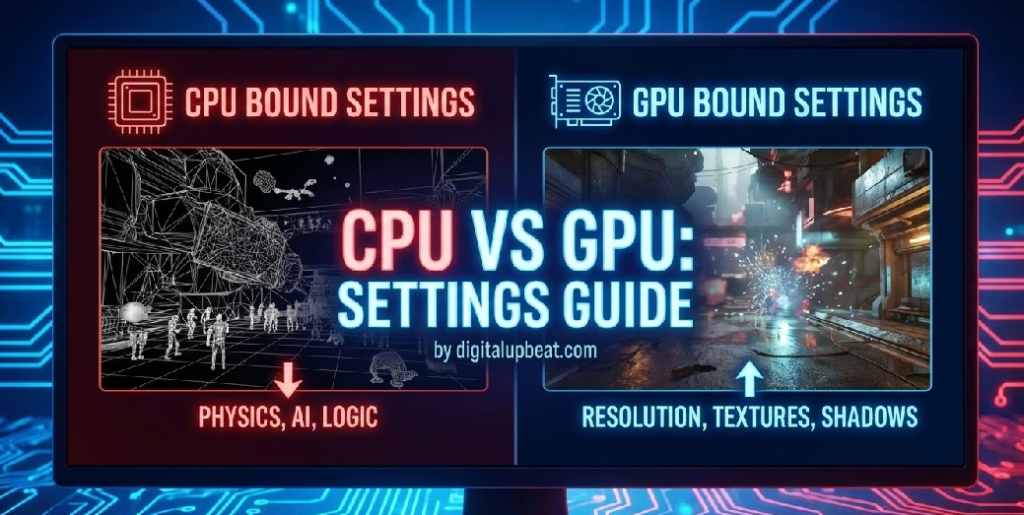
CPU vs GPU
CPU vs GPU: A Complete Guide to Understanding the Difference in 2026
Quick Summary: The CPU (Central Processing Unit) is the brain of your PC — it handles game logic, physics, AI, and decision-making. The GPU (Graphics Processing Unit) is the artist — it renders every pixel, texture, shadow, and visual effect you see on screen. Both are essential to gaming and computing, but they do very different jobs. This guide explains exactly how each works, how they compare, which one matters more for gaming and other tasks, and how to choose the right balance for your build in 2025.
If you’ve ever tried to buy a graphics card, built a gaming PC, or even just watched a hardware review on YouTube, you’ve heard these two acronyms thrown around constantly: CPU and GPU. They’re the two most important components in any computer, and yet most people — even experienced PC gamers — have only a vague sense of what each one actually does and why the difference matters.
Should you spend more of your budget on the CPU or GPU? Why does one game run perfectly while another stutters on the same hardware? Why does lowering graphics settings sometimes not help your FPS at all? The answers to all of these questions come back to understanding the CPU vs GPU relationship.
In this in-depth guide, we’ll break down both components from the ground up — what they are, how they work, where they excel, where they fall short, and how to build the perfectly balanced system for your specific needs in 2026.
What Is a CPU? The Brain of Your PC
The CPU — Central Processing Unit — is the primary processor inside every computer. It’s responsible for executing the core instructions that keep your operating system, applications, and games running. Everything you do on a computer — opening a file, loading a web page, running a game’s physics engine, processing an AI opponent’s decision — goes through the CPU.
The CPU operates using a fundamental cycle called fetch-decode-execute: it fetches an instruction from memory, decodes it to understand what needs to happen, and executes the operation. Modern CPUs perform this cycle billions of times per second, measured in gigahertz (GHz).
Key CPU Characteristics
| Feature | What It Does | Why It Matters |
|---|---|---|
| Cores | Independent processing units within the chip | More cores = better multitasking and multi-threaded workloads |
| Clock Speed (GHz) | How many instruction cycles the CPU completes per second | Higher clock = faster single-threaded performance (critical for gaming) |
| Cache (L1/L2/L3) | Ultra-fast memory built directly into the CPU | Larger cache reduces latency when accessing frequently used data |
| Threads | Virtual processing lanes per core (via Hyper-Threading/SMT) | More threads improve performance in heavily multi-threaded apps |
| IPC (Instructions Per Clock) | How much work one clock cycle accomplishes | Higher IPC = better real-world performance even at same GHz |
| TDP (Thermal Design Power) | How much heat the CPU generates at rated performance | Higher TDP requires better cooling to prevent thermal throttling |
CPUs are designed for serial processing — executing complex, branching, decision-heavy tasks one after another with extreme speed and precision. This is why CPUs have fewer, far more powerful cores (typically 4 to 24 in consumer chips) compared to a GPU’s thousands of smaller cores. That small number of highly capable cores excels at tasks that require rapid decision-making, conditional logic, and unpredictable branching — exactly what a game engine’s core logic demands.
💡 Why Single-Core Speed Matters More Than Core Count for Gaming
Most game engines, including Unreal Engine and Unity, are still primarily single-threaded in their critical rendering pipeline. This means the speed of one CPU core — not how many cores you have — is what directly determines gaming performance in most titles. A 6-core CPU with a 5.5 GHz clock speed will often outperform a 16-core CPU running at 3.5 GHz in games.
Most game engines, including Unreal Engine and Unity, are still primarily single-threaded in their critical rendering pipeline. This means the speed of one CPU core — not how many cores you have — is what directly determines gaming performance in most titles. A 6-core CPU with a 5.5 GHz clock speed will often outperform a 16-core CPU running at 3.5 GHz in games.
What Is a GPU? The Visual Powerhouse
The GPU — Graphics Processing Unit — is a specialized processor designed to handle one thing with exceptional efficiency: parallel mathematical computation. Originally built exclusively to render graphics, the GPU has evolved into one of the most versatile and powerful processors in modern computing, handling everything from 3D game rendering to AI model training to scientific simulations.
Where a CPU has a small number of highly powerful cores optimized for complex sequential tasks, a GPU contains thousands of smaller, specialized cores all working simultaneously. An NVIDIA RTX 4090, for example, contains 16,384 CUDA cores. Each core is less capable than a single CPU core at complex decision-making, but together they can perform an astronomical number of simple mathematical calculations in parallel — exactly what rendering millions of pixels per frame requires.
Key GPU Characteristics
| Feature | What It Does | Why It Matters |
|---|---|---|
| CUDA / Stream Processors | Parallel processing cores inside the GPU | More cores = faster rendering of complex scenes |
| VRAM (Video RAM) | Dedicated high-speed memory on the GPU | More VRAM = higher resolution textures, fewer stutters at 4K |
| Memory Bandwidth | How fast data moves between GPU and VRAM | Higher bandwidth = faster texture and frame data access |
| Clock Speed | Operating frequency of the GPU’s cores | Higher boost clocks = faster rendering per core |
| Ray Tracing Cores | Dedicated hardware for realistic lighting simulation | Enables real-time ray tracing without destroying rasterization FPS |
| Tensor Cores / AI Cores | Dedicated AI compute units | Powers DLSS, FSR upscaling and AI-based features |
| TDP | Power consumption and heat generation | High-end GPUs can consume 300–450W — requires robust PSU and cooling |
💡 VRAM Is More Important Than Ever in 2025
With modern AAA titles loading increasingly high-resolution textures and assets, VRAM capacity has become a critical factor. Games like Alan Wake 2, Cyberpunk 2077 with path tracing, and Unreal Engine 5 titles can consume 10–12GB of VRAM at 1440p with high settings. Budget GPUs with 8GB VRAM may struggle with newer releases, making 12GB the practical minimum for future-proofed builds in 2025.
With modern AAA titles loading increasingly high-resolution textures and assets, VRAM capacity has become a critical factor. Games like Alan Wake 2, Cyberpunk 2077 with path tracing, and Unreal Engine 5 titles can consume 10–12GB of VRAM at 1440p with high settings. Budget GPUs with 8GB VRAM may struggle with newer releases, making 12GB the practical minimum for future-proofed builds in 2025.
CPU vs GPU: Core Architecture Differences

The fundamental difference between a CPU and GPU comes down to their design philosophy. Both are chips full of transistors doing math — but they’re optimized for completely different types of problems.
CPU Strengths
- Exceptional at complex, branching, sequential logic
- Handles unpredictable workloads with variable instruction chains
- Low latency for rapid decision-making tasks
- Manages the entire operating system and all running processes
- Critical for AI/NPC logic, physics, and game engine core systems
- Better for tasks that cannot be parallelized
- Handles single-threaded workloads faster than any GPU
GPU Strengths
- Massively parallel architecture handles thousands of simultaneous operations
- Ideal for rendering thousands of pixels per frame simultaneously
- High memory bandwidth for rapid texture and frame data access
- Specialized hardware for ray tracing and AI upscaling (DLSS/FSR)
- Essential for AI/ML model training and inference
- Powers video encoding, 3D rendering, and scientific simulations
- Directly controls visual quality, resolution, and frame rates
Think of it this way: if you need to solve one extremely complicated math problem that depends on the answer to the previous step, you want a CPU — it’s fast, smart, and handles complexity effortlessly. If you need to solve ten million simple math problems all at once, you want a GPU — its thousands of cores make parallel execution its superpower.
In a game engine, the CPU solves the complex problem: what is happening in the game world right now? The GPU solves the parallel problem: take this description of the world and paint it onto millions of pixels as fast as possible.
CPU vs GPU for Gaming: Which Matters More?
This is the question every PC gamer eventually asks — and the answer isn’t as simple as “GPU always wins.” The truth is context-dependent, and understanding the context is what separates smart hardware buyers from people who waste money on upgrades that don’t move the needle.
The GPU’s Role in Gaming
The GPU handles all visual rendering in games: geometry, textures, lighting, shadows, reflections, particle effects, post-processing, and anti-aliasing. Every pixel you see on screen passed through the GPU. For graphically demanding games at high resolutions, the GPU is by far the most important component for frame rate and visual quality.
At 1440p and 4K with high or ultra settings, gaming is almost always GPU-bound — meaning the GPU is working at or near full capacity while the CPU has headroom to spare. In this scenario, upgrading the GPU directly improves FPS while upgrading the CPU provides minimal benefit.
The CPU’s Role in Gaming
The CPU manages all game logic, physics calculations, AI behavior, audio processing, networking, and the draw calls that instruct the GPU what to render each frame. In competitive, fast-paced games running at 1080p on low settings — like Valorant, CS2, or Rainbow Six Siege — the GPU workload is light because there aren’t many pixels to render and settings are minimal. The bottleneck shifts entirely to the CPU, which must produce hundreds of frames per second worth of game logic.
In these CPU-bound scenarios, upgrading the GPU will provide little to no FPS improvement, while a better CPU can dramatically increase frame rates.
| Scenario | Primary Bottleneck | Upgrade Priority | Example Games |
|---|---|---|---|
| 1080p, Low Settings, High FPS | CPU | CPU First | Valorant, CS2, Apex Legends |
| 1440p, High/Ultra Settings | GPU | GPU First | Cyberpunk 2077, Elden Ring, Hogwarts Legacy |
| 4K, Max Settings | GPU (heavily) | GPU First (strongly) | Alan Wake 2, Flight Simulator 2024 |
| Open-World with Complex AI/Physics | CPU (often) | CPU First | Cities: Skylines II, Total War series |
| Strategy & Simulation Games | CPU | CPU First | Civilization VII, Dwarf Fortress |
| Mid-Range Balanced Setup | Shared / Varies | Balance Both | Most modern AAA titles at 1080p–1440p |
⚠️ The Mismatched Build Trap
A $1,500 GPU paired with a 10-year-old CPU will perform worse than a $600 mid-range GPU paired with a modern processor. Pairing an RTX 4090 with an old Core i5-8400, for example, will severely bottleneck the GPU — you’re paying flagship GPU prices but getting mid-range performance. Always balance your CPU and GPU investment. Use our free bottleneck calculator to check your pairing before you buy.
A $1,500 GPU paired with a 10-year-old CPU will perform worse than a $600 mid-range GPU paired with a modern processor. Pairing an RTX 4090 with an old Core i5-8400, for example, will severely bottleneck the GPU — you’re paying flagship GPU prices but getting mid-range performance. Always balance your CPU and GPU investment. Use our free bottleneck calculator to check your pairing before you buy.
CPU vs GPU for Non-Gaming Workloads

Gaming is just one use case. If you’re a content creator, developer, data scientist, or general power user, the CPU vs GPU balance looks quite different.
Video Editing & Rendering
Both Matter — But GPU Acceleration Is Transformative
Video editing software like Adobe Premiere Pro and DaVinci Resolve use GPU acceleration for real-time playback, color grading, and export rendering. A powerful GPU dramatically reduces export times and enables smooth 4K/8K timeline scrubbing. However, a strong CPU is still needed for encoding, managing timeline complexity, and running the application itself. For video editing, a balanced system is ideal — with a lean toward GPU for heavy color work and a lean toward CPU for encoding-heavy workflows.
GPU Priority When:
- Working with heavy effects and color grades in DaVinci Resolve
- Using GPU-accelerated export in Premiere Pro
- Rendering 3D elements or motion graphics
- Working with 4K/8K ProRes or RAW footage
CPU Priority When:
- Software encoding (H.264, H.265 via CPU encoder)
- Managing large, complex multi-track timelines
- Working in CPU-accelerated applications
- Running multiple creative applications simultaneously
3D Rendering (Blender, Cinema 4D)
GPU Rendering Dominates Modern Workflows
3D rendering is one of the clearest examples of GPU superiority for parallel workloads. Blender’s Cycles renderer using GPU compute (CUDA/OptiX on NVIDIA, HIP on AMD) can complete renders in minutes that would take a CPU hours. The GPU’s thousands of cores make it perfectly suited for the massively parallel ray tracing calculations involved in photorealistic 3D rendering. For 3D artists, GPU VRAM becomes especially critical — complex scenes require large amounts of VRAM to hold scene data during rendering.
Recommendation: For 3D artists, prioritize the GPU with maximum VRAM (16GB or more). The CPU handles scene preparation and export but the GPU does the heavy lifting during render. RTX 4080/4090 or RX 7900 XTX are popular choices for professional 3D rendering workflows.
AI & Machine Learning
GPU Is Essentially Mandatory for AI Workloads
Artificial intelligence and machine learning represent perhaps the most extreme example of GPU superiority. Training a deep neural network on a CPU might take days or even weeks. The same model trained on a high-end GPU or multi-GPU setup can complete in hours. NVIDIA’s CUDA ecosystem has become the dominant platform for AI development, and frameworks like TensorFlow and PyTorch are built around GPU acceleration. For AI development, the GPU is not a luxury — it’s a fundamental requirement for practical workflows.
Recommendation: For AI/ML work, the GPU is the single most important investment. NVIDIA GPUs with large VRAM (24GB+) are strongly preferred due to CUDA ecosystem maturity. The CPU handles data preprocessing and orchestration but rarely becomes the bottleneck in AI training pipelines.
Programming & Software Development
CPU-First Workload — GPU Mostly Irrelevant
For general software development — writing code, compiling, running servers, debugging, using IDEs — the CPU is the dominant factor. Code compilation is highly CPU-dependent, and compile times scale directly with CPU core count and clock speed. RAM capacity also matters greatly for development workflows involving multiple running services or large codebases. The GPU is largely irrelevant for most software development unless you’re working on graphics, shaders, or GPU-accelerated applications.
Recommendation: Developers should prioritize a fast CPU with strong multi-core performance (Intel Core i7/i9 or AMD Ryzen 7/9), 32–64GB RAM, and fast NVMe storage. GPU investment can be minimal unless the work involves visual applications.
CPU vs GPU: A Full Head-to-Head Comparison
| Category | CPU | GPU | Winner |
|---|---|---|---|
| Game Logic & Physics | Handles all game logic, AI, and physics | Not involved in game logic | CPU |
| Graphics Rendering | Minimal role (draw calls only) | Renders every pixel on screen | GPU |
| Frame Rate (1080p Low Settings) | Primary bottleneck in competitive games | Underutilized at low settings | CPU |
| Frame Rate (1440p/4K High Settings) | Rarely the limiting factor | Primary bottleneck at high resolution | GPU |
| Visual Quality / Resolution | No direct impact on visuals | Controls all visual fidelity | GPU |
| AI / Machine Learning | Far too slow for serious ML work | Essential — parallel cores ideal for ML | GPU |
| Video Encoding (Software) | Handles software encoding | Hardware encoders (NVENC/AV1) available | Tie |
| 3D Rendering | CPU rendering is very slow | GPU rendering is dramatically faster | GPU |
| Code Compilation | Scales with core count and clock speed | Not used for compilation | CPU |
| Multitasking / OS Management | Manages all processes and the OS | Only handles assigned graphics tasks | CPU |
| Streaming | Software encoding uses CPU | NVENC/AMF hardware encoding offloads CPU | GPU (with hardware encoder) |
| Power Efficiency | Modern CPUs are highly efficient (15–125W) | High-end GPUs consume 200–450W | CPU |
| Price (Mid-Range) | $200–$350 for strong gaming CPU | $300–$600 for strong gaming GPU | CPU (more affordable) |
Integrated GPU vs Dedicated GPU: What’s the Difference?
Before we go further, it’s worth clarifying an important distinction: the difference between an integrated GPU and a dedicated (discrete) GPU.
An integrated GPU is built directly into the CPU chip. It shares the system’s main RAM rather than having its own dedicated VRAM. Intel’s Xe graphics (built into 12th/13th gen processors) and AMD’s Radeon graphics in Ryzen APUs are examples. Integrated graphics have dramatically improved in recent years — AMD’s Ryzen 7 8700G, for instance, can run many esports titles at 1080p medium settings. However, they remain unsuitable for demanding AAA gaming or professional creative workloads.
A dedicated GPU is a separate card with its own processor, VRAM, and cooling system — connected to the motherboard via a PCIe slot. Cards like the NVIDIA RTX 4070 or AMD RX 7800 XT are examples. A dedicated GPU provides enormously more performance than any integrated solution and is required for serious gaming, 3D rendering, or AI work.
Should You Use Integrated or Dedicated Graphics?
Use Integrated Graphics if: You primarily do office work, web browsing, video playback, and light gaming (esports titles on low settings). Integrated graphics on modern AMD Ryzen APUs or Intel Arc-based CPUs can handle these tasks well, saving cost and power.
Use a Dedicated GPU if: You play modern AAA games, target 144 FPS or above in competitive games, do video editing, 3D rendering, AI/ML work, or stream content. A dedicated GPU is non-negotiable for any of these use cases. Even a budget dedicated card like the RX 6600 or RTX 3060 will dramatically outperform integrated graphics.
How CPU and GPU Work Together: The Rendering Pipeline
Understanding that CPUs and GPUs aren’t in competition — they’re partners — is key to understanding PC performance. Every frame in a game goes through a collaborative pipeline between both processors:
- CPU: Game Logic Processing — The CPU runs the game engine, calculates the positions of every object, processes player inputs, runs AI routines, and simulates physics for that frame’s moment in time.
- CPU: Draw Call Generation — The CPU packages up instructions (draw calls) telling the GPU what to render: this mesh, with this texture, at this position, under this lighting condition.
- CPU → GPU Transfer — Draw calls and scene data are sent from the CPU across the PCIe bus to the GPU.
- GPU: Scene Rendering — The GPU’s thousands of cores process the draw calls in parallel, computing vertex positions, applying textures, calculating lighting and shadows, and determining the color of every pixel in the scene.
- GPU: Frame Output — The completed frame is written to the GPU’s frame buffer and sent to the monitor for display.
A bottleneck occurs at step 1–2 (CPU bottleneck: GPU is waiting for draw calls) or step 4 (GPU bottleneck: CPU has finished its work but GPU is still rendering). Ideal performance is when both components finish their respective tasks at nearly the same time, maximizing utilization of both processors.
For a deeper look at what happens when this pipeline goes wrong, read: Why FPS Drops Happen Even on High-End PCs
How Much Should You Spend on CPU vs GPU?
One of the most practical questions when building a gaming PC is how to split your budget between the CPU and GPU. Here are general guidelines based on your primary use case:
💰 Budget Allocation Guide by Use Case
- Competitive Gaming (1080p, High FPS): 40% CPU / 40% GPU / 20% RAM + Other — CPU matters more here than in most builds; don’t underspend on it.
- AAA Gaming (1440p/4K, Visual Quality): 25% CPU / 55% GPU / 20% RAM + Other — GPU dominates at high resolutions; invest heavily here.
- Streaming + Gaming Combo: 35% CPU / 45% GPU / 20% RAM + Other — Streaming taxes the CPU, so a more powerful processor pays off.
- Video Editing / Content Creation: 30% CPU / 40% GPU / 30% RAM + Storage — High RAM and GPU VRAM matter greatly; don’t neglect CPU for encoding.
- 3D Rendering / AI Work: 20% CPU / 60% GPU / 20% RAM + Other — GPU is king here; maximum VRAM is the priority.
- General Productivity / Office: 40% CPU / 10% GPU (integrated) / 50% RAM + Storage — No dedicated GPU needed; spend on CPU and RAM instead.
Not sure if your current CPU and GPU are balanced for your games? Use our free tool to check whether you have a bottleneck and which component to upgrade first.
Best CPUs and GPUs for Gaming in 2025
Top CPUs for Gaming in 2025
| CPU | Cores / Threads | Best For | Tier |
|---|---|---|---|
| AMD Ryzen 7 7800X3D | 8C / 16T | Best all-around gaming CPU — 3D V-Cache delivers unmatched frame consistency | 🏆 Top Pick |
| Intel Core i5-13600K | 14C / 20T | Excellent gaming + productivity balance at mid-range price | ⭐ Best Value |
| AMD Ryzen 5 7600X | 6C / 12T | Strong gaming performance, lower price — ideal for budget builds targeting 144+ FPS | 💰 Budget Pick |
| Intel Core i7-14700K | 20C / 28T | Gaming + content creation + streaming all at once | 🔥 High-End |
| AMD Ryzen 9 9950X3D | 16C / 32T | Ultimate gaming and professional workloads — no compromises | 👑 Flagship |
Top GPUs for Gaming in 2025
| GPU | VRAM | Best For | Tier |
|---|---|---|---|
| NVIDIA RTX 4070 Super | 12GB GDDR6X | Excellent 1440p gaming with ray tracing, strong DLSS 3 support | 🏆 Top Value Pick |
| AMD RX 7800 XT | 16GB GDDR6 | Outstanding 1440p rasterization performance, generous VRAM | ⭐ Best Value |
| NVIDIA RTX 4060 | 8GB GDDR6 | Solid 1080p gaming, efficient performance, affordable entry point | 💰 Budget Pick |
| NVIDIA RTX 4080 Super | 16GB GDDR6X | High-end 1440p/4K gaming, content creation, ray tracing workloads | 🔥 High-End |
| NVIDIA RTX 5090 | 32GB GDDR7 | Absolute maximum 4K performance, AI, and professional creative work | 👑 Flagship |
For detailed build recommendations and optimal CPU+GPU pairings, see our comprehensive guides:
- Best Processors for Gaming in 2025
- Best Graphics Cards for Gaming in 2025
- How to Choose the Right CPU and GPU Combo
The Future of CPUs and GPUs: What’s Changing in 2025 and Beyond
The line between CPU and GPU is blurring in fascinating ways as hardware architecture evolves.
Unified Chip Designs: Apple’s M-series chips (M1 through M4) pioneered the concept of combining CPU, GPU, and memory on a single chip with a unified memory architecture. This eliminates the latency of data transfer between separate CPU and GPU chips, and the efficiency gains are significant. AMD and Intel have followed with APU designs, and this trend will continue to shape future PC hardware.
AI Integration: Both NVIDIA (with Tensor Cores and the DLSS framework) and AMD (with FSR and AI upscaling) have built dedicated AI hardware into their GPUs. Intel’s Arc GPUs feature XeSS AI upscaling. These AI systems now play a direct role in gaming performance — DLSS 3.5 and AMD FSR 4 can effectively double frame rates by generating AI-synthesized frames, fundamentally changing how raw GPU performance translates to FPS.
CPU Cache Revolution: AMD’s 3D V-Cache technology — which stacks additional L3 cache directly on top of the CPU die — has proven to be one of the most impactful gaming performance innovations in recent CPU history. The Ryzen 7 7800X3D’s larger cache reduces CPU latency in game loops, delivering higher minimum FPS and smoother frame pacing than even faster-clocked CPUs. This architecture will continue to evolve in future Ryzen generations.
PCIe 5.0 and Memory Bandwidth: Faster interconnects between CPU and GPU (PCIe 5.0) and faster GDDR7 memory in next-generation GPUs will reduce bottlenecks in the pipeline between the two processors, enabling better scaling of both components simultaneously.
CPU vs GPU Quick Decision Guide
🎯 Which Should You Upgrade First?
- ✅ Upgrade GPU first if: You play graphically demanding games at 1440p or 4K, your GPU usage is consistently at 95–100%, lowering graphics settings significantly improves FPS, or you do 3D rendering, AI work, or video editing.
- ✅ Upgrade CPU first if: You play competitive games at 1080p low settings, your CPU usage is at 90–100% while GPU sits below 70%, you experience stutters despite a decent GPU, you’re running an older CPU (4th–8th gen Intel or early Ryzen), or you stream and game simultaneously.
- ✅ Upgrade RAM before either if: You have 8GB or less (causes stuttering in modern games), your RAM is running at base 2133 MHz with XMP disabled (free 10–15% FPS gain by enabling XMP), or you’re running single-channel instead of dual-channel.
- ✅ Balance both if: Your CPU and GPU are more than 2 generations apart in performance tier, or you’re building a new system from scratch.
Frequently Asked Questions
Q1: Is the CPU or GPU more important for gaming?
It depends on the game and settings. For most modern AAA games at 1440p or 4K with high-quality settings, the GPU has more impact — it’s the primary bottleneck in rendering-heavy scenarios. For competitive games like Valorant or CS2 at 1080p low settings targeting 240+ FPS, the CPU becomes the primary limiting factor. As a general rule: GPU dominates visual quality and performance at higher resolutions, while CPU dominates competitive gaming performance at lower resolutions and high frame rates. The safest answer is that both need to be appropriately matched — a weak CPU bottlenecks even the best GPU, and vice versa.
Q2: Can a CPU replace a GPU for gaming?
Not in any meaningful capacity for modern gaming. While modern CPUs include integrated graphics — and AMD’s Ryzen APUs and Intel’s Core Ultra processors have made significant strides in integrated GPU performance — no current CPU’s integrated graphics can match even a budget dedicated GPU for gaming performance. For anything beyond light esports gaming at low settings, a dedicated GPU is necessary. The CPU and GPU serve fundamentally different roles; integrated graphics are a convenience feature for basic graphical output, not a substitute for dedicated rendering power.
Q3: Why does my FPS not improve when I upgrade my GPU?
This is a classic symptom of a CPU bottleneck. If your CPU can’t produce game logic and draw calls fast enough to keep your GPU busy, upgrading the GPU won’t help — the new, faster GPU simply waits idle for the CPU to send it work, just like the old one did. Check your CPU usage during gaming with MSI Afterburner or Task Manager. If CPU usage is at 90–100% while GPU sits below 70%, your processor is the real bottleneck and needs to be upgraded for FPS gains. Common CPU bottleneck situations: playing at 1080p low settings, targeting very high FPS (240+), or running an old processor (6th–8th gen Intel or Ryzen 1000/2000 series).
Q4: Do I need a powerful CPU for video editing?
Yes, but the balance shifts compared to gaming. Modern video editing software uses GPU acceleration heavily for effects, color grading, and export rendering — making the GPU very important. However, the CPU is essential for timeline management, software encoding, and running the editing application itself. For video editing, a balanced approach is recommended: a strong multi-core CPU (8+ cores) paired with a GPU that has sufficient VRAM (12GB minimum for 4K workflows). Editors working with 4K RAW footage, heavy effects, or 3D elements will benefit most from a high-end GPU, while editors doing primarily cuts and basic color work on compressed footage can prioritize CPU.
Q5: How do I know if my CPU or GPU is bottlenecking my system?
The most reliable method is real-time hardware monitoring during gameplay. Install MSI Afterburner with RivaTuner Statistics Server and enable a performance overlay that shows CPU and GPU utilization percentages simultaneously. If CPU usage is consistently above 90% while GPU usage is below 70%, you have a CPU bottleneck. If GPU usage is at 95–100% while CPU usage is moderate (below 70%), you have a GPU bottleneck — which is actually the ideal scenario for most gamers, as it means you’re extracting maximum value from your graphics card. You can also test by changing resolution: if dramatically lowering resolution doesn’t improve FPS much, the CPU is likely the bottleneck. If it does improve FPS significantly, the GPU was limiting you at the higher resolution.
Conclusion: CPU and GPU Are Partners, Not Rivals
The CPU vs GPU debate isn’t about which component is better — it’s about understanding that they’re partners with completely different specializations. The CPU is the intelligent decision-maker; the GPU is the massively parallel renderer. Your gaming performance, creative workflow, and overall PC experience all depend on how well these two processors complement each other.
For most gamers, the GPU deserves the larger share of the budget — but not at the expense of a severely underpowered CPU. A balanced system where both components are within one or two performance tiers of each other will always outperform a lopsided setup, regardless of how impressive the expensive component’s specifications look on paper.
The bottom line: know your workload, understand which component it stresses, match your hardware accordingly, and use monitoring tools to verify what’s actually holding you back before spending money on upgrades. When in doubt, check the balance first — then buy smart.
Related Posts from DigitalUpbeat
You Might Also Like
- How to Choose the Right CPU and GPU Combo for Gaming
- Why FPS Drops Happen Even on High-End PCs
- Free Bottleneck Calculator — Check Your CPU & GPU Match
- Best Processors for Gaming in 2025
- Best Graphics Cards for Gaming in 2025
- RAM Speed vs Latency: What Actually Matters for Gaming?
- i7-9700K Bottleneck Guide: Is It Still Worth Using in 2025?
- Best Motherboards of 2026
- Best RAM for PC Gaming in 2026
- SSD vs HDD: Which Is Best for You?
Still unsure whether to upgrade your CPU or GPU first? Drop your current specs in the comments and our team will help you identify your exact bottleneck and the smartest upgrade path for your budget.

Jaeden Higgins is a tech review writer associated with DigitalUpbeat. He contributes content focused on PC hardware, laptops, graphics cards, and related tech topics, helping readers understand products through clear, practical reviews and buying advice.


