
Book Appointment Now

Best Prebuilt Gaming PCs Under $1000
5 Best Prebuilt Gaming PCs Under $1000 in 2026: Budget Power That Delivers
Let’s be honest—shopping for a gaming PC in 2026 can feel like a financial gut punch. Graphics card prices have stabilized somewhat, but building your own rig still requires hunting for deals, waiting for sales, and hoping you don’t accidentally fry your motherboard. That’s where prebuilt gaming PCs shine. They offer convenience, warranty protection, and often better value than you’d expect—especially in the sub-$1000 category.
The $1000 price point is the sweet spot for entry-level to mid-range gaming in 2026. At this budget, you’re not making painful compromises. You’re getting genuine RTX 50-series or RX 9000-series graphics, modern processors, and enough RAM and storage to actually enjoy your games. We’ve combed through expert reviews from PCMag, IGN, Tom’s Hardware, and real-world deals to bring you the five best prebuilt gaming PCs you can buy right now for under $1,000.
Pro Tip: Before we dive in, understand that sub-$1000 gaming PCs are built for 1080p gaming. That’s not a bad thing—1080p remains the most popular gaming resolution, and these machines will crush esports titles and handle AAA games with high settings. If you’re expecting 4K performance, you’ll need to double your budget. For everyone else, these picks deliver exceptional value.
What $1,000 Actually Buys You in 2026
The gaming desktop market has evolved significantly. According to market analysis, the sweet spot for budget gaming PCs now sits between $699 and $799, with $1,000 getting you meaningful upgrades in GPU performance and storage capacity . Here’s what you should expect at this price point:
- GPU: NVIDIA GeForce RTX 5060 or AMD Radeon RX 9060 XT—both capable of 1080p gaming at high settings with ray tracing support
- CPU: Intel Core i5-14400F or AMD Ryzen 5 5500/7600—6 to 10 cores with strong single-threaded performance
- RAM: 16GB DDR5 (or DDR4 on older platforms) as the baseline, with some models offering 32GB
- Storage: 1TB NVMe SSD minimum—avoid anything with a 512GB boot drive
- PSU: 500W-650W 80 Plus Bronze or Gold certified units
As one hardware analyst put it, “A well-chosen $700 desktop in 2026 will outperform a rushed $900 build from 2024—because it’s built on current-gen architecture, has verified thermal headroom, and ships with mature drivers” . With that context, let’s look at the best options available.
The 5 Best Prebuilt Gaming PCs Under $1000
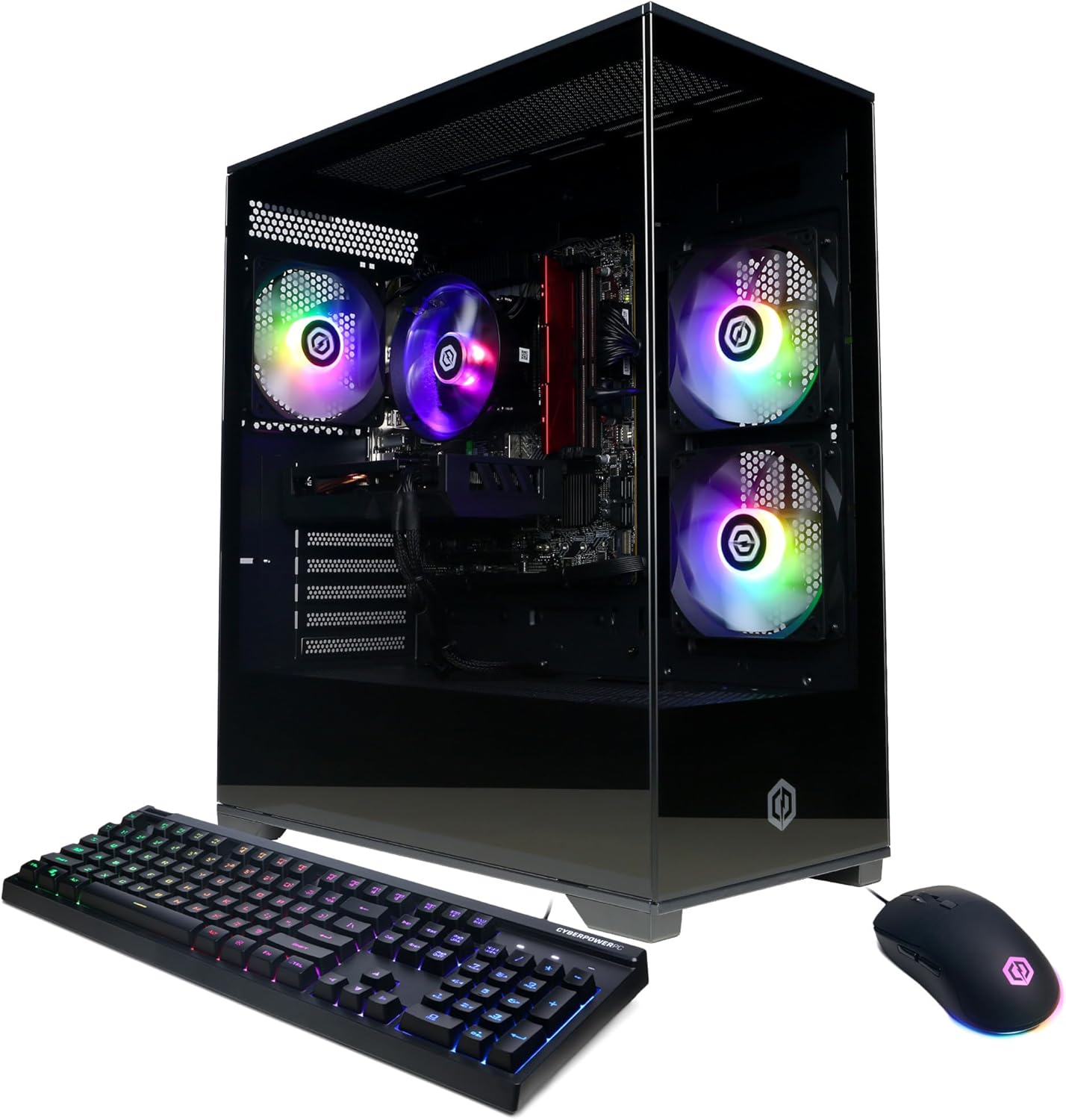
1. CyberPowerPC Gamer Xtreme — Best Overall Budget Pick
Price: $900–$1,100 (varies by retailer)
Best For: Gamers who want the most bang for their buck without compromising on specs
PCMag’s top-rated budget gaming desktop for 2026, the CyberPowerPC Gamer Xtreme, offers what might be the best value proposition in the prebuilt market right now. Through an exclusive Costco listing, this rig packs specs that typically belong in $1,400 machines .
The standout feature? 32GB of DDR5 RAM and a 2TB SSD. Most competitors at this price point give you 16GB and 1TB, so CyberPowerPC is essentially doubling your memory and storage at no extra cost. The Intel Core Ultra 5 225F processor and NVIDIA RTX 5060 graphics card handle 1080p gaming with ease, and thanks to DLSS 4 support, you can push into 1440p territory in many titles.
The chassis features tempered glass side panels, ample RGB lighting for aesthetic appeal, and decent thermals. It’s housed in a mid-tower case with room for future upgrades—though the proprietary motherboard may limit some expansion paths .
Key Specifications:
- CPU: Intel Core Ultra 5 225F (3.3GHz base)
- GPU: NVIDIA GeForce RTX 5060
- RAM: 32GB DDR5
- Storage: 2TB NVMe SSD
- OS: Windows 11 Home
Pro Tip: This CyberPowerPC model is an exclusive Costco deal. If you’re not a Costco member, the membership fee is still worth it for this PC alone. Prices fluctuate between $900 and $1,100, so grab it when it drops to the lower end.
2. MSI Codex R2 — Best for Upgradability
Price: $999
Best For: First-time buyers who want a system they can upgrade piece by piece
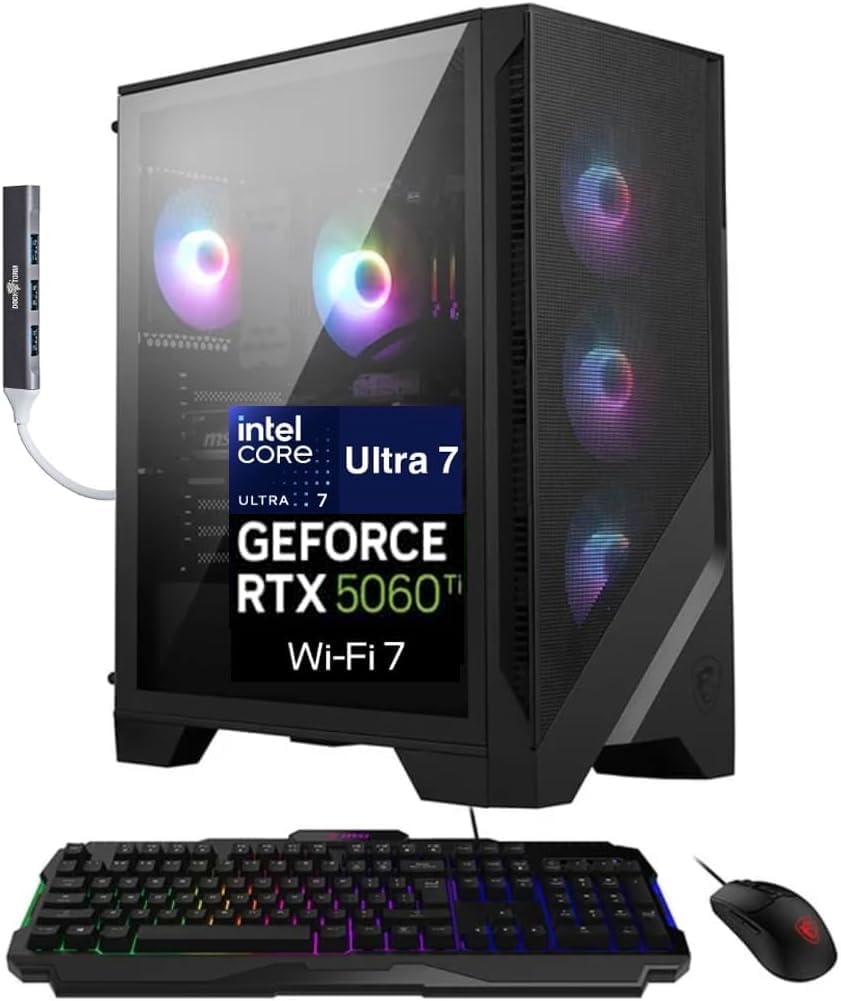
IGN named the MSI Codex R2 the “Best Budget Gaming PC Under $1,000” for 2026, and it’s easy to see why . This system hits the sweet spot of performance and future-proofing, making it ideal for gamers who want a starter rig they can grow with.
The Codex R2 pairs an Intel Core i5-14400F processor with an NVIDIA GeForce RTX 4060. The 14400F is a ten-core CPU (6 performance cores, 4 efficiency cores) that punches well above its weight class for gaming. The RTX 4060 remains a capable 1080p card, delivering smooth frame rates in modern titles with DLSS 3 support.
What sets the Codex R2 apart is its upgrade-friendly chassis. The case uses standard ATX mounts for the motherboard and power supply, unlike many prebuilts that lock you into proprietary components. You can easily swap in a better CPU cooler, upgrade the GPU later, or add more storage—the board has multiple M.2 slots .
The biggest compromise is the CPU cooler—it’s a basic air cooler that will handle the i5-14400F but should be your first upgrade if you ever move to a more powerful processor .
Key Specifications:
- CPU: Intel Core i5-14400F (2.5GHz base, 4.7GHz boost)
- GPU: NVIDIA GeForce RTX 4060 8GB
- RAM: 16GB DDR5-5600MHz
- Storage: 1TB NVMe SSD (Gen 3)
- OS: Windows 11 Home
Warning: The Codex R2’s Gen 3 SSD is slower than Gen 4 alternatives you’d find in DIY builds. While game loading times are still perfectly acceptable, power users may want to add a faster Gen 4 drive in the second M.2 slot down the road.
3. HP Pavilion Gaming Desktop TG01-3000 — Most Upgrade-Ready
Price: $729–$749
Best For: Budget-conscious gamers who plan to upgrade components over time
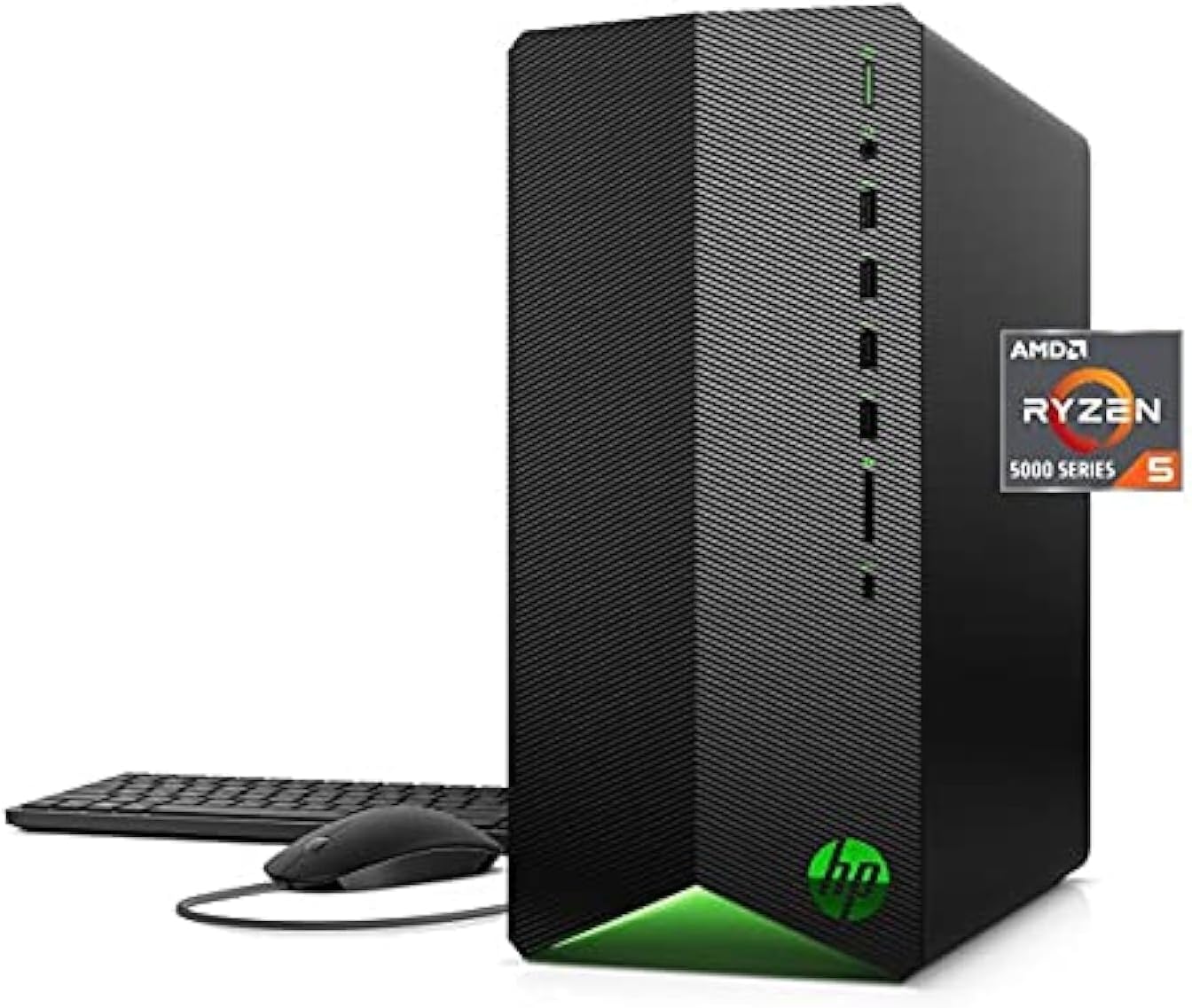
The HP Pavilion TG01-3000 stands out in the sub-$800 category for its exceptional upgrade potential. While many budget prebuilts trap you with proprietary motherboards and power supplies, HP built this one with standard components and expansion in mind .
Inside, you’ll find an Intel Core i5-14400F paired with an AMD Radeon RX 7600. The RX 7600 is a power-efficient 1080p champion with 8GB of VRAM and solid performance in Vulkan-native titles like CS2 and Dota 2. It also supports FSR 3.1 for upscaling in supported games .
The real story here is the upgrade path. The TG01-3000 comes in a full-size ATX case with a 600W 80 Plus Bronze power supply, four RAM slots, and three M.2 slots. That means you can add a second SSD, upgrade to 32GB of RAM, and even swap in a more powerful GPU like an RTX 4070 or RX 7800 XT down the line—all without replacing the power supply or motherboard .
HP also includes Wi-Fi 6 support and a clean, professional-looking case that won’t scream “gamer” if you’re using it in an office or dorm setting.
Key Specifications:
- CPU: Intel Core i5-14400F
- GPU: AMD Radeon RX 7600 (192-bit, 165W)
- RAM: 16GB DDR5
- Storage: 1TB Gen4 NVMe SSD
- PSU: 600W 80 Plus Bronze
- OS: Windows 11 Home
Pro Tip: The HP Pavilion TG01-3000’s RX 7600 is a perfect match for 1080p gaming. If you find the system on sale for under $700 (as it frequently is during holiday sales), it’s arguably the best value in this entire list.
4. Skytech Gaming Edge Desktop — Best RTX 5060 Value
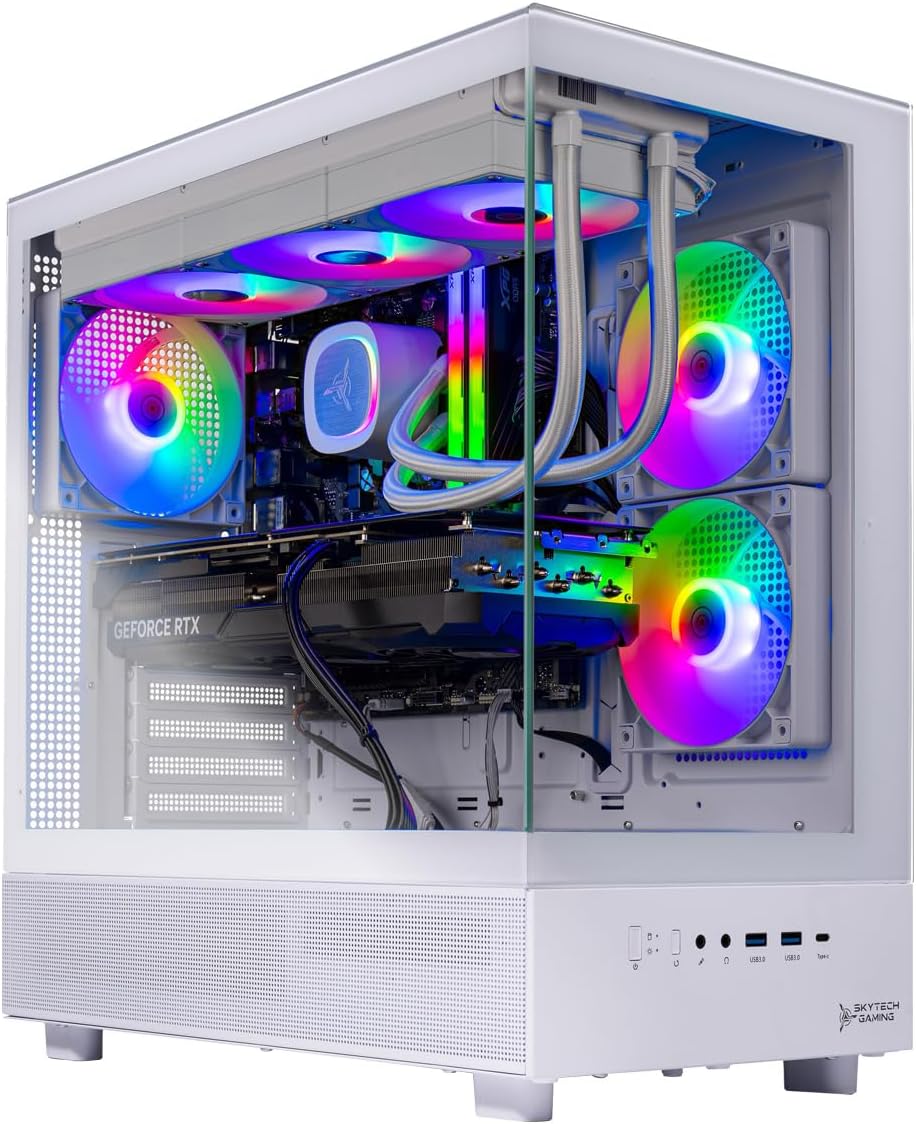
Price: $929.99 (down from $1,049.99)
Best For: Gamers who want RTX 50-series performance without breaking the bank
Skytech Gaming has carved out a reputation for delivering solid prebuilt systems at competitive prices, and the Skytech Gaming Edge Desktop is a prime example. Recently discounted to $929.99 on Amazon, this system offers one of the most affordable entry points into RTX 50-series gaming .
The star of the show is the NVIDIA RTX 5060, which supports DLSS 4 with Multi-Frame Generation—a feature that can dramatically boost frame rates in supported titles. Paired with an AMD Ryzen 5 5500 (6 cores, 12 threads) and 16GB of DDR4 RAM, this system is ready for 1080p gaming and even entry-level 1440p in less demanding titles.
Skytech includes a 1TB NVMe SSD for fast load times and a 650W 80 Plus Gold power supply—a nice upgrade over the Bronze units found in many budget prebuilts. The case features good airflow with multiple fans and a tempered glass side panel to show off the components .
The main trade-off is the platform: the Ryzen 5 5500 is built on AMD’s older AM4 socket with DDR4 memory. While performance is still excellent for gaming, your CPU upgrade path is limited to other AM4 chips like the Ryzen 7 5800X3D, which are still capable but represent the end of a platform.
Key Specifications:
- CPU: AMD Ryzen 5 5500 (3.6GHz base, 4.2GHz boost)
- GPU: NVIDIA GeForce RTX 5060
- RAM: 16GB DDR4-3200MHz
- Storage: 1TB NVMe SSD
- PSU: 650W 80 Plus Gold
- OS: Windows 11 Home
Warning: The Ryzen 5 5500 uses the older AM4 platform and lacks PCIe 4.0 support. While this doesn’t significantly impact gaming performance with an RTX 5060, it does limit future CPU upgrade options compared to newer AM5-based systems.
5. Yeyian Phoenix — Best for Storage-Heavy Users
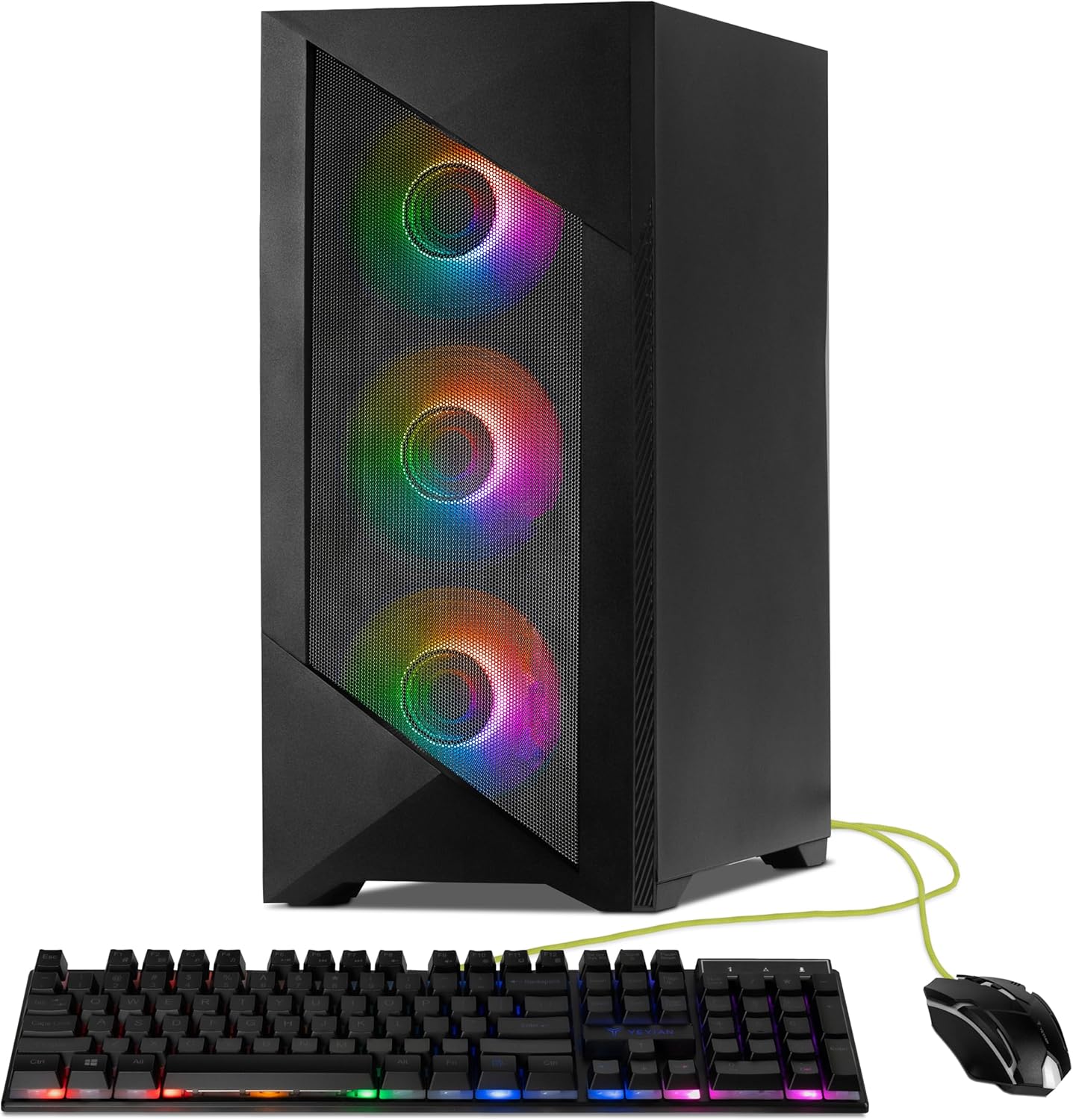
Price: $749–$799
Best For: Gamers with large game libraries who need extra storage out of the box
The Yeyian Phoenix rounds out our list as an excellent option for gamers who don’t want to worry about running out of storage. While it shares similar core specs with other budget picks—Ryzen 5 7600, RTX 4060, 16GB RAM—it distinguishes itself with a thoughtful storage configuration .
Yeyian pairs the 1TB NVMe SSD with a secondary 2TB 7200RPM hard drive, giving you a total of 3TB of storage. The SSD handles your operating system and favorite games, while the HDD provides ample space for your game library, recordings, or media files. This is a practical configuration that mirrors what many DIY builders do themselves.
The Ryzen 5 7600 is a strong 6-core processor on AMD’s modern AM5 platform, meaning you have an excellent upgrade path to future Ryzen chips. The RTX 4060 handles 1080p gaming well, and the system’s thermals are solid thanks to a well-ventilated case .
Key Specifications:
- CPU: AMD Ryzen 5 7600
- GPU: NVIDIA GeForce RTX 4060
- RAM: 16GB DDR5
- Storage: 1TB Gen4 NVMe SSD + 2TB HDD
- OS: Windows 11 Home
Pro Tip: The 2TB HDD in the Yeyian Phoenix is perfect for storing less demanding games or as a backup location. For the best experience, keep your most-played competitive titles on the NVMe SSD for faster load times, and use the HDD for your backlog and single-player games.
Prebuilt Gaming PCs Under $1,000: Comparison Table
| Model | Price Range | CPU | GPU | RAM | Storage | Best For |
|---|---|---|---|---|---|---|
| CyberPowerPC Gamer Xtreme | $900–$1,100 | Intel Core Ultra 5 225F | RTX 5060 | 32GB DDR5 | 2TB SSD | Best overall value |
| MSI Codex R2 | $999 | Intel Core i5-14400F | RTX 4060 | 16GB DDR5 | 1TB SSD | Upgradability |
| HP Pavilion TG01-3000 | $729–$749 | Intel Core i5-14400F | RX 7600 | 16GB DDR5 | 1TB SSD | Budget + upgrade potential |
| Skytech Gaming Edge | $929 | AMD Ryzen 5 5500 | RTX 5060 | 16GB DDR4 | 1TB SSD | RTX 50-series on a budget |
| Yeyian Phoenix | $749–$799 | AMD Ryzen 5 7600 | RTX 4060 | 16GB DDR5 | 1TB SSD + 2TB HDD | Large game libraries |
What to Look for in a $1,000 Gaming PC
Before you click “buy,” here’s a quick checklist of what separates a great budget gaming PC from a mediocre one:
1. GPU First, CPU Second
For gaming, your graphics card matters most. At the $1,000 price point, you should be getting at least an RTX 4060 or RX 7600. The RTX 5060 and RX 9060 XT are even better if you can find them in your budget. Avoid systems with older GTX 16-series cards—they lack ray tracing and DLSS support.
2. 16GB RAM Is the Minimum
Every gaming PC in 2026 should have 16GB of RAM. Ideally, it should be DDR5 for modern platforms, but DDR4 is still acceptable for budget builds. If a prebuilt comes with 8GB, skip it—you’ll be upgrading immediately anyway.
3. 1TB SSD or Bust
A 512GB SSD fills up fast. Windows takes 40GB, a modern AAA game takes 80-120GB, and suddenly you’re out of space. Look for 1TB NVMe SSDs as the baseline. Bonus points for secondary HDDs or additional M.2 slots for easy expansion .
4. Upgrade-Friendly Design
The best budget prebuilts use standard components—standard ATX cases, standard power supplies, and non-proprietary motherboards. This means you can upgrade your GPU, add RAM, or swap the CPU cooler without fighting proprietary parts. HP’s TG01-3000 and MSI’s Codex R2 excel here .
5. Warranty and Support
One advantage of prebuilts is the warranty. Most come with at least 1 year of coverage, and some (like CyberPowerPC and MSI) offer 2-3 years. If you’re buying a refurbished unit, ensure it comes with a certified warranty—Lenovo’s Legion Tower 5i Gen 9 refurb includes a 3-year warranty .
Pro Tip: Don’t overlook display units. One savvy shopper snagged an iBuyPower PC with a Ryzen 7 9800X3D and RTX 5070 for just $1,000 at Costco because it was a floor model . While these deals are rare, they do happen—especially at big-box retailers clearing inventory. Just inspect the unit carefully and confirm the warranty coverage.
Smart Upgrade Paths: Making Your $1,000 PC Last
A $1,000 gaming PC shouldn’t be a one-year investment. With strategic upgrades, you can extend its life well into 2028 or beyond. Here’s a realistic upgrade roadmap :
- Month 1-3: Add a second NVMe SSD. Most systems have an empty M.2 slot; $55-65 gets you another 1TB of fast storage for your game library.
- Month 4-6: Upgrade to 32GB RAM if you’re a heavy multitasker (streaming, multiple monitors, Discord, Chrome tabs). Expect to spend $70-85 for a 2x16GB DDR5-5600 kit.
- Month 12-18: Consider a GPU upgrade if your current card dips below 55-60 FPS in your favorite titles. Most systems in this guide can handle up to an RTX 4070 or RX 7800 XT with their existing power supplies. Always verify PSU wattage first.
- Month 24: CPU upgrade for AM5 systems (Ryzen 5 7600 → Ryzen 7 9800X3D) or limited upgrades for Intel systems. AM5 offers the best long-term upgrade path.
Frequently Asked Questions (FAQ)
Is a $1,000 gaming PC worth it in 2026?
Absolutely. A $1,000 gaming PC in 2026 delivers excellent 1080p performance and can even handle 1440p in many titles thanks to DLSS 4 and FSR 3.1 upscaling. You’re getting modern RTX 50-series or RX 9000-series graphics, fast NVMe storage, and enough RAM for multitasking. This price point represents the best balance of performance and affordability for most gamers .
Can I play AAA games on a $1,000 prebuilt?
Yes. Games like Cyberpunk 2077, Starfield, and Call of Duty run smoothly at 1080p with high settings on these systems. With DLSS Quality mode enabled, Cyberpunk 2077 runs at 62-74 FPS on the recommended models . Esports titles like Valorant, CS2, and Apex Legends easily hit 144+ FPS, making full use of high-refresh-rate monitors.
What’s better: building my own or buying prebuilt?
Building your own PC typically saves 10-15% and gives you complete component control. However, prebuilts offer convenience, a single warranty, and often better availability during GPU shortages. In 2026, the value gap has narrowed—the CyberPowerPC Gamer Xtreme, for example, offers specs that would cost similar or more to build yourself . Choose based on whether you enjoy the building process or just want to plug and play.
Can these PCs handle streaming or video editing?
Yes, with some caveats. All recommended systems have at least 6-core CPUs and modern GPUs with dedicated encoding hardware (NVENC for NVIDIA, AMF for AMD). For light streaming at 1080p60, these systems work out of the box. For heavy video editing (4K timelines, effects-heavy work), upgrade to 32GB of RAM first. The HP Pavilion and MSI Codex R2 are particularly well-suited for content creation thanks to their upgrade potential .
Is the RTX 5060 worth it over the RTX 4060?
The RTX 5060 brings DLSS 4 with Multi-Frame Generation, which can significantly boost frame rates in supported games. In raw rasterization, the performance gap is modest (10-15%), but the AI features make the 5060 a better long-term investment. If you can find a 5060 system within budget (like the CyberPowerPC or Skytech Edge), it’s worth the premium. If not, the 4060 remains a capable 1080p card .
What about refurbished gaming PCs?
Refurbished units can offer exceptional value. The Lenovo Legion Tower 5i Gen 9 refurbished model, for example, sells for $649 with a 3-year warranty . Just ensure the refurb comes from a reputable source (manufacturer certified, not “seller refurbished”) and includes a warranty. Also verify that BIOS updates have been applied and components are factory-cleaned.
Summary
The $1,000 price point in 2026 is where prebuilt gaming PCs finally stop asking you to make painful compromises. You can get genuine RTX 50-series or RX 7000-series graphics, modern processors, and enough RAM and storage to actually enjoy your games without constant upgrade anxiety.
The CyberPowerPC Gamer Xtreme stands as the overall value champion, delivering 32GB of RAM and a 2TB SSD at a price that undercuts what you’d pay to build it yourself. The MSI Codex R2 is the smart choice for upgraders, giving you a standard chassis and components that won’t fight you when you want to swap parts. The HP Pavilion TG01-3000 proves you don’t need to spend $1,000 to get upgrade-ready—its $729 price tag leaves room in your budget for immediate storage or RAM upgrades. The Skytech Gaming Edge offers the most affordable entry into RTX 50-series gaming, and the Yeyian Phoenix solves the storage problem out of the box with its 3TB total capacity.
Whichever you choose, remember that a $1,000 gaming PC is not a final destination—it’s a foundation. The best systems on this list are the ones that let you grow: standard parts, upgrade-friendly cases, and power supplies with headroom for future GPUs. Invest in that foundation now, and your system will reward you with years of solid gaming performance.

Jaeden Higgins is a tech review writer associated with DigitalUpbeat. He contributes content focused on PC hardware, laptops, graphics cards, and related tech topics, helping readers understand products through clear, practical reviews and buying advice.

