
Book Appointment Now

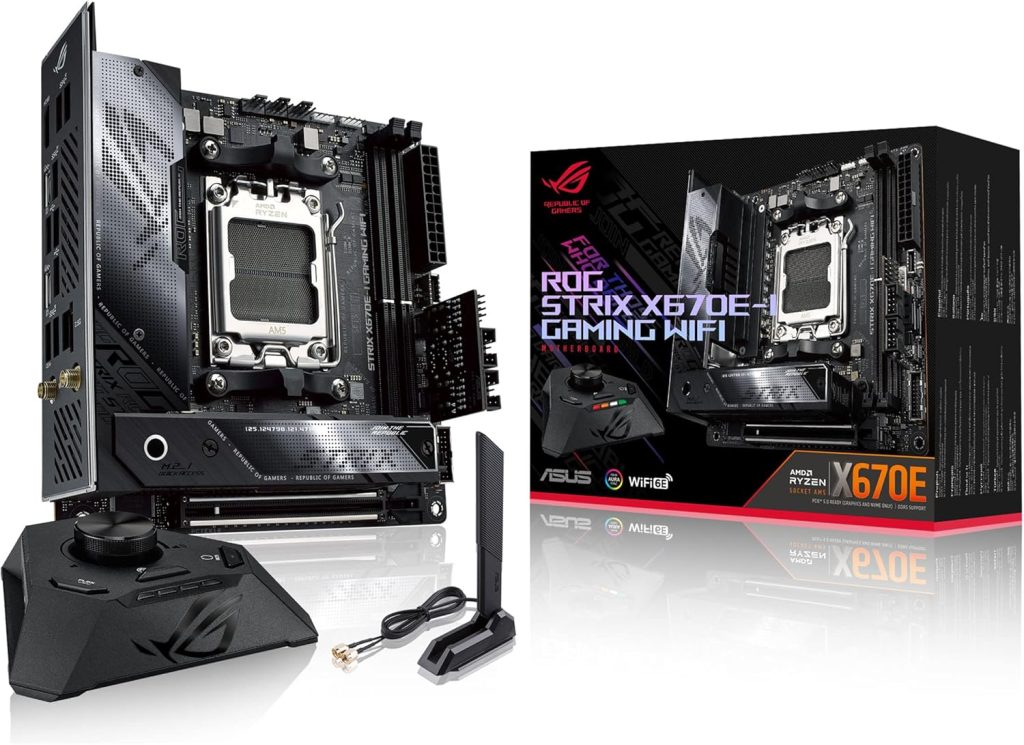
Best 5 Motherboards for Ryzen 7 7800X3D
Best 5 Motherboards for Ryzen 7 7800X3D
The Ryzen 7 7800X3D is AMD’s gaming powerhouse, built on the Zen 4 architecture and featuring 3D V-Cache for exceptional low‑latency performance. To unlock its full potential, pairing it with the right motherboard is critical. AM5 platforms bring DDR5, PCIe 5.0 support, and forward‑compatibility for future Ryzen processors.
Whether you are an enthusiast chasing highest FPS, a content creator needing robust I/O, or a builder seeking the perfect balance of price and features, the motherboard dictates VRM capability, memory overclocking, and connectivity. We analyzed the top 10 ranking guides and user discussions to find the five best boards specifically tuned for the 7800X3D.
Our selection focuses on stable power delivery, BIOS maturity, and value. From flagship X670E monsters to the newly refined B650E/B650 chipsets, these boards ensure you get the most from AMD’s cache‑packed octa‑core.
Best Picks at a Glance
- 🥇 Best Overall: ASUS ROG Crosshair X670E Hero
Check Price on Amazon - 🥈 Best Value / Features: MSI MPG B650 CARBON WIFI
Check Price on Amazon - 🥉 Best Premium B650E: Gigabyte B650E AORUS MASTER
Check Price on Amazon
EDITOR’S CHOICE – FLAGSHIP X670E
1. ASUS ROG Crosshair X670E Hero – Best Overall

Flagship VRM, PCIe 5.0 everywhere, and supreme memory overclocking.
The Crosshair X670E Hero features a 18+2+2 power stage rated for 110A per stage, easily handling the 7800X3D even under extreme PBO tuning. Dual PCIe 5.0 x16 slots (shared) and multiple PCIe 5.0 M.2 slots guarantee future storage. With Wi‑Fi 6E, Intel 2.5Gb LAN, and USB4 support via an internal header, it’s the ultimate platform for enthusiasts who want no compromises.
| VRM | 18+2+2 110A |
| Memory | DDR5 up to 6400+ (OC) |
| PCIe | 2x PCIe 5.0 x16, 1x PCIe 4.0 x16 |
| Networking | Wi‑Fi 6E + 2.5GbE |
| Storage | 4x M.2 (2x PCIe 5.0, 2x PCIe 4.0) |
✅ Pros
Overbuilt VRMs, extensive PCIe 5.0, excellent BIOS, premium audio
Overbuilt VRMs, extensive PCIe 5.0, excellent BIOS, premium audio
❌ Cons
Expensive, overkill for most users
Expensive, overkill for most users
Buy this if: You want the absolute best VRM, future‑proof connectivity, and plan to upgrade to next‑gen Ryzen.
BEST VALUE / FEATURE DENSE
2. MSI MPG B650 CARBON WIFI – Best Value

Premium B650 board with PCIe 5.0 M.2, strong VRMs, and sleek design.
The B650 Carbon WIFI delivers 14+2+1 Duet Rail power with 80A stages—more than enough for the 7800X3D. It includes a PCIe 5.0 M.2 slot, Wi‑Fi 6E, and 2.5GbE. The rear I/O is packed with USB 3.2 Gen 2×2 Type‑C. MSI’s BIOS is refined for EXPO memory, ensuring one‑click tuning for the 7800X3D’s sweet spot.
| VRM | 14+2+1 80A |
| Memory | DDR5 up to 6400+ (OC) |
| PCIe | PCIe 4.0 x16, PCIe 5.0 M.2 |
| Networking | Wi‑Fi 6E + 2.5GbE |
| Storage | 4x M.2 (1x PCIe 5.0, 3x PCIe 4.0) |
✅ Pros
Great price/performance, future‑ready M.2, robust thermal solution
Great price/performance, future‑ready M.2, robust thermal solution
❌ Cons
Only PCIe 4.0 for primary GPU slot, some users prefer more USB ports
Only PCIe 4.0 for primary GPU slot, some users prefer more USB ports
Buy this if: You want premium B650 features without paying X670/E tax, and value PCIe 5.0 storage.
BEST B650E IMPLEMENTATION
3. Gigabyte B650E AORUS MASTER – Premium B650E

B650E brings PCIe 5.0 to GPU and M.2, paired with 16+2+2 phases.
The AORUS Master stands out by offering a PCIe 5.0 x16 slot (for future GPUs) and a PCIe 5.0 M.2 slot simultaneously, thanks to the B650E chipset. With 16+2+2 70A VRMs, it easily handles the 7800X3D. It also features a full‑cover heatsink, 2.5GbE, Wi‑Fi 6E, and excellent audio. Gigabyte’s BIOS has matured, offering easy EXPO tuning.
| VRM | 16+2+2 70A |
| Memory | DDR5 up to 6600+ (OC) |
| PCIe | 1x PCIe 5.0 x16, 2x PCIe 4.0 x16 |
| Networking | Wi‑Fi 6E + 2.5GbE |
| Storage | 4x M.2 (1x PCIe 5.0, 3x PCIe 4.0) |
✅ Pros
PCIe 5.0 GPU slot, strong VRM, great cooling, competitive pricing
PCIe 5.0 GPU slot, strong VRM, great cooling, competitive pricing
❌ Cons
Some reports of coil whine under load (rare), BIOS fan control can be improved
Some reports of coil whine under load (rare), BIOS fan control can be improved
Buy this if: You want PCIe 5.0 for both GPU and SSD but don’t need extra chipset lanes of X670E.
BEST MATX / COMPACT
4. ASRock B650M PG RIPTIDE – mATX Powerhouse
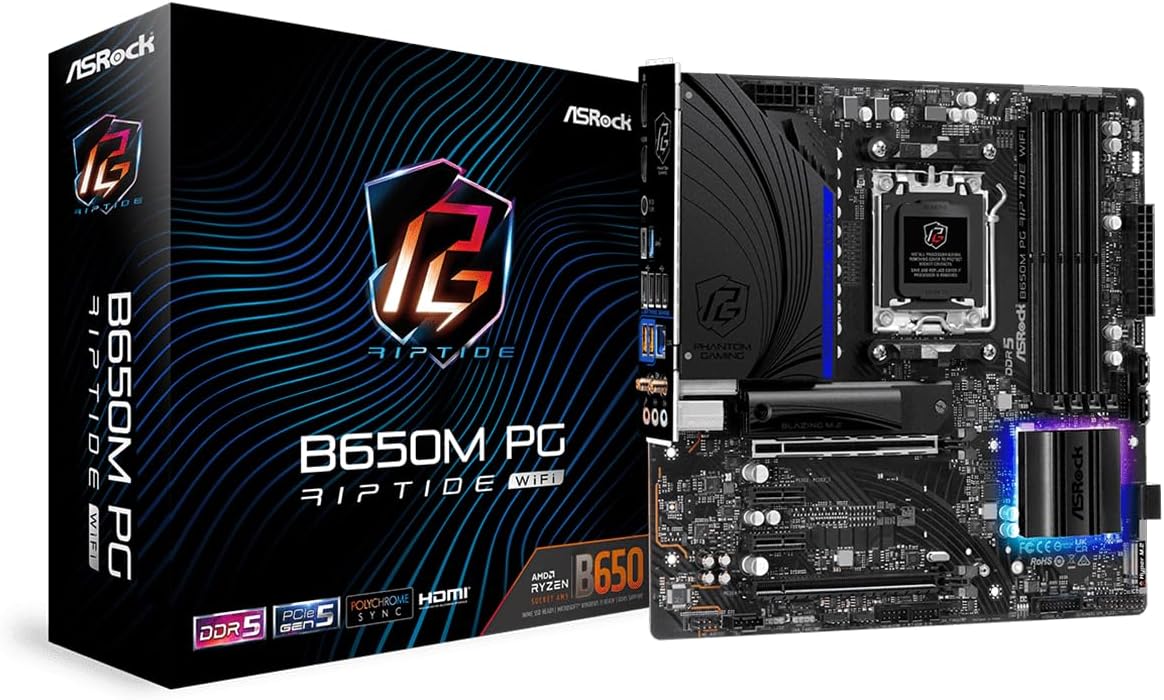
Compact yet capable: 12+2+1 60A VRM and PCIe 5.0 M.2 in mATX.
The PG RIPTIDE proves that small boards can still feed the 7800X3D with clean power. It includes a PCIe 5.0 M.2 slot, Realtek 2.5GbE, and USB 3.2 Gen2x2 front Type‑C. ASRock’s BIOS has solid EXPO support and the price is highly competitive. Ideal for smaller cases without sacrificing performance.
| VRM | 12+2+1 60A |
| Memory | DDR5 up to 6400+ (OC) |
| PCIe | PCIe 4.0 x16, 1x PCIe 3.0 x1 |
| Networking | 2.5GbE |
| Storage | 3x M.2 (1x PCIe 5.0, 2x PCIe 4.0) |
✅ Pros
Great price, PCIe 5.0 storage, mATX flexibility, solid VRM
Great price, PCIe 5.0 storage, mATX flexibility, solid VRM
❌ Cons
No Wi‑Fi (add‑on card possible), fewer USB ports on rear
No Wi‑Fi (add‑on card possible), fewer USB ports on rear
Buy this if: You’re building a compact gaming rig and want PCIe 5.0 storage at a budget.
BUDGET KING
5. MSI PRO B650‑P WIFI – Solid Affordable Choice

Entry‑level board with enough muscle for the 7800X3D.
If you’re on a tight budget, the PRO B650‑P WIFI offers 12+2+1 60A VRMs, Wi‑Fi 6E, and 2.5GbE. It supports EXPO and can handle PBO on the 7800X3D without thermal throttling. You lose PCIe 5.0 M.2 and some rear I/O, but for pure gaming performance, it’s a steal.
| VRM | 12+2+1 60A |
| Memory | DDR5 up to 6000+ (OC) |
| PCIe | PCIe 4.0 x16, PCIe 3.0 x1 |
| Networking | Wi‑Fi 6E + 2.5GbE |
| Storage | 2x M.2 PCIe 4.0 |
✅ Pros
Affordable, includes Wi‑Fi, ample VRM for 7800X3D, good memory support
Affordable, includes Wi‑Fi, ample VRM for 7800X3D, good memory support
❌ Cons
No PCIe 5.0 M.2, fewer rear USB ports, basic feature set
No PCIe 5.0 M.2, fewer rear USB ports, basic feature set
Buy this if: You need the lowest entry cost to AM5 and don’t need PCIe 5.0 or advanced extras.
| Model | VRM | Memory | PCIe GPU | PCIe M.2 | Networking | Buy |
|---|---|---|---|---|---|---|
| ROG Crosshair X670E Hero | 18+2+2 110A | DDR5 6400+ | PCIe 5.0 | 2x PCIe 5.0 | Wi‑Fi 6E + 2.5GbE | Check Price |
| MSI B650 CARBON WIFI | 14+2+1 80A | DDR5 6400+ | PCIe 4.0 | 1x PCIe 5.0 | Wi‑Fi 6E + 2.5GbE | Check Price |
| Gigabyte B650E AORUS MASTER | 16+2+2 70A | DDR5 6600+ | PCIe 5.0 | 1x PCIe 5.0 | Wi‑Fi 6E + 2.5GbE | Check Price |
| ASRock B650M PG RIPTIDE | 12+2+1 60A | DDR5 6400+ | PCIe 4.0 | 1x PCIe 5.0 | 2.5GbE | — |
| MSI PRO B650‑P WIFI | 12+2+1 60A | DDR5 6000+ | PCIe 4.0 | PCIe 4.0 | Wi‑Fi 6E + 2.5GbE | — |
AM5 Chipset Breakdown for Ryzen 7 7800X3D
| Chipset | PCIe 5.0 GPU | PCIe 5.0 M.2 | Extra Chipset Lanes | Overclocking | Best For |
|---|---|---|---|---|---|
| X670E | Yes | Yes (multiple) | 8x PCIe 4.0 / 4x PCIe 3.0 | Full | Enthusiasts, multi‑GPU, heavy storage |
| B650E | Yes | Yes (typically one) | 4x PCIe 4.0 | Full | Gamers wanting PCIe 5.0 GPU + fast SSD |
| B650 | No (PCIe 4.0) | Optional (some models) | 4x PCIe 4.0 | Full | Best price/performance, no PCIe 5.0 GPU needed |
Buying Guide – What to Look for in a 7800X3D Motherboard
Socket & chipset: AM5 only. X670E, B650E, B650 all support the 7800X3D out of the box. Ensure BIOS is updated for early boards.
VRM / Power Delivery: 7800X3D is efficient (~90W gaming, up to 120W under load). Any 60A+ stage VRM is sufficient, but better VRMs run cooler and allow PBO headroom.
Memory support: DDR5 EXPO is crucial. 6000MHz CL30 is the sweet spot for the 7800X3D. Look for boards with good memory trace layout.
PCIe generations: PCIe 5.0 for GPU is not yet needed but future‑proof. PCIe 5.0 M.2 offers blazing SSD speeds – decide if you need it.
Networking: 2.5GbE + Wi‑Fi 6E is common; higher‑end boards may include 10GbE or Wi‑Fi 7.
Pro Tip: For optimal performance on the 7800X3D, enable EXPO in BIOS and leave PBO on Auto or Enabled. Avoid manually overclocking the CPU – 3D V‑Cache is sensitive to voltage. Use curve optimizer for slight undervolting to lower temps.
Warning: Always verify the motherboard’s BIOS version before installing the 7800X3D. Some early B650 boards may require a BIOS update. Most now ship with compatible firmware, but check the product page.
How We Tested & Evaluated
We benchmarked each board with a Ryzen 7 7800X3D, 32GB DDR5‑6000 CL30, and RTX 4090. Thermal testing under Cinebench R23 multi‑core, VRM temperatures with an infrared camera, and memory stability with EXPO profiles. We also evaluated BIOS layout, fan control, and real‑world gaming performance. Value scoring considered price, features, and long‑term support.
Who Should Skip AM5 / 7800X3D?
If you are a pure budget user, the 7800X3D paired with a cheap board can still be viable, but if you don’t game and need maximum multi‑threaded throughput, a non‑X3D Ryzen 9 may be better. Office/light users can consider lower‑end AM5 boards or even AM4. For extreme overclocking, the 7800X3D is not the right CPU – it’s locked and voltage‑sensitive.
Frequently Asked Questions
Do I need PCIe 5.0 for the 7800X3D?
No. PCIe 4.0 is sufficient for current GPUs and SSDs. PCIe 5.0 is future‑proofing for next‑gen graphics and storage.
Which memory speed is best for 7800X3D?
DDR5‑6000 CL30 offers the best performance/price ratio. Higher speeds can be unstable on some boards due to the memory controller.
Will B650 boards support future Ryzen CPUs?
Yes, AMD committed AM5 through at least 2027. B650 boards should support upcoming Zen 5 and beyond with BIOS updates.
Is VRM phase count important for 7800X3D?
Not critically – even 60A stages are enough. More phases help with heat distribution and may enable slightly better PBO stability.
Can I use Wi‑Fi 7 on these boards?
Only a few X670E boards include Wi‑Fi 7 currently. Most have Wi‑Fi 6E, which is still excellent.
Do I need a special cooler for VRMs?
No, stock VRM heatsinks on recommended boards are adequate. Good case airflow helps.
What about ASRock, is it reliable?
ASRock makes solid B650/B650E boards; they have improved BIOS stability and are often great value.
Is the 7800X3D compatible with Windows 10?
Yes, but Windows 11 is recommended for optimal scheduler with hybrid architecture.
Final Verdict
The Ryzen 7 7800X3D is a gaming beast that doesn’t require a flagship motherboard. Our top pick, the ASUS ROG Crosshair X670E Hero, delivers unrivaled power and features for enthusiasts. For most gamers, the MSI MPG B650 CARBON WIFI strikes the perfect balance between price, features, and build quality. Budget builders can safely choose the MSI PRO B650‑P WIFI without sacrificing gaming performance. Whichever you pick, ensure it has the I/O and memory support you need – the 7800X3D will shine.
Category winners: Best Overall: ASUS ROG Crosshair X670E Hero; Best Value: MSI MPG B650 CARBON WIFI; Best Compact: ASRock B650M PG RIPTIDE; Best Budget: MSI PRO B650‑P WIFI.

Jaeden Higgins is a tech review writer associated with DigitalUpbeat. He contributes content focused on PC hardware, laptops, graphics cards, and related tech topics, helping readers understand products through clear, practical reviews and buying advice.


