Book Appointment Now


Can a Ryzen 5 5600X run without a GPU?
No, the Ryzen 5 5600X will not work without a GPU (graphics processing unit). This is very important to understand when you are either building a new computer system or upgrading an existing one. The 5600X is a great and powerful processor, but it is one of the CPUs that do not have integrated graphics. In other words, it cannot internally generate and display images on a screen. Technically, the CPU is like the brain of the computer which does all the complex calculations and gives the instructions but it still needs a graphics card to convert those calculations and instructions into something visual.
Just to be clear, processors are generally divided into two groups i.e. those with integrated graphics and those without integrated graphics. For example, a processor such as Ryzen 5 5600G has a letter “G” at the end of its name which means it is equipped with an integrated graphics processing unit (iGPU). An iGPU is nothing else but a minified version of a dedicated graphics card which is capable of handling basic display tasks. So, processors in the “G” series can operate normally and show graphics without the need for a separate GPU. In this case, a low-budget user who does not need a high-end gaming power or run graphically intensive applications would find this scenario very feasible. He/She can play videos, surf the internet, and run basic productivity software with no issue.
On the other hand, the 5600X is a high-performance processor, optimized for tasks that benefit primarily from strong CPU performance, in fact. It is the one which is highly recommended in any case where the system needs to be used for video editing, content creation, running heavy applications, or anything else that is CPU-intensive. At the same time, it cannot output any visuals because it has no capability of generating images on its own. Thus, it depends on a separate GPU for all of the tasks surrounding video output and processing.
Think of it this way: the CPU is the brain of the computer, responsible for all the thinking and calculations. The GPU is the visual artist, taking the information from the brain and turning it into something you can see on your monitor. Without a GPU, the CPU can do its work, but there’s no way to translate that work into a visual representation. The computer would essentially be running, but you wouldn’t be able to see anything happening.
Therefore, when constructing a PC with a 5600X, or any CPU without integrated graphics, a dedicated graphics card is a mandatory component. This graphics card connects to the motherboard via a PCIe (Peripheral Component Interconnect Express) slot. The graphics card then connects to the monitor via a video output port, such as HDMI or DisplayPort. Without a graphics card installed and connected, the computer will not be able to display anything on the monitor, and you will effectively be unable to use the system.
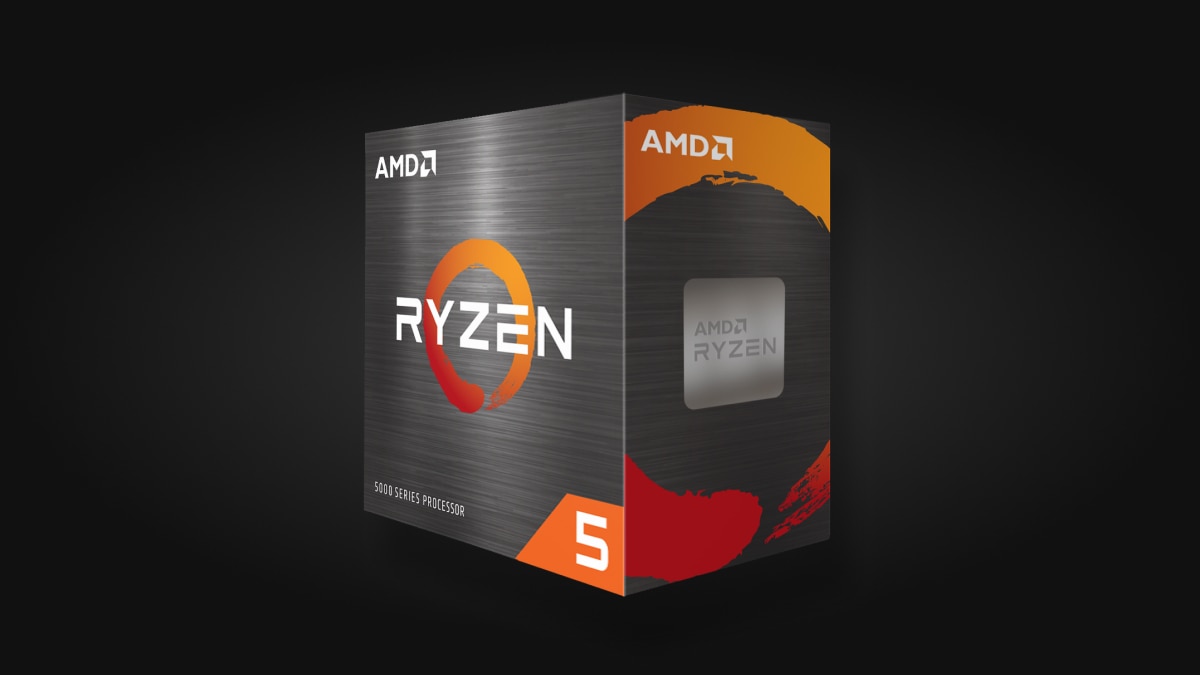
5600X Overview
Key Specifications:
- Cores/Threads: 6 Cores / 12 Threads
- Architecture: Zen 3 (“Vermeer”)
- Socket: AM4
- Base Clock: 3.7 GHz
- Max Boost Clock: Up to 4.6 GHz
- Cache: 35MB Total Cache (32MB L3)
- TDP (Thermal Design Power): 65W
- Memory Support: DDR4 up to 3200MHz
- PCIe Support: PCIe Gen 4
- Integrated Graphics: None (Requires a discrete GPU)
Why it’s Popular:
- Gaming Powerhouse:
Delivers excellent frame rates, even outperforming some Intel competitors in its class and meeting or exceeding requirements for demanding games like Starfield.
- Great Value:
Offers high-end gaming performance at an affordable price point.
- Efficient:
Its 65W TDP means it runs relatively cool and doesn’t demand extreme cooling solutions.
- Versatile:
Handles multitasking, streaming, and content creation well due to its core/thread count.
Consider the following scenarios: Imagine you’re building a gaming PC. You want to play the latest AAA titles at high settings. In this case, you would pair your 5600X with a powerful, dedicated graphics card, such as an NVIDIA GeForce RTX 3070 or an AMD Radeon RX 6700 XT. The 5600X would handle the game’s core processing, such as physics calculations and AI, while the graphics card would render the complex visuals, including textures, lighting, and special effects. Without the dedicated GPU, you wouldn’t be able to play the game at all.
Now, imagine a different scenario: you’re building a PC primarily for productivity tasks like word processing, spreadsheet creation, and web browsing. While a powerful GPU isn’t strictly necessary for these tasks, a dedicated graphics card is still required for visual output. In this case, you might opt for a more budget-friendly graphics card, one that is sufficient to handle the basic display requirements. Even a low-end graphics card is necessary because the 5600X lacks the integrated graphics to handle this.
If you are building a PC and aiming to use it without a dedicated GPU for a limited period, perhaps due to budget constraints, the best approach is to select a CPU with integrated graphics, like the Ryzen 5 5600G. This provides a functional, albeit less powerful, graphics solution right out of the box, allowing you to use the system immediately. You can subsequently upgrade to a dedicated graphics card at a later date for improved performance. The 5600G can hold its own and provides a reasonable level of graphical performance.
What do you face if you undertake such an experiment?
Black Screen: When a computer with this CPU is put together and you wire your HDMI/DisplayPort from the motherboard to the monitor, the latter will not get any signal.
Error Codes: Your motherboard may indicate the presence of a “VGA” debug light or issue a beep code pointing to the absence of a graphics card.
System Status: The system cannot work or boot into an operating system that you can see although the fans may run and the lights may be on.
The Exception (Headless Mode)
On the one hand, the CPU is able to perform calculations without a GPU (which is used for “headless” servers that are accessed via a network), on the other hand, the majority of consumer motherboards will stop the boot process if they do not detect a GPU. Most home PC users would consider the answer to be a definite no.
What You Can Do Instead
Install a Dedicated Graphics Card: In order to be able to see a display, you should put in a discrete GPU (e.g., Nvidia RTX or AMD Radeon card).
Use the Ryzen 5 5600G Instead: In case you are not willing to buy a separate graphics card, it is better to purchase the Ryzen 5 5600G. The “G” suffix comes from Graphics, that is, it is equipped with the video capabilities internally.
Alternatively, if you’re set on the 5600X, and your budget is tight, consider including a budget-friendly graphics card initially. This will enable video output and allow you to use your system while you save for a more powerful GPU later. Even a basic, older generation graphics card can provide the necessary output to get you started. This approach allows you to build your system in stages, gradually upgrading the components as your budget allows.
In conclusion, the Ryzen 5 5600X is a powerful CPU, but it requires a dedicated graphics card to function. It lacks integrated graphics, making a separate GPU a mandatory component for any system using this processor. When building or upgrading a PC with the 5600X, ensure you factor in the cost and selection of a compatible graphics card to ensure the system functions correctly and can display visuals on your monitor.

A passionate tech enthusiast with a deep focus on PC hardware, gaming rigs, and performance tuning, Bertine Gaynor has spent years exploring the latest innovations in processors, GPUs, and custom builds. On DigitalUpbeat.com, he shares hands-on reviews, performance breakdowns, and expert insights to help readers make smart hardware choices. When not testing components, he’s often optimizing setups for peak efficiency or diving into the latest tech trends shaping the future of computing.