
Book Appointment Now

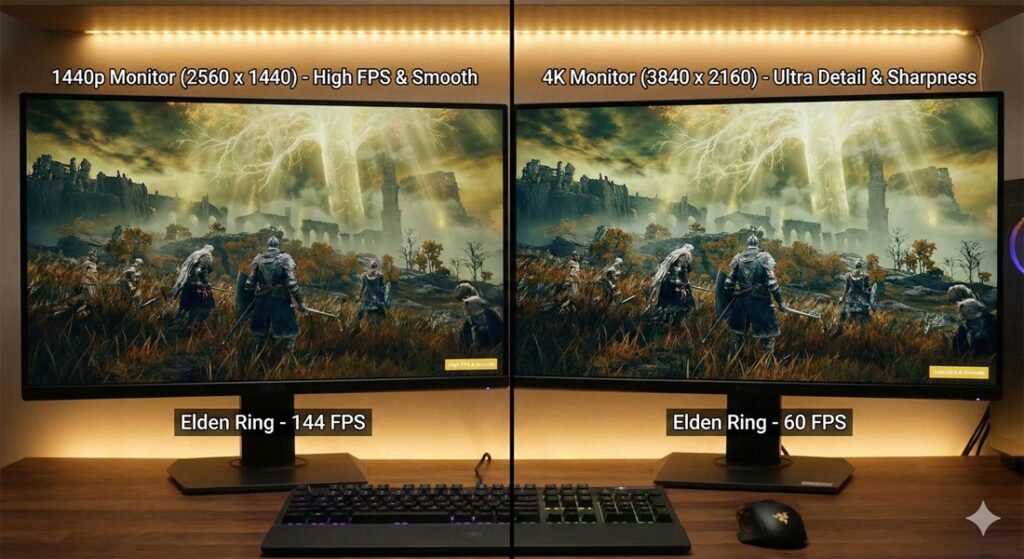
1440p vs. 4K Gaming Monitors
1440p vs. 4K Gaming Monitors in 2026: The Ultimate Buyer’s Guide
Choosing between a 1440p and a 4K gaming monitor is the defining decision for your PC setup in 2026. Is the crystal-clear visual fidelity of ultra-high definition worth the potential trade-offs in frame rate and graphics card demand? Or does the smoother, more responsive gameplay of a high-refresh-rate 1440p display deliver a better overall experience? This guide breaks down the resolution debate across performance, visual quality, and hardware requirements to help you invest in the right gaming screen for your needs.
To help visualize the core differences, here’s a quick comparison:
| Feature | 1440p (QHD) Gaming Monitors | 4K (UHD) Gaming Monitors |
|---|---|---|
| Pixel Count | 2560 x 1440 (3.7 million) | 3840 x 2160 (8.3 million) |
| Image Sharpness | Excellent, sharp detail | Exceptional, pin-sharp clarity |
| Typical Refresh Rates | Very High (240Hz, 360Hz, 480Hz+) | High (120Hz, 144Hz, 240Hz) |
| GPU Demands | More manageable; high frames with high-end cards | Very demanding; requires top-tier GPUs for high frames |
| Best For | Competitive gaming, high FPS gameplay, immersive single-player | Maximum visual fidelity, cinematic games, productivity, content creation |
| Price Point | Wider range, better value at high refresh rates | Premium, especially for high refresh rate models |
The Case for 1440p: The Performance Champion
For many gamers, 1440p represents the current sweet spot, masterfully balancing sharp image quality with high frame rates.
-
Unmatched Frame Rates and Responsiveness: The primary advantage of 1440p is performance. With fewer pixels to render than 4K, your graphics card can achieve much higher frame rates (FPS). This directly translates to smoother motion and lower input lag, which is critical in fast-paced eSports titles like *Counter-Strike 2* or Valorant. Modern 1440p monitors push refresh rate boundaries, with OLED and fast IPS panels commonly offering 240Hz, 360Hz, and even 480Hz or higher for buttery-smooth gameplay .
-
Easier on Your Hardware (and Wallet): You don’t need a flagship GPU to enjoy high-fidelity gaming at 1440p. A powerful mid-range or high-end card can deliver excellent performance, making it a more cost-effective ecosystem. Furthermore, 1440p monitors themselves often provide better value, especially when seeking features like high refresh rates and adaptive sync (G-Sync / FreeSync).
-
Top-Tier Panel Technology: The best of modern panel types are fully realized at 1440p. You can choose from incredibly fast OLED monitors with perfect contrast ratios and near-instant response times (like the Asus ROG Swift PG27AQDP ), or vibrant IPS and VA panels with Mini LED backlights for impressive HDR performance without the premium price of 4K equivalents .
The Case for 4K: The Visual Fidelity King
4K is the undisputed champion of detail, offering a transformative visual experience for the right user and setup.
-
Pin-Sharp Detail and Immersion: With over twice the pixels of 1440p, 4K delivers breathtaking image clarity and sharpness. In sprawling open-world games or detailed simulations, the level of detail is unparalleled. This high pixel density also makes for a fantastic productivity and content creation environment, with abundant screen real estate.
-
The Premium Experience with Next-Gen Features: The 4K monitor market is where you find the most cutting-edge HDR implementations. With higher peak brightness (nits) and more advanced local dimming zones—especially on QD-OLED and high-end Mini LED models like the Asus ROG Swift PG27UCDM —HDR content truly pops with spectacular highlights and deep blacks. For console gamers, 4K is the native resolution of the PS5 and Xbox Series X, making it a perfect match .
-
Increasingly Attainable High Refresh Rates: While historically limited to 60Hz or 120Hz, 4K high refresh rate monitors are now a reality. OLED and advanced IPS panels now offer 4K at 144Hz, 160Hz, and even 240Hz , blending superb clarity with smooth motion. However, powering these displays at their full potential requires the absolute best hardware.
The Hardware Reality: Can Your System Handle It?
Your GPU (graphics processing unit) is the most critical factor in this decision.
-
For 1440p: A current or last-generation high-end card (like an RTX 4070 Ti Super or AMD RX 7900 GRE) is excellent for maxing out settings at high frame rates. You can comfortably target refresh rates of 144Hz, 165Hz, or even higher.
-
For 4K: You need a top-tier GPU (like an RTX 4080 Super or RTX 4090) to consistently run demanding games at high settings while targeting 60+ FPS. To fully utilize a 4K 120Hz+ monitor, even the most powerful current GPUs may require adjusting some settings in the most demanding titles.
Final Verdict: Which Gaming Monitor Should You Buy?
-
Choose a 1440p Gaming Monitor if: Your priority is high frame rates and smooth competitive gameplay. You want the best balance of performance and visual quality without needing the absolute most expensive GPU. It’s the ideal choice for eSports enthusiasts, gamers with high-refresh-rate aspirations, and those seeking the best value.
-
Choose a 4K Gaming Monitor if: You prioritize stunning visual fidelity, HDR performance, and immersion in cinematic games or simulators. You have (or plan to get) a top-tier graphics card to drive it, or you primarily game on a modern console. It’s also the superior choice for multipurpose use involving content creation and productivity.
Ultimately, the “best” monitor is the one that aligns with the games you play and the hardware you own. For pure, unadulterated speed, 1440p is king. For breathtaking detail and the pinnacle of visual technology, 4K reigns supreme. By understanding the trade-offs, you can confidently select the display that will define your gaming experience for years to come.

Jaeden Higgins is a tech review writer associated with DigitalUpbeat. He contributes content focused on PC hardware, laptops, graphics cards, and related tech topics, helping readers understand products through clear, practical reviews and buying advice.