Book Appointment Now

Best Laptops for Writers Authors and Bloggers
Best Laptops for Writers, Authors and Bloggers in 2026 — Top Picks for Every Budget
The best laptop for writers in 2026 is not the most powerful machine — it is the most transparent one. The one that disappears between you and your words, lets you write for 10 hours without hunting for an outlet, and types so comfortably that it stops being a tool and starts feeling like an extension of your thoughts. Whether you are a novelist working on a 90,000-word manuscript, a blogger publishing daily content across three platforms, a journalist filing from airports and coffee shops, or a freelance copywriter juggling research and drafting in parallel browser sessions — the laptop you use changes how you work every single day. This guide ranks the 10 best laptops for writers and bloggers in 2026 based on what actually matters: keyboard quality, battery life, display comfort, portability, and price-to-performance value. No gaming metrics, no ray-tracing benchmarks — just the specs that make writing sessions flow. From the MacBook Air M4 at $999 (every major publication’s top pick for 2026) to the Acer Aspire 5 under $500 for budget writers just starting out, the right writing laptop is in this list.
Key Takeaway: The Apple MacBook Air 13-inch M4 is the best laptop for writers in 2026 — an 18-hour battery, 2.7-pound body, and the most comfortable keyboard in its class. For Windows users, the Dell XPS 13 Snapdragon matches it with a record 27-hour battery life. Budget writers should choose the Acer Aspire 5 — delivering comfortable typing, a bright display, and solid performance for under $500. “Writers should prioritize keyboard comfort above all else, looking for 1–1.5mm key travel and tactile feedback. Battery life of 10+ hours enables writing anywhere without outlet anxiety.” — Propelrc Expert Review, 2026.
Top 3 Picks — Best Laptops for Writers and Bloggers 2026
- 🥇 Best Overall Writing Laptop: Apple MacBook Air 13 M4 — 18-hour battery, 2.7 lbs, Laptop Mag #1 pick, best keyboard for writers
- 🥈 Best Windows Writing Laptop: Dell XPS 13 Snapdragon X Elite — 27-hour battery, ultra-light, best Windows laptop for bloggers and authors
- 🥉 Best Budget Writing Laptop: Acer Aspire 5 — under $500, surprisingly excellent keyboard, solid 6–8 hour battery, OLED option available
Do Writers Need Powerful Laptops? — The Honest Answer
Short answer: no — not in the way gamers or video editors do. Laptops for writing and blogging require a fundamentally different set of priorities than high-performance machines. A word processor, a browser with 15 research tabs, a Spotify stream, and a Zoom call running simultaneously represents the absolute ceiling of most writers’ computing demands — and a modern mid-range processor handles this without breaking a sweat. What writers genuinely need is different:
| Priority | Why It Matters for Writers | What to Look For |
|---|---|---|
| ⭐⭐⭐⭐⭐ Keyboard Quality | You type thousands of words daily — poor keys cause fatigue, errors, and RSI over time | 1.0–1.5mm key travel, tactile feedback, firm return, comfortable spacing |
| ⭐⭐⭐⭐⭐ Battery Life | Writing at cafes, libraries, airports, and trains requires all-day power without outlets | 10+ hours real-world; 15–18 hours is the gold standard for writers |
| ⭐⭐⭐⭐ Display Quality | Staring at a screen for 6–8 hours daily; anti-glare, 300+ nits brightness, sharp text | IPS or OLED, 1080p minimum, matte finish preferred, P3 color optional |
| ⭐⭐⭐⭐ Portability | The lightweight laptop for writing on the go — daily carry to writing sessions | Under 3.5 lbs (1.6kg) for comfortable all-day carry |
| ⭐⭐⭐ RAM & Storage | Multitasking research + writing + browser tabs; document storage | 16GB RAM minimum for multitasking; 512GB SSD for writing workflow |
| ⭐⭐ Performance | Speed matters for launching apps, rendering images, exporting blog posts | Modern Intel Core i5/Ryzen 5/Apple M4 handles all writing tasks with ease |
How to Choose a Laptop for Writing — The One Rule: If you are choosing between a laptop with a better processor and a laptop with a better keyboard, always choose the better keyboard for writing work. You will feel a mediocre keyboard every single day for years. You will never notice a processor advantage in a writing workflow. Technobezz’s February 2026 expert review is unambiguous: “Keyboard quality is the most important factor. Look for decent key travel (1.5mm or more) and a layout that feels natural to you.”
Top Laptops for Writers 2026 — Complete Comparison Table
| Rank | Laptop | Battery | Weight | Display | Key Travel | OS | Price |
|---|---|---|---|---|---|---|---|
| 🥇 | MacBook Air 13 M4 | ~18 hrs | 2.7 lbs / 1.24kg | 13.6″ Liquid Retina 2560×1664 | ~1.0mm | macOS | $999–$1,299 |
| 🥈 | Dell XPS 13 Snapdragon | ~27 hrs | 2.73 lbs / 1.24kg | 13.4″ FHD+ OLED 1920×1200 | ~1.3mm | Windows 11 | $999–$1,299 |
| 🥉 | MacBook Air 15 M4 | ~18–24 hrs | 3.3 lbs / 1.51kg | 15.3″ Liquid Retina 2560×1664 | ~1.0mm | macOS | $1,099–$1,499 |
| ⭐ | Lenovo ThinkPad X1 Carbon | ~15 hrs | 2.48 lbs / 1.12kg | 14″ 2.8K OLED / 1080p IPS | 1.5mm | Windows 11 | $1,299–$1,799 |
| ⭐ | Lenovo Yoga 9i 2-in-1 | ~12–14 hrs | 3.09 lbs / 1.4kg | 14″ 2.8K OLED Touch 120Hz | 1.5mm | Windows 11 | $999–$1,399 |
| ⭐ | Microsoft Surface Laptop 7 | ~14–17 hrs | 2.96 lbs / 1.34kg | 13.8″ / 15″ Pixel Sense Touch | ~1.5mm | Windows 11 | $999–$1,499 |
| ⭐ | Lenovo Yoga Slim 7x | ~18 hrs | 2.8 lbs / 1.27kg | 14.5″ 3K OLED 90Hz | 1.35mm | Windows 11 | $899–$1,199 |
| ⭐ | ASUS ZenBook 14 OLED | ~12–15 hrs | 2.87 lbs / 1.3kg | 14″ FHD OLED 90Hz | 1.4mm | Windows 11 | $699–$999 |
| ⭐ | HP Spectre x360 14 | ~12–15 hrs | 3.01 lbs / 1.37kg | 14″ 2.8K OLED Touch 120Hz | 1.3mm | Windows 11 | $1,099–$1,499 |
| ⭐ | Acer Aspire 5 | ~6.5–8 hrs | 3.75 lbs / 1.7kg | 15.6″ FHD IPS / OLED option | 1.3mm | Windows 11 | $399–$599 |
🥇 Best Overall — Best Laptop for Writers and Authors 2026
1. Apple MacBook Air 13-inch M4 — Best Laptop for Writers in 2026
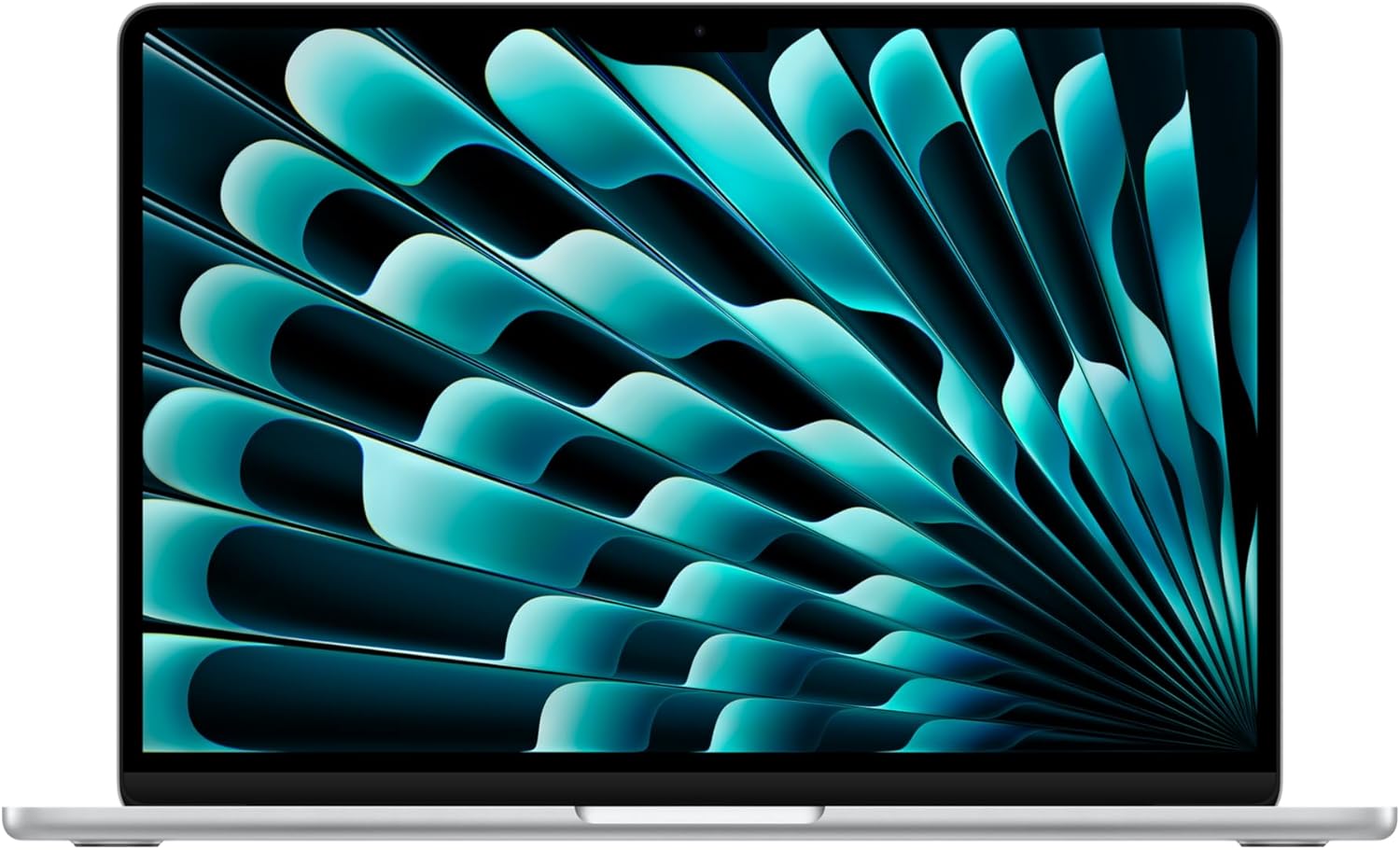
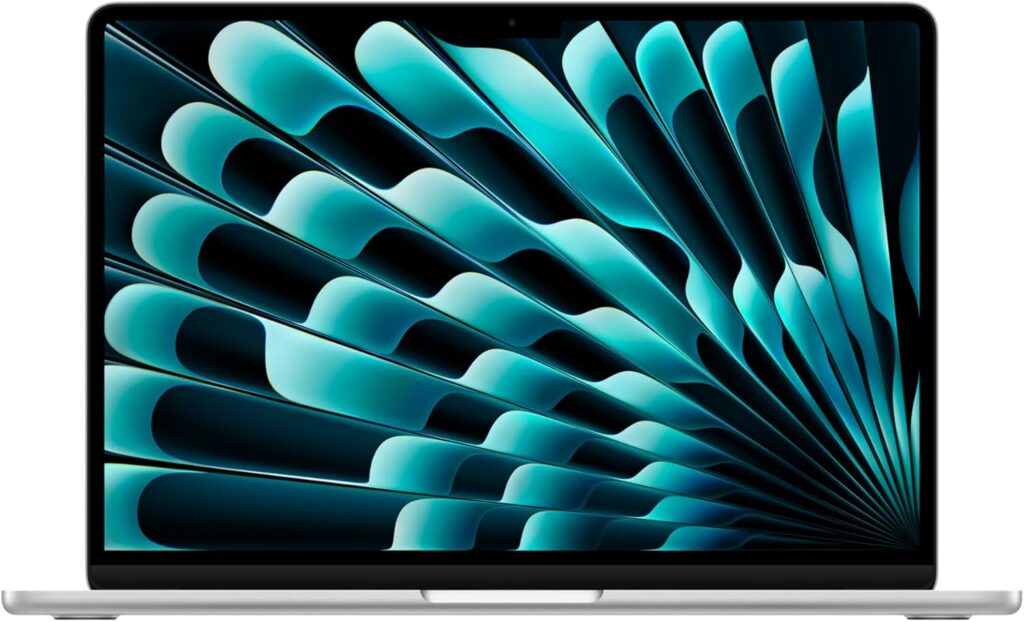
The Apple MacBook Air 13-inch M4 is every major publication’s top pick for the best laptop for writers in 2026. Laptop Mag calls it their “best overall laptop, so no surprise it’s also the best for writers — offering an incredible balance of performance, portability, and over 15 hours of battery life — the triple-threat of laptops.” Propelrc’s expert review is direct: “The MacBook Air 13-inch with M4 chip is the best laptop for writers in 2026 because it combines an industry-leading keyboard, 18-hour battery life, and ultra-lightweight design at just 2.7 pounds.” Technobezz’s February 2026 review names it the top pick specifically because “its keyboard strikes the right balance between responsiveness and comfort” while the M4 chip “handles research tabs and writing apps without breaking a sweat.”
For best laptop for authors and novelists who use Ulysses, Scrivener, or Bear, the macOS ecosystem is the natural choice — these apps are either macOS-exclusive or M-chip optimised to run with unmatched performance. The 13.6-inch Liquid Retina display renders text at 2560×1664 resolution with P3 wide colour, making long writing sessions significantly more comfortable than on standard IPS displays. The MagSafe charger protects your laptop from cable-trip disasters — a real-world writing benefit that frequent coffee-shop and co-working writers will appreciate. At 2.7 pounds, this is the definitive lightweight laptop for writing on the go for writers who carry their machine every day.
| Processor | Apple M4 (4 performance + 6 efficiency cores, Neural Engine) |
| RAM | 16GB Unified Memory (base) / 24GB upgrade available |
| Storage | 256GB / 512GB / 1TB / 2TB SSD |
| Display | 13.6″ Liquid Retina (2560×1664), 500 nits, P3 wide color, True Tone |
| Keyboard | Magic Keyboard with backlit keys, Touch ID — ~1.0mm travel |
| Battery | Up to 18 hours — best-in-class for a writing laptop |
| Weight | 2.7 lbs / 1.24kg — ultra-light for all-day carry |
| Fanless | Yes — completely silent; ideal fanless laptop for distraction-free work |
| Writing Software | Ulysses, Scrivener, Bear, iA Writer, Microsoft Word, Google Docs — all fully supported |
| Price | ~$999–$1,299 (always buy 16GB RAM — 8GB base is insufficient) |
🥈 Best Windows Writing Laptop — Best Windows Laptop for Bloggers 2026
2. Dell XPS 13 Snapdragon X Elite — Best Windows Laptop for Authors and Bloggers
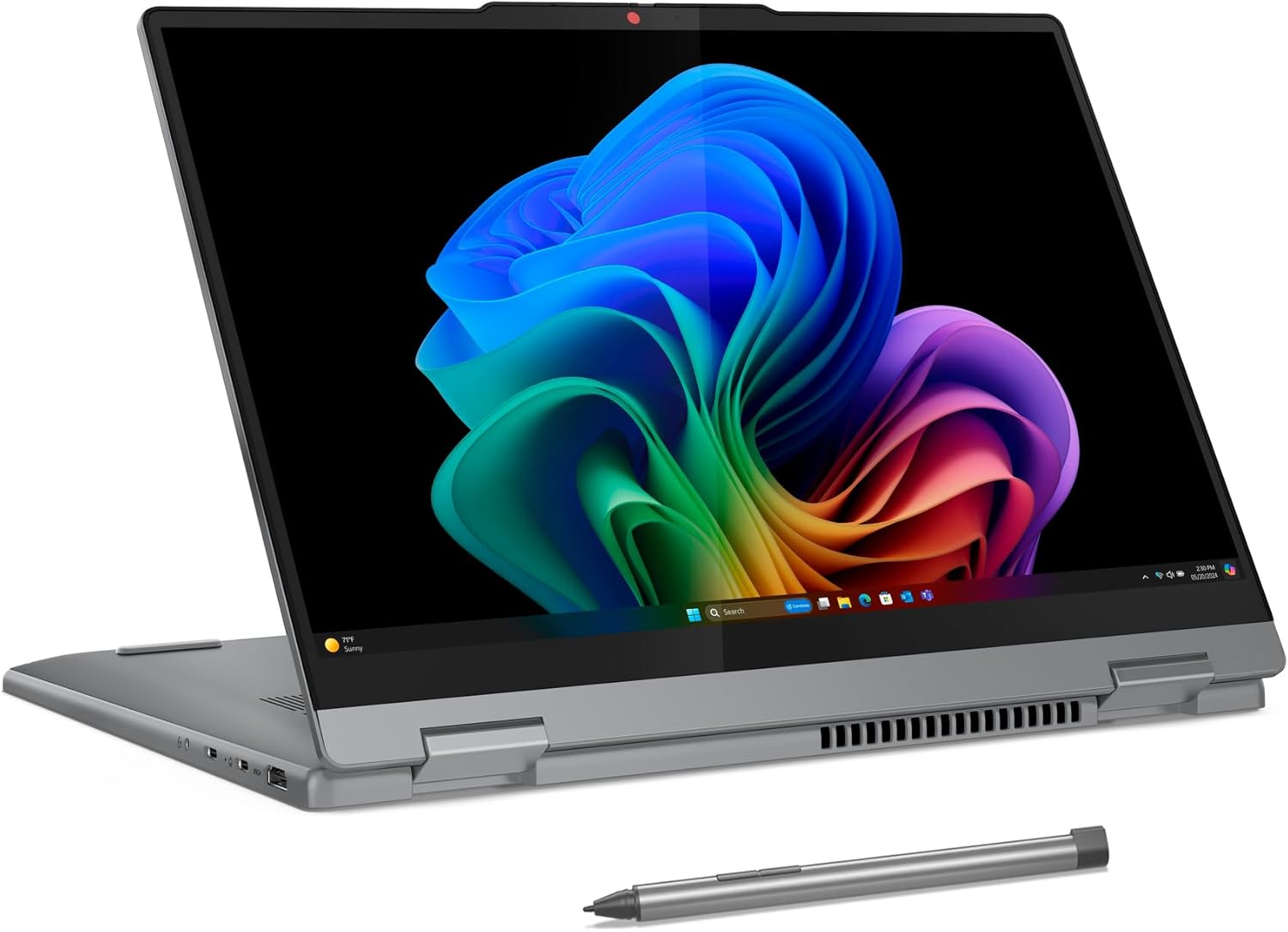
The Dell XPS 13 with Snapdragon X Elite processor holds a record that no other Windows laptop can match in 2026: 27 hours of real-world battery life. Propelrc’s expert guide confirms: “For Windows users, the Dell XPS 13 with Snapdragon X Elite offers groundbreaking 27-hour battery life” — making it the definitive answer for writers who ask “is MacBook good for writers?” but need to stay in the Windows ecosystem. This is the best Windows laptop for bloggers and content creators who need all-day power combined with premium build quality, a vivid OLED display, and an ultra-compact form factor.
The Snapdragon X Elite is Qualcomm’s Arm-based PC processor — the same architecture shift that Apple made with its M-series chips — delivering exceptional power efficiency that enables that 27-hour runtime. The 13.4″ OLED display with 1920×1200 resolution and VESA DisplayHDR certification delivers vivid text contrast and deep blacks that make long writing sessions significantly more comfortable than a standard IPS panel. For laptop for remote writers and laptop for freelance writers who work across multiple locations, the XPS 13’s combination of best-in-class battery life and sub-3-pound weight is a decisive advantage.
| Processor | Qualcomm Snapdragon X Elite (12-core, 3.8GHz boost) |
| RAM | 16GB / 32GB LPDDR5x |
| Storage | 512GB / 1TB NVMe SSD |
| Display | 13.4″ OLED FHD+ (1920×1200), HDR, anti-reflective |
| Keyboard | Backlit keyboard, 1.3mm key travel, well-spaced layout |
| Battery | Up to 27 hours — record for Windows laptops for writing |
| Weight | 2.73 lbs / 1.24kg |
| Fanless Option | Near-silent operation under typical writing loads |
| Writing Software | Microsoft Word, Notion, Obsidian, Google Docs, Scrivener (ARM-compatible) |
| Price | ~$999–$1,299 |
Best for Bloggers Who Want More Screen — MacBook for Writers and Bloggers
3. Apple MacBook Air 15-inch M4 — Best Large-Screen MacBook for Writers
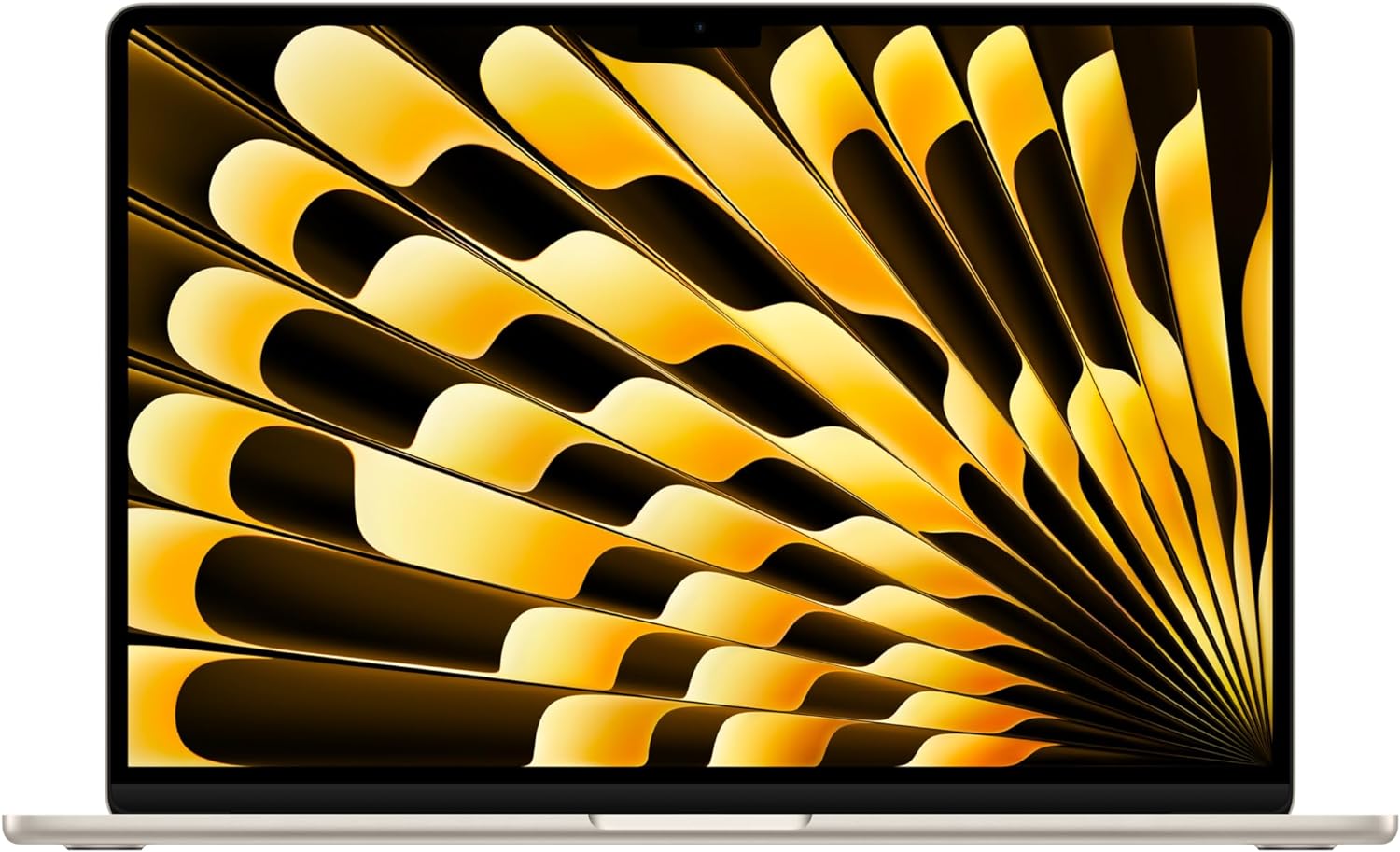
The MacBook Air 15 M4 is the best MacBook for writers and bloggers who want a larger screen for research-alongside-writing workflows without sacrificing the Air’s legendary portability and battery life. SearchAIFinder’s blogging laptop guide (2026) ranks it the top pick for travel bloggers: “Choose Apple MacBook Air 15 (M4) for its 18–24 hour battery and strong display portability.” The 15.3-inch Liquid Retina display — the same panel technology as the 13-inch but significantly wider — gives writers more comfortable side-by-side working, a wider research view, and a more immersive reading experience for editorial review.
At 3.3 pounds, it is slightly heavier than the 13-inch model but still dramatically lighter than any 15-inch Windows laptop. For laptop for digital publishing, content creation laptop for bloggers who need to manage images and media alongside writing, and laptop for SEO writers who run SEO tools, keyword research tabs, and content management systems simultaneously, the MacBook Air 15’s larger screen and M4 chip combination is outstanding. TechRadar confirms: “With a large screen, this laptop will give you an outstanding overview of your writing work, while the specs mean performance is exceptional for a range of office and productivity tasks, including writing.”
| Processor | Apple M4 (identical to Air 13 — same chip, larger screen) |
| RAM | 16GB Unified Memory base / 24GB upgrade |
| Storage | 256GB / 512GB / 1TB SSD |
| Display | 15.3″ Liquid Retina (2560×1664), 500 nits, P3 wide color |
| Keyboard | Magic Keyboard backlit — identical to Air 13 layout |
| Battery | Up to 18–24 hours — best laptop with long battery life for writing |
| Weight | 3.3 lbs / 1.51kg — lightest 15-inch laptop in the world |
| Fanless | Yes — completely silent; quiet laptop for writers in every environment |
| Price | ~$1,099–$1,499 |
Best Keyboard — Laptop with Best Keyboard for Writers
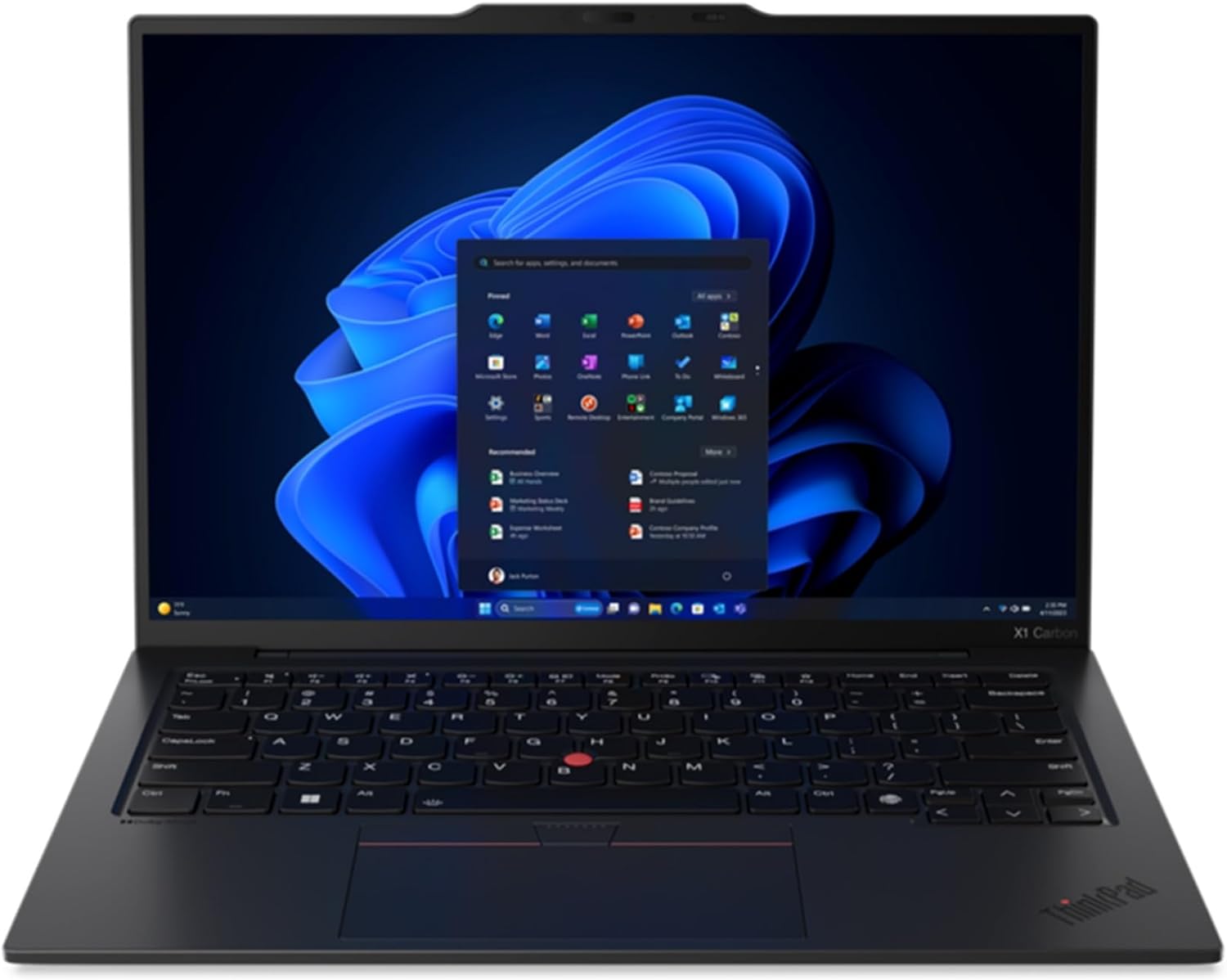
4. Lenovo ThinkPad X1 Carbon Gen 12 — Best Keyboard Laptop for Long Writing Sessions
The Lenovo ThinkPad X1 Carbon is the definitive recommendation for writers who value one specification above all others: keyboard quality. With a 1.5mm key travel depth — the deepest of any ultra-thin laptop on this list — a physical TrackPoint nub, and key spacing that ThinkPad fans have praised as the best laptop keyboard ever made for decades, the X1 Carbon is the comfortable typing laptop for long writing sessions that no other machine can fully rival. TechRadar’s professional writer review notes it as one of the clearest cases where keyboard comfort alone justifies the premium. Scribecount’s author recommendation confirms: “The ThinkPad X1 Carbon series is celebrated for its durability and exceptional keyboard, catering to writers who prioritize typing comfort.”
The X1 Carbon Gen 12 is available with either a standard IPS FHD display or an optional 2.8K OLED panel with 120Hz refresh — the OLED option is recommended for writers who work with both writing and visual media. With up to 15 hours of battery life and weighing just 2.48 pounds (the lightest on this list), it is both a portable writing workstation and a minimalist laptop for writing in the best tradition of ThinkPad design philosophy: only what you need, done exceptionally well.
| Processor | Intel Core Ultra 7 165U / Intel Core Ultra 7 165H (Meteor Lake) |
| RAM | 16GB / 32GB LPDDR5 |
| Storage | 512GB / 1TB / 2TB NVMe SSD |
| Display | 14″ FHD IPS 400 nits or 2.8K OLED 120Hz (upgrade option) |
| Keyboard | 1.5mm key travel — deepest on this list; backlit; TrackPoint pointing stick |
| Battery | ~15 hours mixed use |
| Weight | 2.48 lbs / 1.12kg — lightest laptop on this entire list |
| Build | Carbon fiber + magnesium — military-grade durability; spill-resistant keyboard |
| Price | ~$1,299–$1,799 (business pricing; frequent discounts available) |
Best 2-in-1 — Best Writing and Editing Convertible Laptop
5. Lenovo Yoga 9i 2-in-1 Aura Edition — Best 2-in-1 Laptop for Writers Who Edit
The Lenovo Yoga 9i 2-in-1 Aura Edition is Laptop Mag’s pick for best 2-in-1 laptop for writers — updated in their May 2025 list. Its 360° hinge and touchscreen stylus support make it the ideal writing laptop for authors and bloggers who need to do more than just type. Authors can annotate manuscript drafts directly on screen. Bloggers can sketch layout ideas, mark up images, and sign documents in tablet mode. Journalists can take handwritten notes with the stylus during interviews and convert them to typed text automatically via Windows Ink. Sudowrite’s 2025 writing laptop guide captures the value precisely: “For mind-mapping, outlining, and annotating research, a 2-in-1 convertible is a powerful tool.”
The 14″ 2.8K OLED 120Hz display is the most vivid screen of any writing laptop under $1,400 — its contrast ratio and black depth make long reading and editing sessions genuinely more comfortable than IPS alternatives. The Yoga 9i is particularly well-suited for laptop for creative writing workflows that blend research annotation, structural outlining, and final drafting in a single device without carrying multiple tools.
| Processor | Intel Core Ultra 7 258V (Lunar Lake — Intel Aura Edition) |
| RAM | 32GB LPDDR5x |
| Storage | 1TB NVMe SSD |
| Display | 14″ 2.8K OLED Touch (2880×1800), 120Hz, 100% DCI-P3 |
| Keyboard | Backlit keyboard, 1.5mm key travel, comfortable for long sessions |
| Battery | ~12–14 hours mixed writing use |
| Stylus | Lenovo Precision Pen — manuscript annotation, note-taking in tablet mode |
| Weight | 3.09 lbs / 1.4kg |
| Price | ~$999–$1,399 |
Best Premium Windows — Best Windows Laptop for Content Writing
6. Microsoft Surface Laptop 7 — Best Premium Windows Laptop for Writers
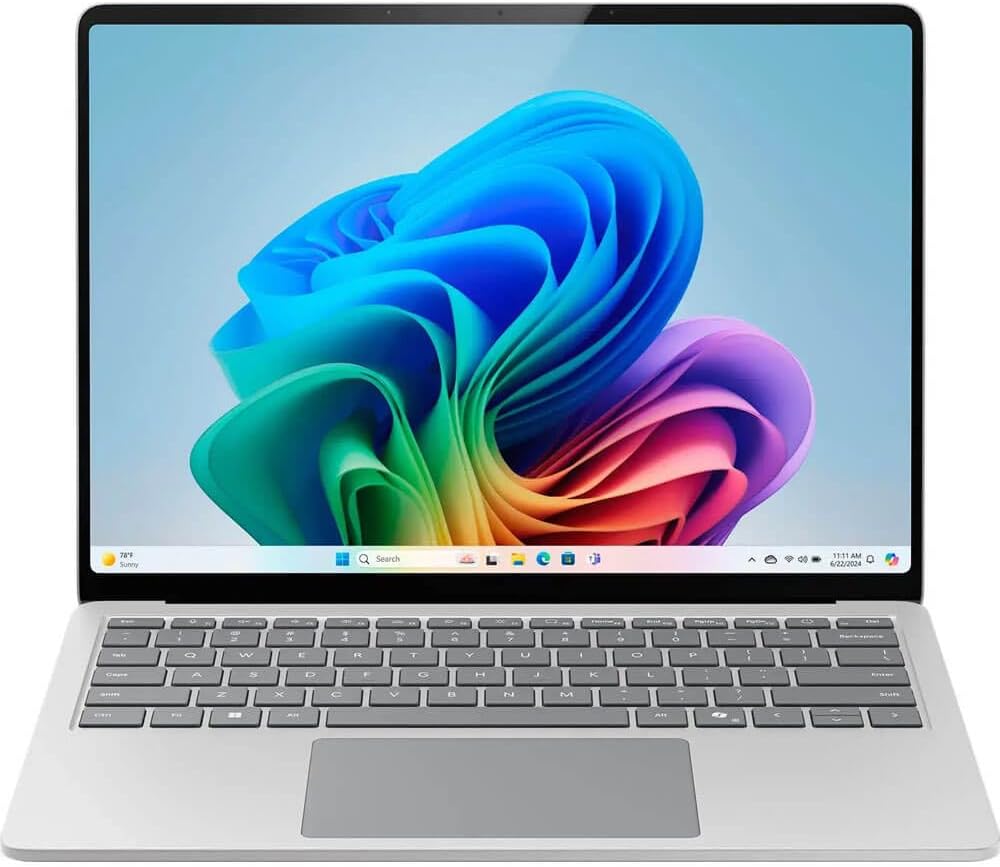
The Microsoft Surface Laptop 7 is the closest the Windows ecosystem comes to matching the MacBook experience for writers. Its Pixel Sense touchscreen display, premium Alcantara keyboard surround, Snapdragon X Elite processor (14–17 hour battery), and clean, minimal design create a distraction-free writing device that feels purpose-built for the kind of focused work that writers need. Scribecount’s author guide recommends it: “Great for those desiring a powerful Windows laptop with a large, responsive touchscreen.” The 15-inch model gives writers significantly more screen real estate for side-by-side research and drafting.
For laptop for digital publishing and laptop for bloggers and digital marketers who are embedded in the Microsoft 365 ecosystem — Word, OneNote, Teams, SharePoint — the Surface Laptop 7 is the native home. Microsoft’s own productivity software runs most seamlessly on its own hardware, and the integration of Microsoft Copilot AI into the workflow is most deeply featured on Surface devices in 2026.
| Processor | Snapdragon X Elite / Snapdragon X Plus (Copilot+ AI Ready) |
| RAM | 16GB / 64GB LPDDR5x |
| Storage | 256GB / 512GB / 1TB SSD |
| Display | 13.8″ or 15″ Pixel Sense Touchscreen, 2304×1440 / 2496×1664, 120Hz |
| Keyboard | Backlit keyboard, 1.5mm key travel, Alcantara surround (select configs) |
| Battery | ~14–17 hours mixed writing use |
| Weight | 2.96 lbs / 1.34kg (13.8″) — 4.0 lbs / 1.82kg (15″) |
| Copilot AI | Yes — Microsoft Copilot deeply integrated for writing assistance |
| Price | ~$999–$1,499 |
Best Ultra-Portable Windows — Lightweight Laptop for Writing on the Go
7. Lenovo Yoga Slim 7x — Best Ultra-Light Windows Writing Laptop
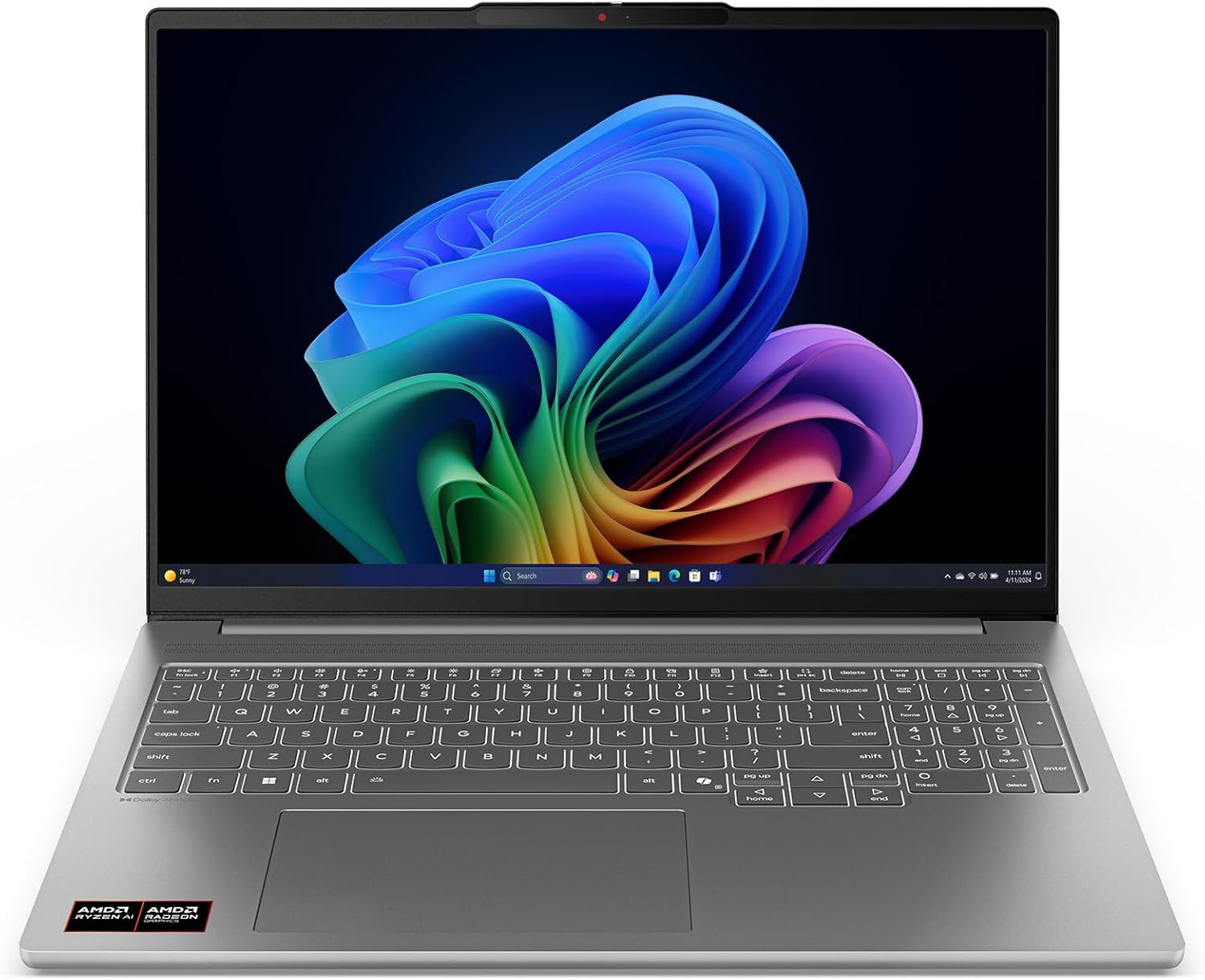
The Lenovo Yoga Slim 7x is SearchAIFinder’s choice for best Windows laptop for writers who prioritise portability: “Best Windows choice: Lenovo Yoga Slim 7x for similar endurance and lighter weight… ~2.8 lbs with Snapdragon X efficiency.” At 2.8 pounds — lighter than the MacBook Air 15 — with an 18-hour battery, a 14.5-inch 3K OLED 90Hz display, and Snapdragon X Elite’s remarkable power efficiency, the Yoga Slim 7x is the closest Windows has come to matching Apple Silicon’s combination of performance, endurance, and portability for writing workflows.
For lightweight laptop with long battery life seekers who need a Windows machine, the Yoga Slim 7x is the definitive 2026 recommendation. Its 3K OLED display renders text at exceptional sharpness and contrast, making it among the best laptop with good display for writers on this list for extended reading and editing. The 1.35mm key travel is a middle ground between MacBook shallowness and ThinkPad depth — comfortable for most writers.
| Processor | Qualcomm Snapdragon X Elite (12-core) |
| RAM | 16GB / 32GB LPDDR5x |
| Storage | 512GB / 1TB NVMe SSD |
| Display | 14.5″ 3K OLED (2944×1840), 90Hz, 100% DCI-P3, 600 nits peak |
| Keyboard | Backlit, 1.35mm key travel |
| Battery | ~18 hours — equal to MacBook Air M4 for daily writing use |
| Weight | 2.82 lbs / 1.28kg — lighter than MacBook Air 15; near MacBook Air 13 weight |
| Price | ~$899–$1,199 |
Best Mid-Range — Best Value OLED Laptop for Writers
8. ASUS ZenBook 14 OLED — Best Value OLED Writing Laptop Under $1,000
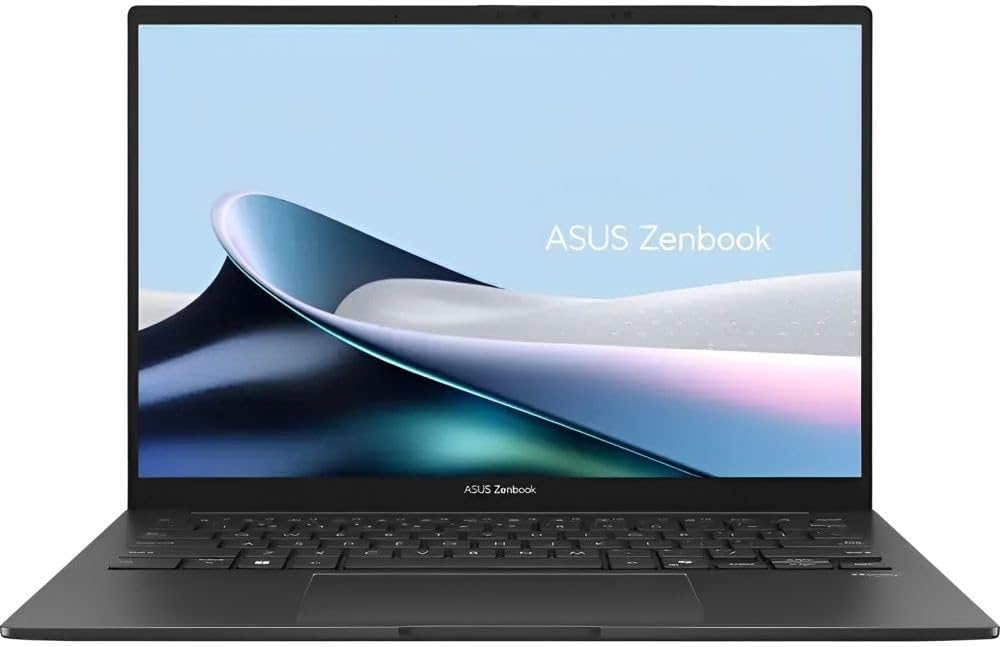
The ASUS ZenBook 14 OLED is the best value writing laptop for bloggers and content creators who want OLED display quality without paying MacBook or ThinkPad X1 prices. Analyticsinsight.net’s September 2025 guide recommends it among the top laptops for writers and bloggers precisely for bringing “premium features to a mainstream price.” Its 14-inch FHD OLED 90Hz display delivers the deep blacks and vibrant contrast that OLED offers for text rendering — making long editing and proofreading sessions significantly more comfortable — alongside an Intel Core Ultra processor that handles multitasking across research tabs, writing tools, and content management platforms without hesitation.
For laptop for content creators and bloggers who are managing images, social media tools, and writing platforms simultaneously, the ZenBook 14 OLED delivers more screen quality per dollar than any competing Windows laptop at this price point. The ASUS ErgoSense keyboard with 1.4mm key travel is consistently praised for its comfortable feel in long writing sessions.
| Processor | Intel Core Ultra 5 125H / Core Ultra 7 155H |
| RAM | 16GB LPDDR5 |
| Storage | 512GB / 1TB NVMe SSD |
| Display | 14″ FHD OLED (1920×1200), 90Hz, VESA DisplayHDR True Black 500, 100% DCI-P3 |
| Keyboard | ASUS ErgoSense backlit, 1.4mm key travel |
| Battery | ~12–15 hours writing use; 75Wh |
| Weight | 2.87 lbs / 1.3kg |
| Price | ~$699–$999 |
Best Premium 2-in-1 — Best Laptop for Writers Who Also Create
9. HP Spectre x360 14 — Best Premium 2-in-1 for Creative Writers and Bloggers
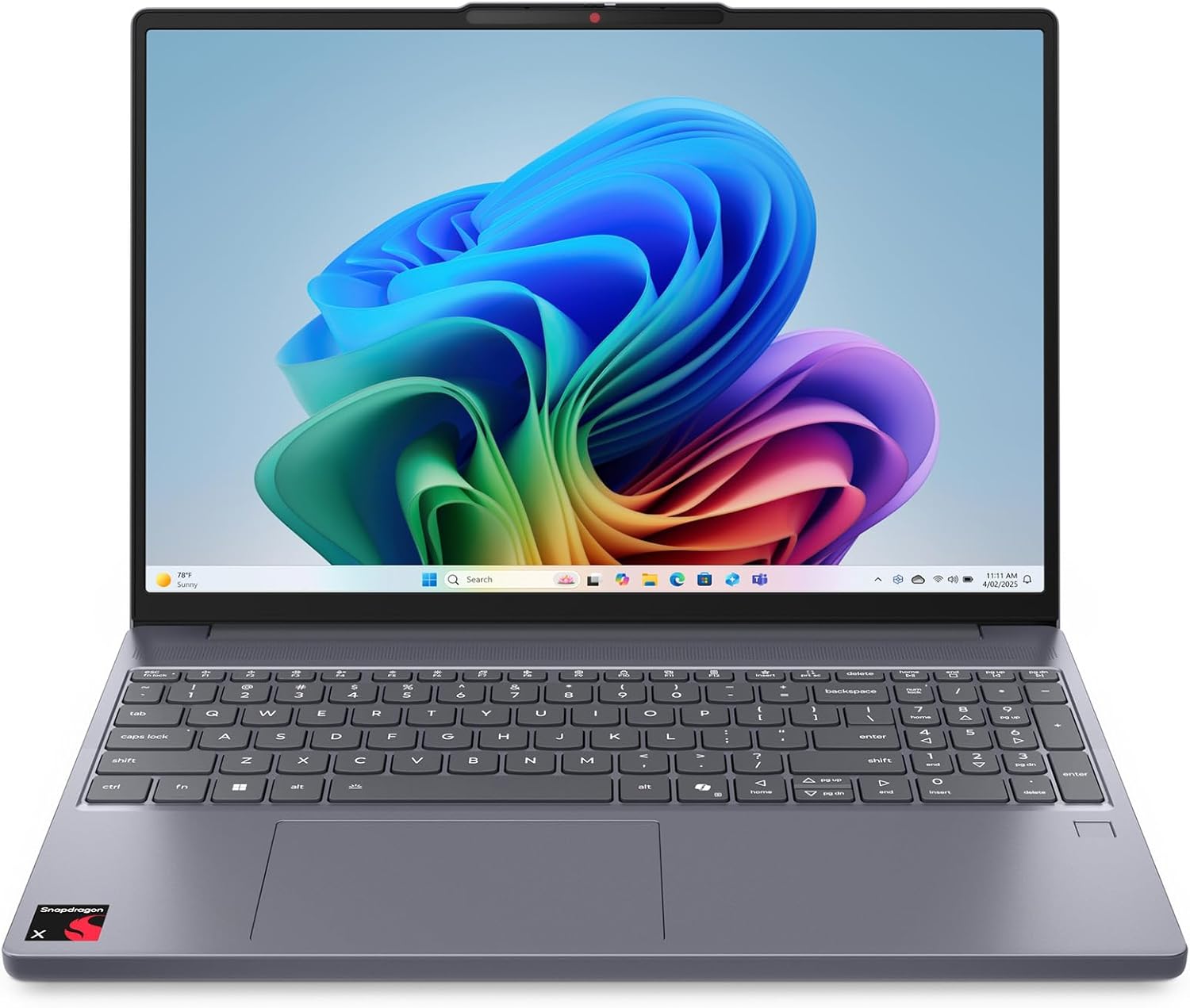
The HP Spectre x360 14 is Scribecount’s recommendation for writers who also engage in multimedia tasks: “Combines versatility with performance, featuring a 2-in-1 design suitable for writers who also engage in multimedia tasks.” For laptop for freelance writers who build their own WordPress sites, manage their social media presence, edit promotional images, and produce video content alongside their writing work, the Spectre x360’s 360° hinge, stylus support, and 2.8K OLED 120Hz display provide the tools to do all of this beautifully. Sudowrite’s 2025 writing laptop guide calls the HP Spectre x360 “the most elegant” 2-in-1 available for writers who think and plan with pen-in-hand.
The Spectre x360 also includes HP’s Sure View privacy filter — a physical feature that makes the screen unreadable from the side, invaluable for laptop for remote writers working in public spaces like coffee shops and airports where shoulder-surfing is a genuine privacy concern for professional writing work.
| Processor | Intel Core Ultra 7 155H / Ultra 5 135U |
| RAM | 16GB / 32GB LPDDR5 |
| Storage | 512GB / 1TB / 2TB NVMe SSD |
| Display | 14″ 2.8K OLED Touch (2880×1800), 120Hz, 100% DCI-P3 |
| Keyboard | Backlit, 1.3mm key travel; HP Sure View privacy filter |
| Battery | ~12–15 hours writing use |
| Stylus | HP Tilt Pen — included; supports tilt and pressure sensitivity |
| Weight | 3.01 lbs / 1.37kg |
| Price | ~$1,099–$1,499 |
Best Budget — Best Budget Laptop for Writers and Bloggers Under $500
10. Acer Aspire 5 — Best Budget Laptop for Writers Under $500
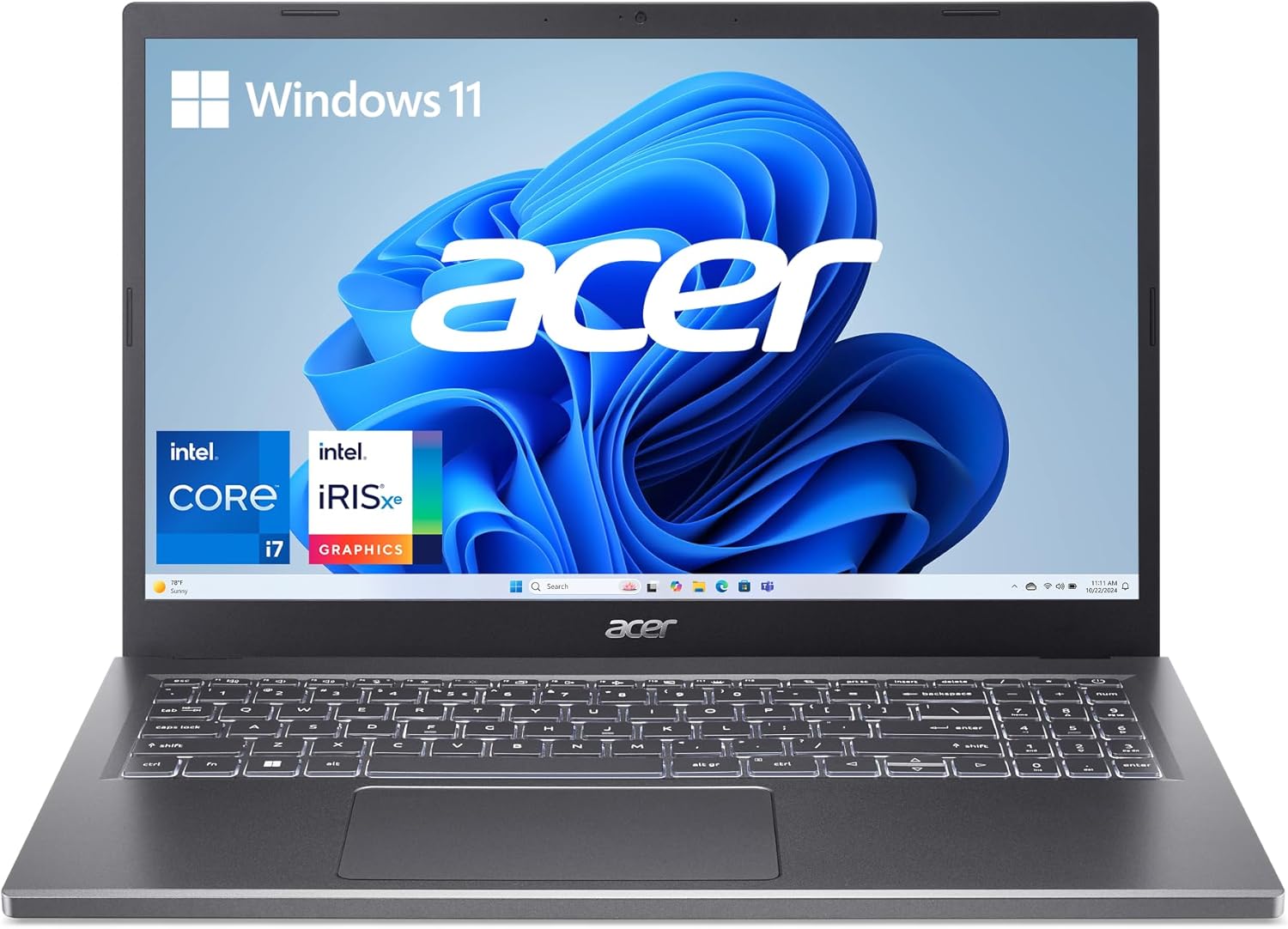
The Acer Aspire 5 is the definitive best budget laptop for writers in 2026 — and it earns that position by doing something unexpected: delivering an OLED display option, a comfortable keyboard, and solid Intel Core or AMD Ryzen performance at under $500, getting the fundamentals exactly right at a price that no other laptop on this list can match. TechRadar’s professional writer review is direct: “The Acer Aspire 5 gets the basics right considering the low cost — a surprisingly excellent keyboard, and often a high-resolution OLED screen, which is unheard of at this price point.” Propelrc confirms: “Budget writers should consider the Acer Aspire 5 under $300” (at the base tier), with the $399–$499 configurations including OLED displays.
This is the laptop for aspiring authors on a budget, for students who write seriously, for cheap laptop for writing and editing seekers, and for anyone who cannot justify $999+ on a MacBook or ThinkPad but refuses to compromise on keyboard feel and display quality. The Aspire 5 proves that affordable laptops for bloggers are not inherently inferior — they simply make different trade-offs, and at this price, the trade-offs are acceptable for most writing workflows.
| Processor | Intel Core i3-N305 / Intel Core i5-1235U / AMD Ryzen 5 7530U |
| RAM | 8GB / 16GB DDR4/DDR5 |
| Storage | 256GB / 512GB NVMe SSD |
| Display | 15.6″ FHD IPS (base) or FHD OLED (step-up config) — OLED at budget price is exceptional |
| Keyboard | Full-size backlit keyboard, 1.3mm key travel — TechRadar calls it “firm and comfortable” |
| Battery | ~6.5–8 hours — adequate for a writing session; shorter than premium picks |
| Weight | 3.75 lbs / 1.7kg — heavier than premium options; typical for 15.6″ budget laptops |
| Price | ~$299–$599 (OLED config typically ~$449–$549) |
MacBook vs Windows for Writers — Which Is Better in 2026?
The best Mac vs Windows for writers debate is one of the most searched questions in this category — and the answer in 2026 is more nuanced than ever. Here is the honest breakdown:
| Factor | MacBook for Writers | Windows Laptop for Bloggers |
|---|---|---|
| Battery Life | MacBook Air M4: up to 18 hours MacBook Air 15: up to 24 hours |
Dell XPS 13 Snapdragon: 27 hours Yoga Slim 7x: ~18 hours |
| Keyboard Quality | Excellent — but ~1.0mm travel (shallow for touch typists) | ThinkPad: 1.5mm — best keyboards available anywhere |
| Writing Software | Ulysses, Scrivener, Bear, iA Writer — best macOS-native writing apps | Full Office 365, Scrivener, Obsidian, Notion — maximum compatibility |
| Portability | MacBook Air 13: 2.7 lbs — among the lightest | ThinkPad X1 Carbon: 2.48 lbs — lightest on this entire list |
| Distraction-Free Writing | macOS Focus Mode + clean UI — widely considered the best distraction-free environment | Windows Focus Sessions via Settings — effective but less seamless |
| Budget Options | No MacBook under $999 | Acer Aspire 5 under $500 — best cheap laptop for writing and editing |
| Chromebook for Writing | — | Chromebook Plus Spin 714: under $700; Google Docs-centric writing; excellent value for cloud writers |
Is MacBook Good for Writers? Yes — and it is the top pick in 2026 for most professional writers. The macOS writing ecosystem (Ulysses, Scrivener, Bear) is the most refined available, the battery life is genuinely all-day, and the fanless design creates the true quiet laptop for writers and fanless laptop for distraction-free work experience. Propelrc’s expert analysis puts it plainly: “MacBooks deliver the best keyboards and battery life in the industry. For serious writers, macOS is often the preferred choice.” However, if you are a Windows laptop for bloggers user who needs full software compatibility, the Dell XPS 13 Snapdragon or Lenovo Yoga Slim 7x are now genuinely competitive alternatives that match or exceed the MacBook in battery life.
🏆 Final Verdict — Which Laptop Should Writers and Bloggers Choose?
Best Laptops for Writers and Bloggers in 2026 — Summary by User Type
| Writer Type | Best Pick | Why | Price |
|---|---|---|---|
| ✍️ Professional Writers / Novelists | MacBook Air 13 M4 | Best overall writing laptop — 18-hour battery, lightest, best macOS writing ecosystem | $999–$1,299 |
| 💻 Bloggers & Content Creators | MacBook Air 15 M4 or Dell XPS 13 | Larger screen for research + writing; 18–27 hour batteries for full publishing days | $999–$1,499 |
| 🖥️ Power / Multitasking Writers | ThinkPad X1 Carbon | Best keyboard + lightest weight + 15-hour battery; the writer’s writer laptop | $1,299–$1,799 |
| 📱 Writers on the Go | Lenovo Yoga Slim 7x | 2.8 lbs + 18-hour Windows battery + 3K OLED — lightest portable Windows writing laptop | $899–$1,199 |
| 📖 Authors & Editors (2-in-1) | Lenovo Yoga 9i 2-in-1 | Best for manuscript annotation, outlining, and editing in tablet mode with stylus | $999–$1,399 |
| 💰 Budget Writers Under $500 | Acer Aspire 5 | OLED option + comfortable keyboard + solid performance — best affordable laptop for blogging | $399–$599 |
| 📢 SEO / Digital Marketing Writers | Microsoft Surface Laptop 7 | Microsoft 365 + Copilot AI deepest integration; premium Windows writing experience | $999–$1,499 |
| 🎓 Student Writers & Academics | ASUS ZenBook 14 OLED | Best laptop for academic writing under $1,000 — OLED, Core Ultra, all-day battery | $699–$999 |
FAQ
Q: Which laptop is best for writers and bloggers in 2026?
A: The Apple MacBook Air 13-inch M4 is the best laptop for writers in 2026 — confirmed by Laptop Mag, Technobezz (February 2026), and Propelrc as the top overall pick. It offers an 18-hour battery, 2.7-pound body, backlit Magic Keyboard, 2560×1664 Liquid Retina display, and the best macOS writing ecosystem available. For Windows users, the Dell XPS 13 Snapdragon X Elite is the best alternative with a record 27-hour battery. Budget writers should choose the Acer Aspire 5 — OLED display and comfortable keyboard under $500.
A: The Apple MacBook Air 13-inch M4 is the best laptop for writers in 2026 — confirmed by Laptop Mag, Technobezz (February 2026), and Propelrc as the top overall pick. It offers an 18-hour battery, 2.7-pound body, backlit Magic Keyboard, 2560×1664 Liquid Retina display, and the best macOS writing ecosystem available. For Windows users, the Dell XPS 13 Snapdragon X Elite is the best alternative with a record 27-hour battery. Budget writers should choose the Acer Aspire 5 — OLED display and comfortable keyboard under $500.
Q: Do writers need a powerful laptop for writing?
A: No — not in the way gamers or video editors do. Word processing, research browsing, email, and productivity tools place minimal demands on modern processors. Even the Acer Aspire 5’s entry-level configuration handles a full writing workflow smoothly. What writers genuinely need is a comfortable keyboard, long battery life, a comfortable display, and sufficient RAM for multitasking (16GB recommended). GPU power, high-end processors, and gaming specs are irrelevant to writing performance — prioritise keyboard feel and battery endurance instead.
A: No — not in the way gamers or video editors do. Word processing, research browsing, email, and productivity tools place minimal demands on modern processors. Even the Acer Aspire 5’s entry-level configuration handles a full writing workflow smoothly. What writers genuinely need is a comfortable keyboard, long battery life, a comfortable display, and sufficient RAM for multitasking (16GB recommended). GPU power, high-end processors, and gaming specs are irrelevant to writing performance — prioritise keyboard feel and battery endurance instead.
Q: Is MacBook Air good for writing and blogging?
A: Yes — the MacBook Air M4 is considered the best laptop for writers by most independent publications in 2026. Its key advantages for writers specifically are: (1) the macOS writing ecosystem with Ulysses, Scrivener, and Bear running optimally on Apple Silicon; (2) 18-hour real-world battery that genuinely lasts a full writing day; (3) fanless, completely silent operation that creates a genuine distraction-free writing environment; and (4) the Magic Keyboard’s comfortable feel. The main limitation is the ~1.0mm key travel — writers who prefer deeper, more tactile keys may prefer the Lenovo ThinkPad X1 Carbon’s 1.5mm depth.
A: Yes — the MacBook Air M4 is considered the best laptop for writers by most independent publications in 2026. Its key advantages for writers specifically are: (1) the macOS writing ecosystem with Ulysses, Scrivener, and Bear running optimally on Apple Silicon; (2) 18-hour real-world battery that genuinely lasts a full writing day; (3) fanless, completely silent operation that creates a genuine distraction-free writing environment; and (4) the Magic Keyboard’s comfortable feel. The main limitation is the ~1.0mm key travel — writers who prefer deeper, more tactile keys may prefer the Lenovo ThinkPad X1 Carbon’s 1.5mm depth.
Q: What is the best budget laptop for writers and bloggers under $500?
A: The Acer Aspire 5 is the best budget laptop for writers under $500 in 2026. At $399–$549, it delivers a comfortable keyboard that TechRadar describes as “firm and comfortable for long sessions of typing,” an optional OLED display that is extraordinary at this price, and solid Intel Core or AMD Ryzen performance for all writing workflows. It makes trade-offs on battery life (~6.5–8 hours) and build quality — but for writers who primarily work at home or near an outlet, these are acceptable limitations for the price. Always choose the 16GB RAM and 512GB SSD configuration for the best daily performance.
A: The Acer Aspire 5 is the best budget laptop for writers under $500 in 2026. At $399–$549, it delivers a comfortable keyboard that TechRadar describes as “firm and comfortable for long sessions of typing,” an optional OLED display that is extraordinary at this price, and solid Intel Core or AMD Ryzen performance for all writing workflows. It makes trade-offs on battery life (~6.5–8 hours) and build quality — but for writers who primarily work at home or near an outlet, these are acceptable limitations for the price. Always choose the 16GB RAM and 512GB SSD configuration for the best daily performance.
Q: What laptop specs do writers actually need in 2026?
A: The minimum recommended specs for a writing laptop in 2026 are: a modern processor (Apple M4, Intel Core Ultra, Ryzen 7, or Snapdragon X), 16GB RAM (8GB is insufficient for multitasking writing and research in 2026), 512GB NVMe SSD, a display with 300+ nits brightness and anti-glare coating, and 10+ hours of real-world battery life. The keyboard is the most subjective but most important spec — seek 1.0–1.5mm key travel with tactile feedback. A dedicated GPU is irrelevant to writing. A touchscreen is useful for 2-in-1 convertibles but not necessary for standard writing laptops.
A: The minimum recommended specs for a writing laptop in 2026 are: a modern processor (Apple M4, Intel Core Ultra, Ryzen 7, or Snapdragon X), 16GB RAM (8GB is insufficient for multitasking writing and research in 2026), 512GB NVMe SSD, a display with 300+ nits brightness and anti-glare coating, and 10+ hours of real-world battery life. The keyboard is the most subjective but most important spec — seek 1.0–1.5mm key travel with tactile feedback. A dedicated GPU is irrelevant to writing. A touchscreen is useful for 2-in-1 convertibles but not necessary for standard writing laptops.
Q: Is a Chromebook good for writing and blogging?
A: Yes — for writers who work entirely in Google Docs, Notion web, WordPress, and cloud-based tools. Chromebooks are excellent value writing devices: lightweight, long battery, secure, and purpose-built for browser-based workflows. The Chromebook Plus Spin 714 is the best Chromebook for writers in 2026 at under $700, offering solid build quality and a comfortable keyboard. The limitation is software compatibility — Scrivener requires Windows or macOS and does not run natively on ChromeOS. Final Draft also requires macOS or Windows. If all your writing tools are web-based, a Chromebook is a genuinely compelling and affordable choice.
A: Yes — for writers who work entirely in Google Docs, Notion web, WordPress, and cloud-based tools. Chromebooks are excellent value writing devices: lightweight, long battery, secure, and purpose-built for browser-based workflows. The Chromebook Plus Spin 714 is the best Chromebook for writers in 2026 at under $700, offering solid build quality and a comfortable keyboard. The limitation is software compatibility — Scrivener requires Windows or macOS and does not run natively on ChromeOS. Final Draft also requires macOS or Windows. If all your writing tools are web-based, a Chromebook is a genuinely compelling and affordable choice.

Jaeden Higgins is a tech review writer associated with DigitalUpbeat. He contributes content focused on PC hardware, laptops, graphics cards, and related tech topics, helping readers understand products through clear, practical reviews and buying advice.